Abstract
Traditional 3D animation pipelines, like those used by major studios, demand years of specialized training and access to costly software. These constraints limit participation for educators, students, and independent creators. Thus, in this paper, I present a simplified five-stage “3+2” animation pipeline that integrates generative AI tools to streamline pre-production and production workflows and that can be an answer to the problem faced by these non-specialists. The proposed pipeline was evaluated through a mixed-methods user study combining usability measures, creative output ratings, and qualitative feedback. Results indicate high perceived usability and accessibility of the workflow. Creative quality outcomes were moderate overall, with stronger visual quality and enjoyment ratings compared to storytelling clarity and emotional engagement. In summary, the findings of my research suggest that generative AI can democratize animation production across education, the creative industries, and small enterprises by lowering technical barriers and supporting accessible creative production, while highlighting areas for further improvement in narrative and expressive depth.
Keywords: AI, Animation, AI-assisted animation, Human-AI collaboration, Generative design, Storytelling technology, Education, Accessibility, Usability study.
Introduction
Animation is one of the most powerful ways for people to communicate ideas – for example, it helps in education, in science communication, and in marketing1,2,3. However, animation, especially Computer-Generated (CG) animation, has traditionally required years of formal training and specialized software mastery, often structured through multi-year degree programs (e.g., 2-3 years for a Bachelor’s in CG Animation) or long apprenticeship-style learning in the industry4. For students, teachers, or small business owners, this level of commitment is unrealistic. Despite approachable behind-the-scenes lessons such as Khan Academy’s Pixar in a Box unit lessons and other tutorials on the web, a student who might want to enrich a classroom presentation with an animated sequence often lacks the time and expertise, especially when balancing a heavy academic and extracurricular schedule.
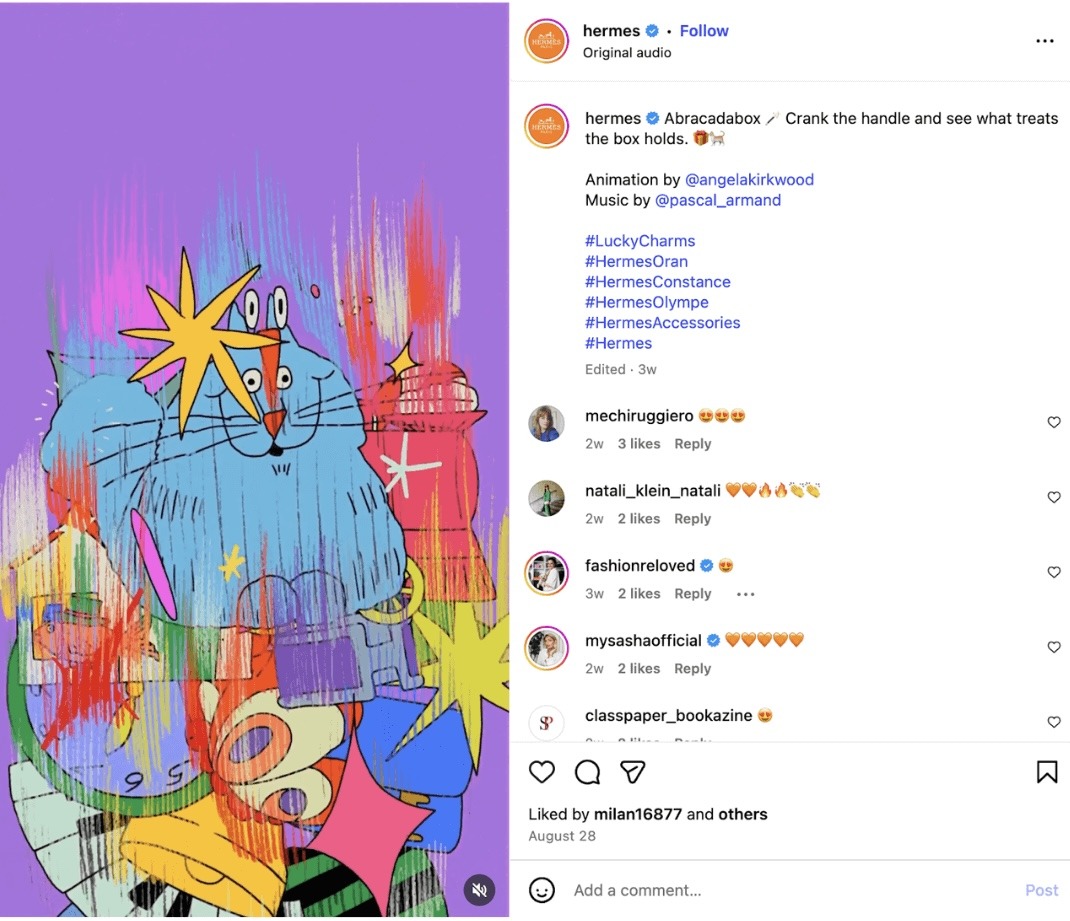
While direct statistics are scarce, related studies show that teachers frequently report a lack of resources, training, and time as barriers to using animation in classrooms. In a Mumbai study, over 66% of teachers reported insufficient resources, 50% felt undertrained, and a third said that using animation takes more time than traditional teaching methods5. While this study illustrates common structural barriers to animation adoption in educational settings, the AI-driven pipeline proposed in this research was evaluated with participants based in San Francisco and therefore reflects the resources, infrastructure, and educational context of that environment rather than those of the Mumbai teachers. Teachers have a similar challenge when they want to create animations for their lessons, often to help their students with writing skills, most specifically in plot structure and character development6. At the same time, small business owners who envision animated marketing content cannot afford the costs associated with professional studios. Academic studies of SMEs identify, indeed, high adoption costs and skills gaps as primary obstacles to adopting digital marketing tools7. As shown in Figure 1, luxury brands such as Hermès can commission artists like Nata Metlukh (@notofagus) or Angela Kirkwood (@angelakirkwood), but smaller companies cannot access such resources.
Personal experience with professional animation software revealed the high barrier to entry for non-specialists. In this study, “non-specialists” refers to individuals without formal training in computer-generated animation or professional animation software, rather than individuals without access to educational resources or technology. Institutions like the Academy of Art University recognized these barriers. Thus, the world’s first fully accredited Master of Arts in Artificial Intelligence Design, positioning AI as central to the future of creative media education was recently announced (Academy of Art University, https://www.academyart.edu/ai/). This shows the growing acknowledgment of AI in creative fields to help lower the barriers of time and resources. However, formal degree programs remain inaccessible to many because of their cost and duration, and this leaves students, teachers, and small businesses without practical entry points.
While this research does not aim to replace studios or the artistry of professional animators, its focus, instead, is on democratization, ie., empowering non-specialists to bring their ideas and stories to life through animation. Recent advancements in artificial intelligence, indeed, have made this goal more plausible. Generative AI tools, such as Runway, Pika Labs, and Adobe Firefly, among many others, are becoming increasingly user-friendly8. They offer new ways to simplify complex animation workflows. The challenge, however, is fragmentation. Indeed, while many tools exist, there is no coherent process or pipeline that allows non-experts to use them effectively from start to finish.
To address this gap, my research aims to experiment with and evaluate a simplified, AI-driven pipeline inspired by Pixar’s streamlined animation workflow. Also, it helps explore whether non-specialists can produce CG animation of comparable quality to that achieved in traditional studio practices. By doing so, this study contributes not only to computer graphics and AI research but also to the broader conversation about creativity, accessibility, and human-AI collaboration.
In this work, I review, in Section 2, related work on (i) equity and access to creative technologies; (ii) the democratization of creative fields such as music, photography, and design through user-friendly tools like GarageBand, Instagram, and Canva, which serve as precedents for lowering creative barriers; (iii) human-AI collaboration and workflow design, analyzing studies on generative tools as “creative partners”; and (iv) Pixar’s streamlined animation pipeline, analyzing its structured pre-production and production stages as a model of efficiency and collaboration that informs my proposed simplified AI-driven workflow. Then, in Section 3, I detail the methodology I used. It includes the experiment, the participant recruitment, and the survey. Next, in Section 4, I present the quantitative and the qualitative findings. And, finally, in Section 5, I discuss their implications and add concluding remarks and outline directions for future research.
Literature Review
Equity and Access
Non-specialists had historically limitation to professional-quality animation because of cost, training, and time9. In schools, budgets are limited. Thus, teachers are left without visual storytelling tools and students can’t experiment either. For small businesses, outsourcing animation is prohibitively expensive, making it the domain of larger companies with resources, such as Hermès, which commissions bespoke animations from well-known artists.
New animation tools with AI offer an opportunity to lower these barriers10. However, if there is no coherent workflow, the tools remain fragmented and confusing11. I address this equity gap by developing and testing a streamlined pipeline designed explicitly for non-specialists. My objective is not to replace studios or undermine professional artistry, but I aim to help more people who would like to express ideas through animation.
Democratization of Technology
In other creative industries, technology has already reshaped who gets to participate. GarageBand, for instance, lowered barriers to music production by allowing anyone with a laptop to compose and mix songs12. Just like GarageBand made music production easy for non-musicians, this research tries to do the same for animation using AI.
During the plenary session “Education: The Doers and the Viewers” of the Salzburg Global Seminar “Power in Whose Palm? The Digital Democratization of Photography” in 2013, panel moderator Nii Obodai, who was developing “a new school in Ghana, opened the discussion about the role of photography in education […]”, mentioning “where traditional education had failed to address his own needs of expression and communication, he found photography which “taught him to be a better human being.” He felt it should be a driving force in the new educational process to be able to address the complexities of Africa.”13 Just as photography education lowered technical and financial barriers to visual storytelling and empowered new voices, animation education has the potential to do the same by transforming complex production processes into accessible creative tools for non-specialists. Photography education succeeded to make a once highly technical craft intuitive and accessible. It’s a transformation that AI-driven animation pipelines, as this research tries to show, could now replicate for motion storytelling and digital creativity.
Instagram turned photography into an accessible form of self-expression, even for those without professional equipment14. Similarly, user-friendly graphic design platforms have lowered barriers for non-professionals to create visually polished content without formal design training.
These examples show that when complex workflows are simplified and paired with intuitive interfaces, entirely new communities of creators can emerge. Nevertheless, in animation, no equivalent really exists yet. So I suggest that this democratization trend into CG animation can be extended by building a practical, end-to-end AI pipeline.
Human-AI Collaboration
Recent studies in human-AI collaboration highlight the potential of AI tools as “creative partners”15. When the user input (geometry, camera paths) and AI models are combined, it can produce high-quality video with more intuitive control16. These hybrid approaches help non-experts in achieving results formerly requiring advanced technical skills.
Besides model performance, the way AI is embedded (e.g., communication, control, and tool intuitiveness) strongly affects the user experience and the perceptiveness of ownership17. Thus, research in design workflows has shown that users treat AI suggestions in tools like Figma AI as semi-autonomous collaborators. They provide ideation while still relying on human judgment and inputs for refinement.
In animation, early experiments with AI image-to-video models have similar patterns. AI, indeed, can handle repetitive or highly technical tasks. This helps humans to focus on storytelling and creative decisions. The gap, however, is that most of these studies focus on isolated tools rather than integrated pipelines. So I aim to bring these tools together. This way, non-specialists can follow a structured process, thereby turning fragmented experiments into a coherent workflow.
Pixar’s Animation Pipeline
Traditional cel animation required manual drawing and compositing18. The rise of CG in the 1990s, marked by Toy Story (1995), introduced digital workflows that linked modeling, layout, animation, lighting, and rendering. This way, Pixar became a leader by developing an integrated pipeline that blends creative exploration with computational efficiency.
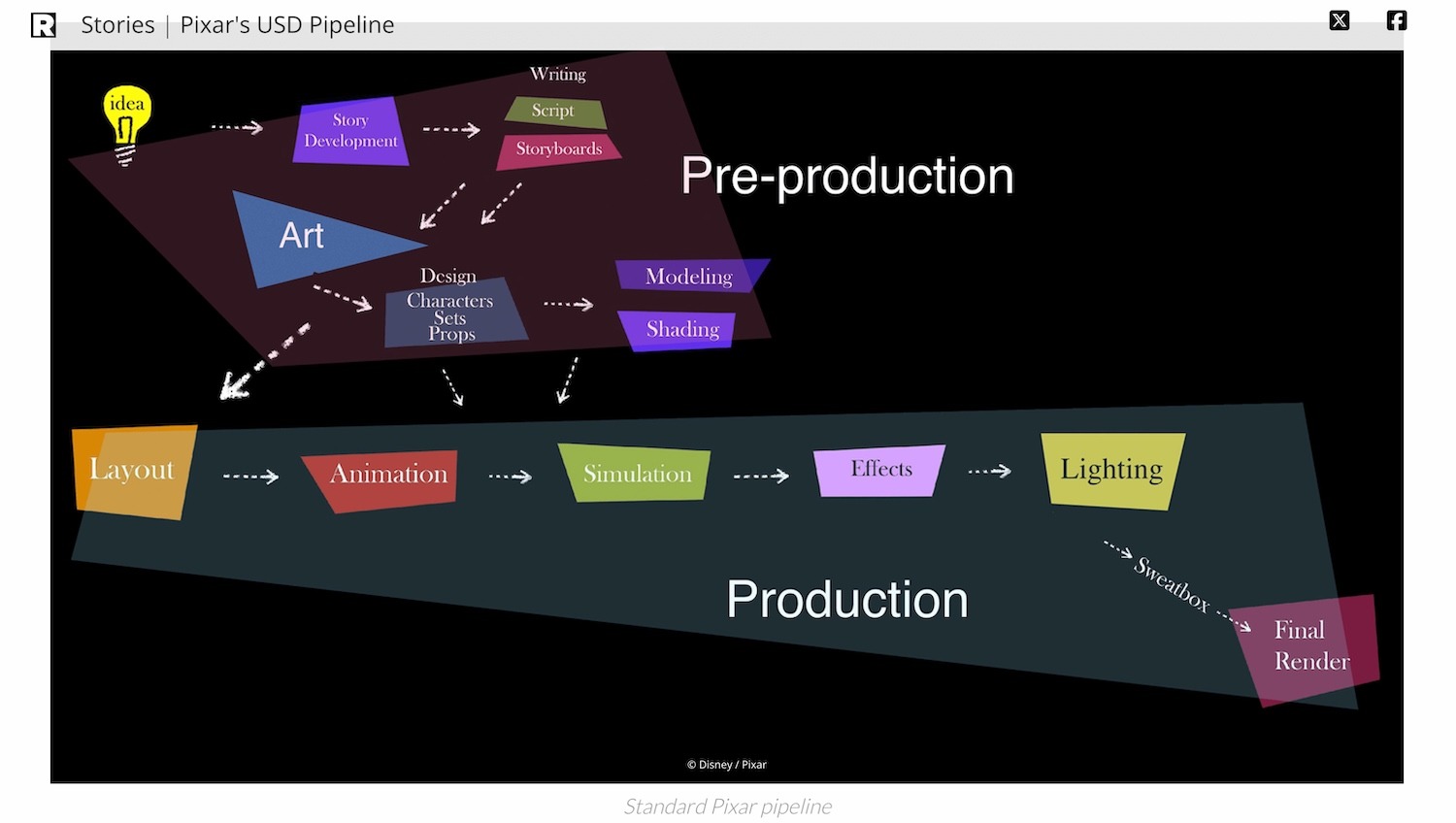
Pixar’s current production framework is based on the Universal Scene Description (USD) system. USD is a system that keeps all animation files organized and linked together. It’s very powerful but requires training to use, which is why regular people can’t use it. This data-driven system unifies pre-production (story, script, design, modeling, shading) and production (layout, animation, simulation, effects, lighting, rendering). This enables seamless collaboration among the departments of the company because it ensures asset consistency and scalability across teams. At the same time, it helps maintain the artistic flexibility that defines the studio’s storytelling style. But this system requires significant expertise and computational infrastructure. So it’s precisely the accessibility gap that I want to address through an AI-driven alternative system.
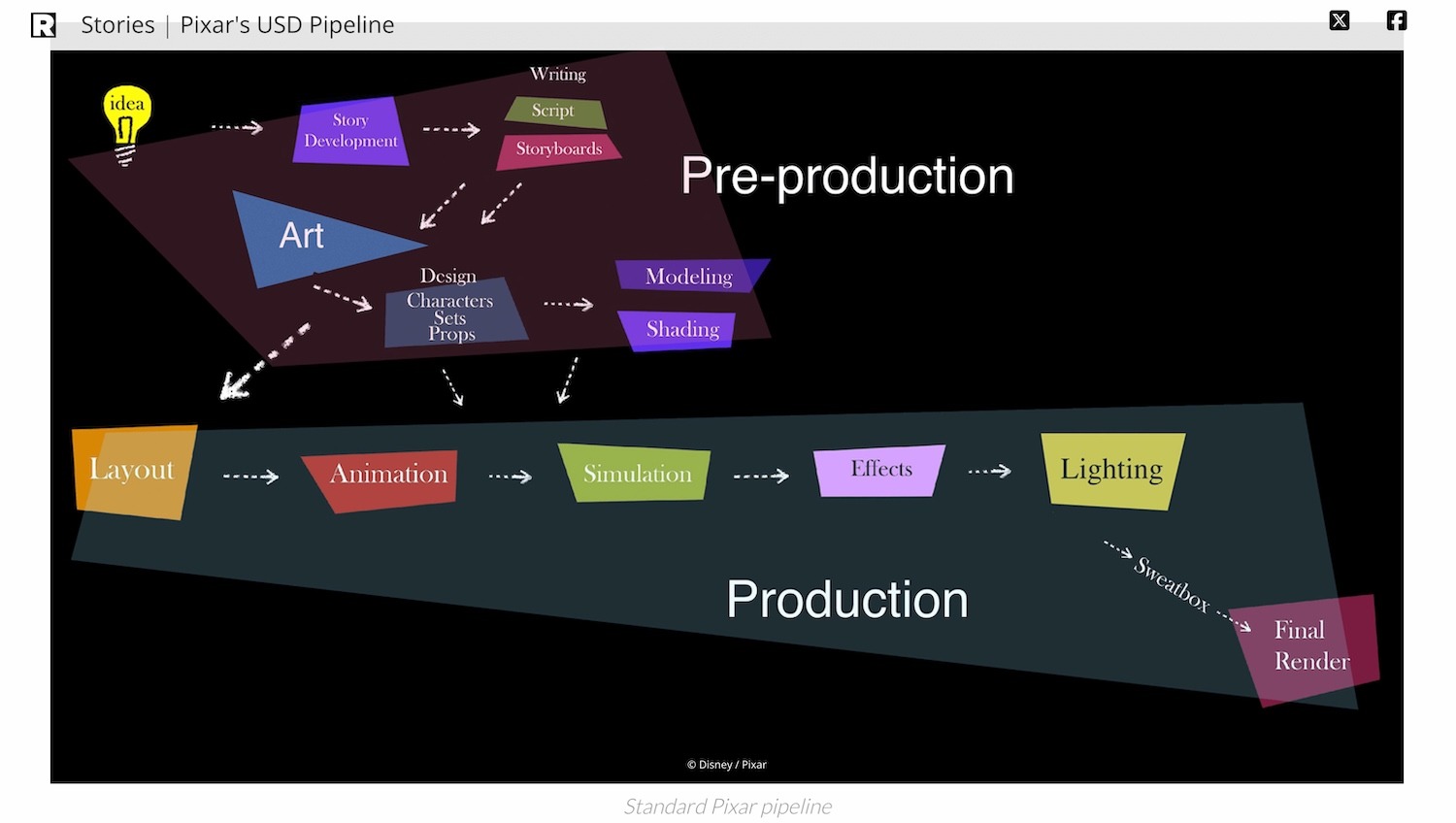
Figure 2 serves as the reference architecture for a professional-grade animation workflow, highlighting the highly specialized and sequential nature of Pixar’s USD-based production process. This pipeline will later be used as a comparative baseline to evaluate how much technical complexity can be consolidated within the proposed AI-driven workflow for non-specialists (see Figure 3).
In pre-production, collaborative story development and storyboarding guide the emotional and visual direction of each film. Iterative feedback and visual experimentation reinforce this shared creative process19,20,21. Then, during production, layout further shapes cinematic clarity and emotional tone. Tools such as Presto and RenderMan help animators to apply classical principles (anticipation, appeal, timing, staging, squash and stretch) to characters and environments in real time22,23,24,25,26,27,28,29,30. And simulation tools power the realism seen from Brave’s hair dynamics to the complex lighting in Coco31,32.
In summary, Pixar’s pipeline shows how technical and human modularity and collaboration can result in artistic excellence at scale. However, it is so sophisticated that it demands specialized skills and expensive software. These are barriers for non-specialists. Thus, in the following section, I propose a simplified AI-driven workflow built on these insights, to make computer-generated animation more approachable and inclusive.
(See Appendix A for the complete breakdown of Pixar’s production stages and referenced figures.)
Methodology
Overall methodology
I used a mixed methodology. It combines a quantitative experimentation I conducted with a qualitative analysis: I measured the usability, the efficiency, and the perceived quality across different animation workflows and I focused on interpreting the user experiences, their feedback, and the themes linked with accessibility and creative empowerment. This way, I could get measurable results such as ratings. I could also get a deeper knowledge about motivation, perception, and creative confidence. These are important for understanding the technology designed for non-specialists. Therefore, my simplified 3+2 generative AI pipeline (i.e, Idea/Story, Characters/Sets, and Storyboards for the pre-production stage, and Layout and Animation for the production stage), compared to traditional industry-standard workflows such as Pixar’s USD-based system, can hypothetically reduce technical barriers for non-specialists without compromising creative quality.
The overall strategy is exploratory and comparative. By reconstructing a 3+2 AI-enhanced pipeline and testing it with non-specialist users, the potential of generative tools to bridge the accessibility gap is examined. The human-AI co-creation process is also explored. It focuses on how individuals with little to no technical background conceptualize and produce short animations when aided by generative models. The strategy aligns with prior studies that emphasize democratization of creative technologies.
Case Study
The case-study experiment is supported by a survey-based evaluation. For that purpose, a sample of voluntary participants (students, teachers, and small business owners) assessed the usability, affordability, and perceived creative potential of different animation pipelines through an online questionnaire. Complementary to the survey, I conducted an experimental test of the AI-driven workflow by producing a 20–30 second short animation (“Desk Buddies”), documenting the process, and collecting viewer feedback on storytelling clarity, visual quality, and emotional appeal. Then, quantitative data were analyzed using nonparametric tests (e.g., Wilcoxon signed-rank, Friedman test, Spearman correlation) due to ordinal Likert-scale data and small group sizes. Lastly, open-ended responses were examined using Braun and Clarke’s (2006) thematic analysis framework to identify recurring patterns and insights related to human-AI collaboration and creative accessibility. Thematic analysis (Braun & Clarke, 2006) is a method where researchers read all comments, find repeated ideas, and group them into themes.
Experiment
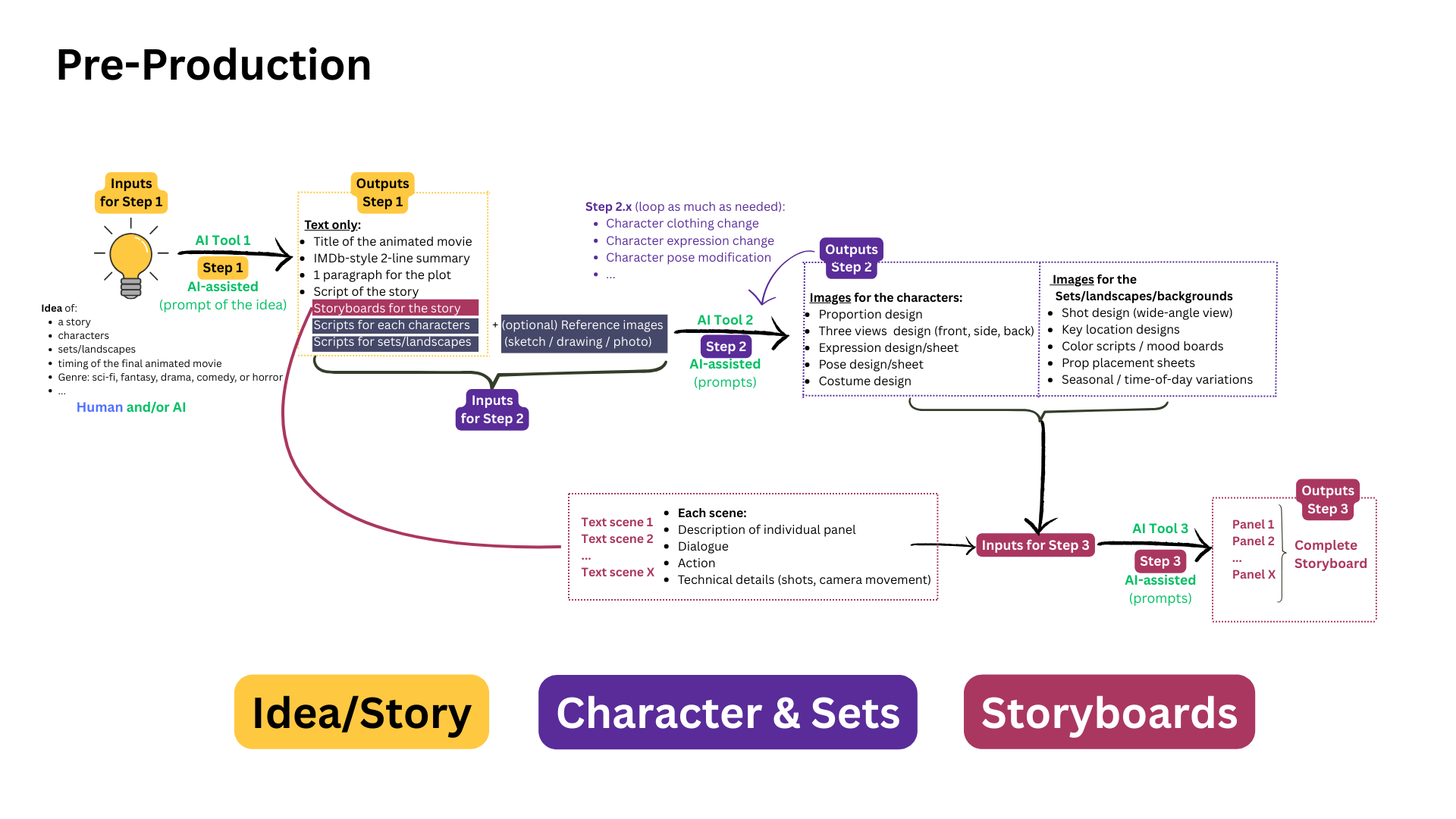
I designed my research in two phases for combining a technical experimentation with a human-centered evaluation. During the first phase, I focused on creating and validating a simplified AI-assisted animation workflow. During the second phase, I evaluated its usability and the creative potential among non-specialist users. I illustrated the overall structure of my proposed 3+2 AI-driven workflow in Figure 3, which contrasts the traditional Pixar pipeline. Indeed, the Pixar’s USD-based process has more than 10 highly specialized stages. My new workflow consolidates the sequence into 3 pre-production and 2 production stages, with generative AI handling many technical operations in the background. My aim is not to reproduce the Pixar production system but to emulate its logic. This translates it into an accessible format that enables students, teachers, and small business owners to bring animated ideas to life.
Phase 1 – Pipeline Design, Tool Selection, and Experimental Validation
In this phase 1, I examined existing generative AI tools across each stage of the pipeline (idea/story generation, character and environment design, storyboarding, layout, and animation) to identify combinations that form a coherent, end-to-end workflow.
The pre-production phase (Figure 4) comprises three steps:
- Ideation and Story, where large language models such as ChatGPT / GPT-4 generate titles, scripts, and structured prompts,
- Character and Set Design, where image generation platforms like Nano Banana produce character sheets, background art, and assets,
- Storyboarding, where visual planning tools such as Shai Creative convert narrative scripts into camera-ready panels.
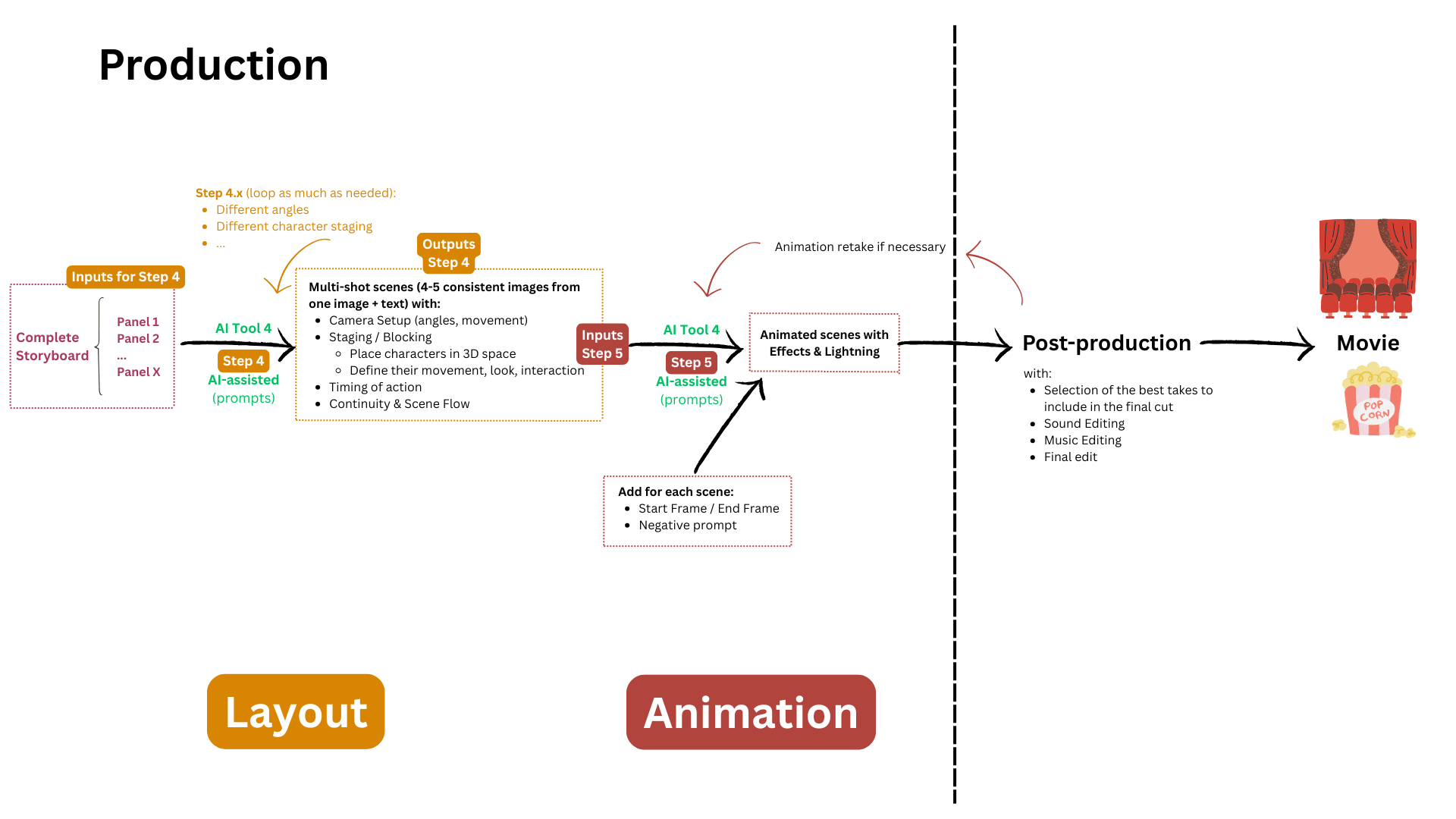
The production phase (Figure 5) focuses on:
- Layout, with AI tools that manage camera angles, staging, and shot composition, and
- Animation, with systems like Kling AI that translate storyboarded scenes into motion and also automatically perform simulation, rendering, and compositing tasks at the same time.
After multiple trials, I selected four tools: ChatGPT / GPT-4, Nano Banana, Shai Creative, and Kling AI. These tools were the most efficient combination for non-specialist use, balancing quality, usability, and affordability. (see Figure D in Appendix D).
Then, I produced a short animation, “Desk Buddies”: a desk lamp interacting playfully with a toy ball. I did that to evaluate the effectiveness of my pipeline.
Implementation details and reproducibility of the simplified pipeline
I implemented and tested the simplified animation pipeline in September 2025. I used tools that were publicly accessible via their web interfaces: ChatGPT (GPT-5 version) for the idea/story stage (with narrative generation, prompt engineering, and image generation as well), Nano Banana for the characters & set stage (character, prop, and environment images), Shai Creative for the storyboard and layoutstage, and, finally, Kling AI (versions Video 1.6 and Video Turbo 2.5) for the animation stage.
Prompt Structure and Template Design
To ensure consistency and reproducibility across steps in the pipeline, all the generative prompts I wrote followed a structured template comprising:
– a fixed anchor subject description (characters and key props),
– a persistent environment specification (desk, wall, lighting, plug location),
– cinematic style and mood cues (Pixar-inspired lighting and composition), and
– minimal camera movement instructions.
For example, I used the following format like this one for the animation prompts in Kling AI:
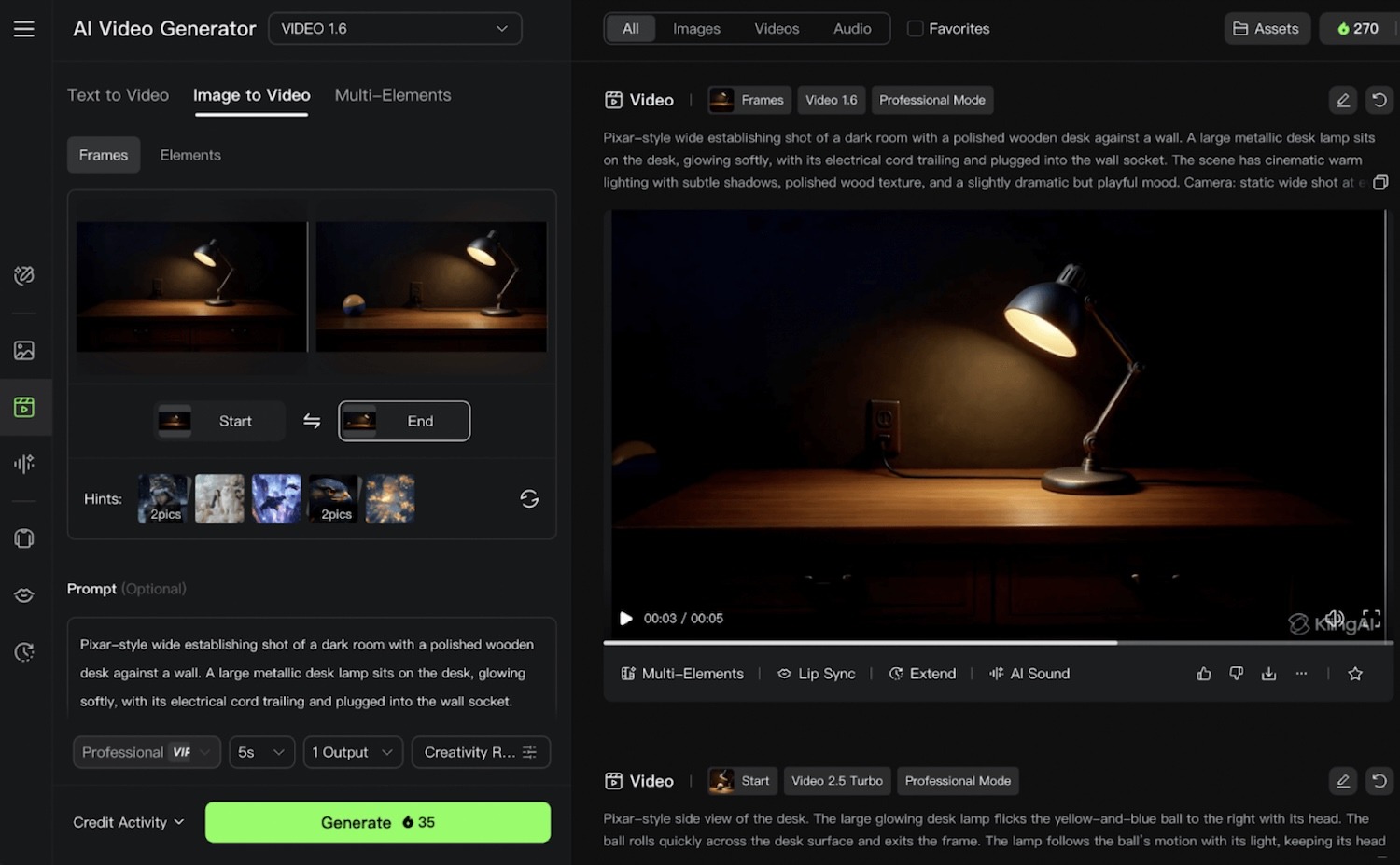
“Pixar-style wide establishing shot of a dark room with a polished wooden desk against a wall. A large metallic desk lamp sits on the desk, glowing softly, with its electrical cord trailing and plugged into the wall socket. The scene has cinematic warm lighting with subtle shadows, polished wood texture, and a slightly dramatic but playful mood. Camera: static wide shot at eye level with a gentle slow zoom-in toward the lamp.” (Figure 6)
I needed to decompose long sequences into short shot-sized prompts to facilitate later stitching: the shot 1 was the opening, the shot 2 was then when the ball enters, the shot 3 was the curiosity expressed by the lamp, and the last shot was the impulse push.
Reinforcing the Visual Consistency
Visual consistency was the main concern in this experiment and I used the three following mechanisms to reinforce it. First, character and environment reference sheets generated in Nano Banana were reused as visual anchors for subsequent prompts. Second, fixed descriptive phrases (e.g., lamp proportions, color palette, desk layout, lighting style) were maintained verbatim across the generations of the assets. Lastly, I used Kling AI’s start-frame/end-frame control. This feature of Kling AI helps reuse the final frame of one animated shot as the initial frame of the next animated shot. This ultimately helped reduce continuity artifacts like the characters displacement across shots.
Generation and Post-Processing of the Animation
I used Kling AI to generate short video segments of 5 or 10 seconds per shot. It was not possible to create longer continuous scenes because it is not supported by the tool. Then, I exported the individual shots and stitched them using Canva’s editor. I applied short cross-fade transitions (0.1 s) to reduce minor continuity artifacts. This produced the final animated short, “Desk Buddies”, that I used thereafter for comparative analysis and user evaluation.
Once I finished the creation of Desk Buddies, I then compared the workflow to Pixar’s original Luxo Jr. opening scene. This opening scene, indeed, is a reference in the animation world. It is known for its simplicity, its clarity, and its emotional storytelling. I could use it as a reference for the narrative coherence, the lighting, and the character motion. I did not aim to replicate Luxo Jr. but it was used as a qualitative narrative reference for simplicity of motion, timing, and visual storytelling structure. The comparison served as an illustrative benchmark rather than a quantitative performance evaluation. Indeed, the two animations share a similar foundation though: a lamp interacting with a ball. However, they differ radically in their production workflows and resource requirements. The visual comparison I made outlines corresponding scenes, timings, and script cues to illustrate how narrative coherence and emotional engagement can emerge even from a production pipeline with AI tools (Figure 7).
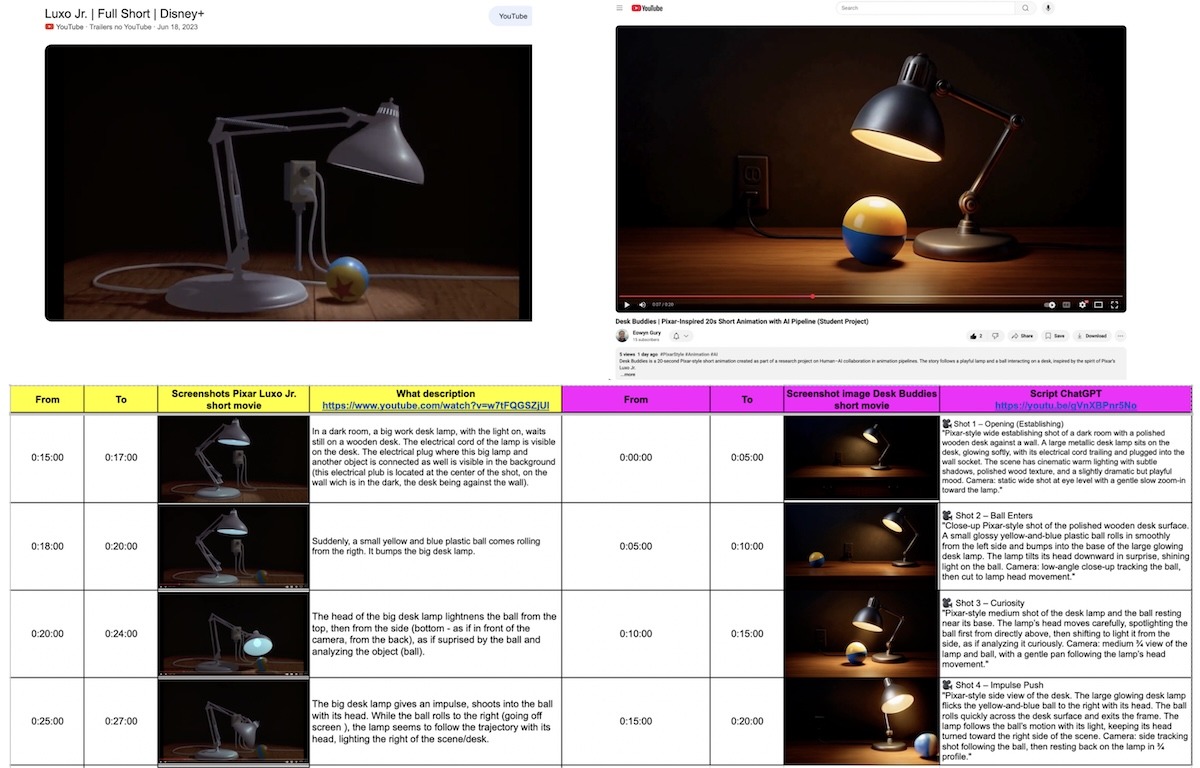
The side-by-side analysis confirmed that Desk Buddies lacked the rendering precision of Luxo Jr. but, at the same time, it showed comparable storytelling clarity and timing. This illustrates the feasibility of producing a coherent short animation using the simplified pipeline and motivated the second phase of the study focused on user evaluation.
Exported Artifacts and Replication Materials
Representative prompt templates, character sheets, storyboard panels, background generations, and animation outputs are provided in Appendix C. These materials document each pipeline stage and enable direct replication of the workflow without requiring access to proprietary studio software.
Phase 2 – User Study on Human-AI Collaboration
In this phase 2, I evaluated the pipeline’s usability and its creative impact. For that, I sent a survey to students, teachers, and small business owners. Participants first completed a baseline questionnaire. It assessed their familiarity with animation tools, their confidence, and their expectations. Then, they reviewed the workflow tutorial. They also had the option to produce a short animation using the provided step-by-step guide.
I also obtained their perceptions of usability, creativity, and satisfaction. Participants, indeed, rated the outputs for quality and clarity. Then, with quantitative analyses (Friedman and Wilcoxon tests, Spearman correlations), I measured comparative usability and correlations between confidence and creative engagement. I used Braun and Clarke’s (2006) framework for the qualitative responses of the participants in order to code them thematically. I extracted insights into how AI affected participants’ sense of authorship and empowerment.
Now that I established the overall structure and rationale of the AI-driven pipeline, the next stage of this research focused on empirical validation through a structured experiment. So, the following section details the participant selection criteria, the materials employed, the evaluation metrics, and the data analysis and statistical methods.
Participant selection
I recruited participants within my academic and community networks. This included the Lycée Français de San Francisco, the Lycée Animation Club, and the local San Francisco Public Library Sunset Branch. I reached via emails, WhatsApp messages, and social media posts. The final sample consisted of 43 participants (N=43) who were all volunteers. They represented a diverse non-specialist population. It included, indeed, high school students, teachers, librarians, small business owners, and creative hobbyists. All participants lacked formal education or professional experience in CG animation tools. The participant sample consisted of 10 high school students, 1 college student, 7 teachers, 1 school administrator, 3 small business owners, and 19 working professionals, with 2 participants preferring not to disclose their role (N = 43). Also, all the participants were over the age of 13 and provided informed consent before completing the survey.
During the process, I prioritized diversity in creative experience over technical expertise. I wanted to ensure that respondents reflected the intended end users of the proposed pipeline, i.e., individuals with ideas to express but who have limited training in professional animation tools. I did not collect personally identifiable information. The responses were stored anonymously to keep confidentiality and comply with ethical research guidelines. Because it was a short low-stakes survey, with optional creative tasks, the participation posed no foreseeable risk.
Data Collection
I collected data through an online survey distributed via Google Forms. It was designed to capture both quantitative and qualitative responses about participants’ perceptions of AI-assisted animation workflows.
Participation was voluntary, and all survey items were optional to respect informed consent (see Figure D2 in Appendix D “Supplementary Materials”, that shows the complete Google Form survey interface that I distributed to participants for evaluating usability and accessibility). As a result, some participants skipped individual questions, leading to varying sample sizes across measures (e.g., n= 40-43 depending on item). All analyses report the valid response count for each metric.
In the survey, participants compared a traditional professional-grade animation workflow (Tool 1, represented by software such as Autodesk Maya) with the proposed AI-assisted workflow (Tool 2, represented by tools such as Kling AI within the simplified pipeline). The questionnaire I sent included Likert-scale items assessing the usability, the accessibility, and the willingness to adopt AI tools. It also had open-ended questions that invited participants to share their motivations, their creative goals, and their perceived barriers (see Figure 8 and see also Figure D2 in the Appendix D for the full survey layout).
All responses were collected anonymously, which gave 43 valid submissions. Each participant’s data included demographic information (age, role, and prior animation experience) and reactions to evaluation items on affordability, quality, usability, and the efficiency of various animation workflows. In the optional sections, I also invited the participants to comment on the AI-generated short film titled Desk Buddies. This served to reflect on quality and storytelling.
I exported the responses of the survey as a CSV file and I used it for a statistical and a thematic analysis. I analyzed the quantitative results by using non-parametric tests (Friedman, Wilcoxon, and Spearman correlations). This accounted for ordinal data and small sample size. I also exported and analyzed Open-ended survey responses were exported and analyzed following Braun and Clarke’s (2006) six-phase thematic analysis approach.
Baselines
To assess the effectiveness of my proposed 3+2 AI animation pipeline, I employed two main baselines.
The first baseline I used is the traditional Pixar-style animation workflow that has multiple specialized stages, such as story, modeling, rigging, layout, animation, rendering, and that has advanced professional software such as Maya and RenderMan. This establishes the standard for professional quality and for production consistency.
The second baseline I used represents current non-specialist alternatives, common digital tools, like Canva. These are used to create simple motion graphics or animated slides. And this illustrates how non-experts currently express visual storytelling ideas, despite their limited motion and creative flexibility.
By comparing participants’ experiences and outcomes against both baselines, I situate the AI-driven pipeline between professional studio practices and everyday creative tools. Again, my goal is not to replace expert workflows but to democratize, thanks to AI, access to high-quality animation production.
Metrics and Evaluation Criteria
I evaluated the effectiveness of my AI animation pipeline with three metrics. These metrics are: quality, usability, and efficiency. I chose these criteria to see the technical performance of the workflow as well as the human experience of using it.
Quality
I assessed quality through external evaluations of the final animation outputs. The participants rated the short animation on clarity, storytelling coherence, and visual appeal using a 5-point Likert scale. I used reference clips from a professional studio production, the Pixar’s Luxo Jr. opening, to have the upper range of the quality spectrum. My aim was not to achieve identical fidelity but to determine whether outputs created with AI tools could be perceived as “comparable” in expressive quality and in narrative clarity.
Usability
I measured usability through participants’ self-reported ease of learning, control, and satisfaction with the pipeline. I adapted parts of the System Usability Scale (SUS) framework to quantify perceived accessibility. Open-ended questions helped me explore further the cognitive and the emotional aspects of collaboration with AI. Participants could feel empowered, limited, or creatively inspired.
Efficiency
I evaluated efficiency through the self-reported and the observed completion times. I also evaluated efficiency as well as the number of steps required to complete an animation. I could compare the time spent using the AI pipeline and the typical durations associated with traditional software such as Maya.
So, put together, these three metrics, quality, usability, and efficiency, assessed in a balanced way my pipeline’s impact on creative accessibility and quality.
Data Analysis and Statistical Methods
I designed a mixed methodology for my research. Thus, I conducted both quantitative and qualitative analyses to examine the participants’ experiences and their perceptions of the AI animation workflow.
Quantitative Analysis
I analyzed responses to Likert-scale answers for the perceived usability, for the affordability, and for the quality of the animation workflows. I used non-parametric statistical tests due to the ordinal nature of the data and the modest sample size (N=43).
I used a Friedman test to detect differences between the traditional animation workflow, the Pixar pipeline, and my simplified AI pipeline. Then I also used Wilcoxon tests.
Additionally, I calculated Spearman’s rank-order correlations. Indeed, I explored relationships between the participants’ confidence towards the creation of animation, their familiarity with animation tools, and their willingness to adopt AI workflows.
I did all the statistical analyses using Python (NumPy, pandas, SciPy, and Matplotlib libraries). Significance was evaluated at p < .05.
Qualitative Analysis
I analyzed open-ended survey responses following Braun and Clarke’s (2006) six-phase thematic analysis approach. I got approximately 15-20 descriptive codes capturing recurring ideas like ease of use, creative empowerment, emotional impact, and perceived limitations of AI tools. I reviewed and grouped these codes into broader conceptual themes based on semantic similarity and frequency across responses. I refined theme definitions through repeated comparison with the raw data until three coherent thematic categories emerged. As this was an exploratory single-coder study, inter-rater reliability was not calculated.
With these two complementary methods, I could get measurable patterns and nuanced perspectives. It provided me with a well-rounded understanding of how non-specialists engage with AI tools in animation.
Validity and Reliability
I employed multiple strategies to ensure the validity and the reliability of my findings.
I did a triangulation between quantitative data (Likert-scale ratings) and qualitative (open-ended) data. This way, I could get complementary dimensions of the participants’ experiences. Then I shared the survey with a small number of respondents to confirm clarity and validate before full deployment.
I made sure there was reliability by maintaining a consistent data-collection protocol across all participants. I also documented the workflow for transparency and replication. I performed statistical analyses using standardized, peer-reviewed Python libraries (NumPy, pandas, SciPy, and Matplotlib) to minimize computational bias and ensure reproducibility.
For the qualitative answers, to ensure consistency in the qualitative interpretation, I reviewed codes iteratively with input from my research mentor. We agreed on final themes through discussion.
Finally, ethical compliance was verified under the Lumiere program’s SRC/IRB oversight process, and all participants provided informed consent. These safeguards collectively ensure that results are both credible and generalizable within the study’s exploratory scope.
Results & Findings
Because survey participation was voluntary and items were not mandatory, the number of valid responses I could get valid responses from students, educators, and small business professionals varies slightly across questions (n=40-43). Each analysis reports its corresponding sample size. The different categories of participants show diversity regarding the participants’ familiarity with creative and technical tools in the animation domain, and, especially, how they perceive AI as a collaborator in the animation workflows.
Most quantitative results reflect participant perceptions of usability and output quality rather than performance during full creative production tasks.
In this section, I present my findings in three stages. First, thanks to descriptive statistics and visualizations, I summarize overall trends in usability, affordability, and perceived quality of the proposed AI workflow compared with traditional animation processes. Second, with inferential analyses (Friedman, Wilcoxon, and Spearman tests), I identify statistically significant differences or relationships among responses. Finally, qualitative themes drawn from open-ended comments enrich these numerical insights, and this illustrates participants’ experiences and the human dimension of collaboration with generative AI.
Together, these results address the central research question:
How can a generative AI-driven pipeline, modeled after Pixar’s streamlined animation workflow, support non-specialists in producing CG animation of comparable quality to traditional studio practices?
Quantitative Findings
The quantitative analysis summarizes the participants’ perceptions regarding the usability, the quality, and the overall potential of the simplified AI animation pipeline compared with the traditional pipelines. I received forty-three valid survey responses from students, teachers, and small business owners. Likert-scale questions (1 = Not at all, 5 = Extremely) captured perceived visual quality, storytelling clarity, emotional appeal, enjoyment, usability, and willingness to adopt AI systems. Non-parametric statistics were used because responses were ordinal and non-normally distributed.
Sample. Forty-three respondents completed the survey (students, educators, and professionals). Unless stated, analyses use all valid responses per item (n varies slightly due to occasional skips).
Baseline confidence. Self-rated confidence with current animation tools was low: Median = 1 (Interquartile Range IQR 1–2, n = 41, meaning that most people gave ratings between 1 and 2 out of 5, with the middle rating being 1 and we got 41 response.; 1 = Not at all confident).
Perceived quality of the short film
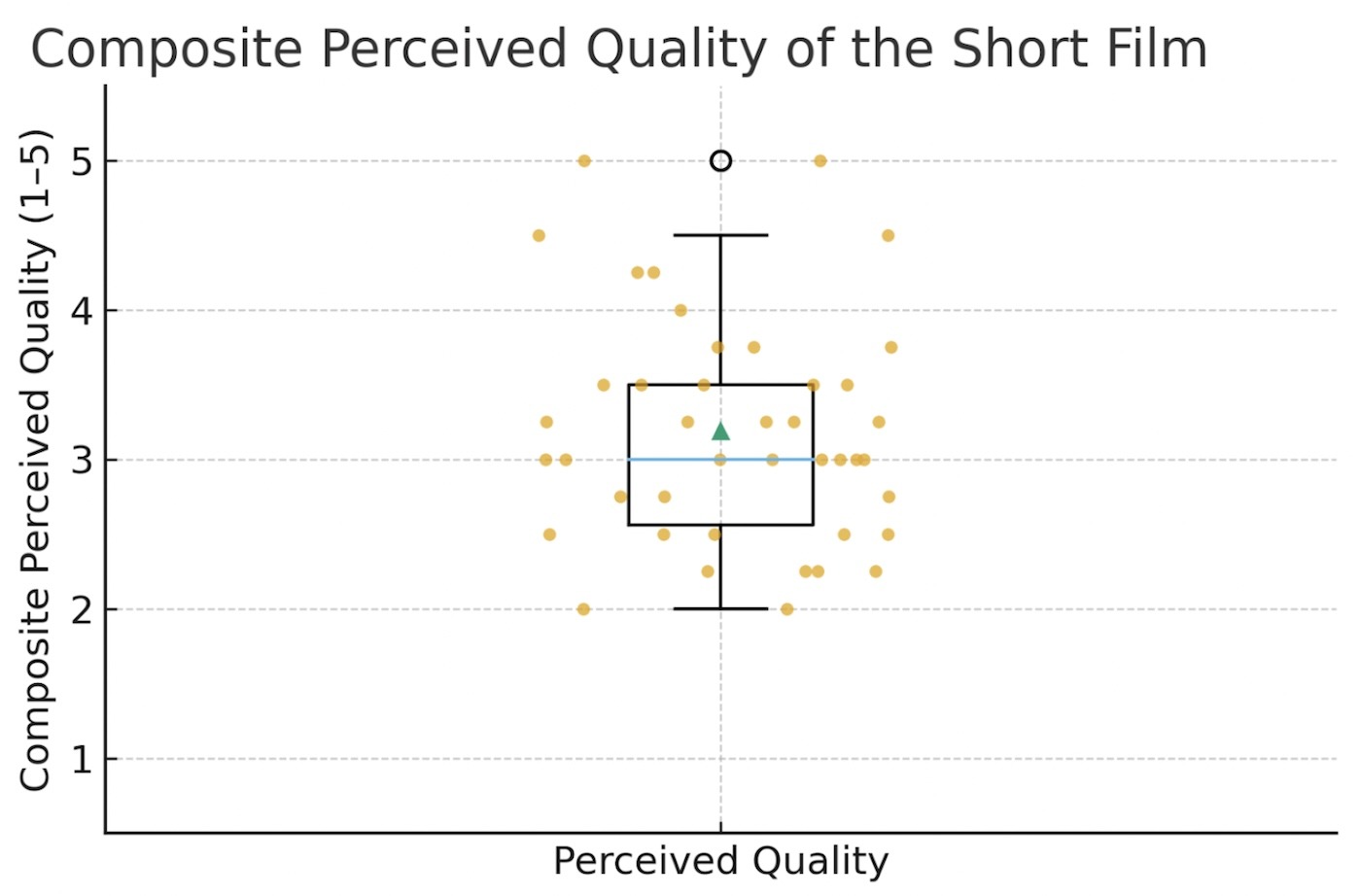
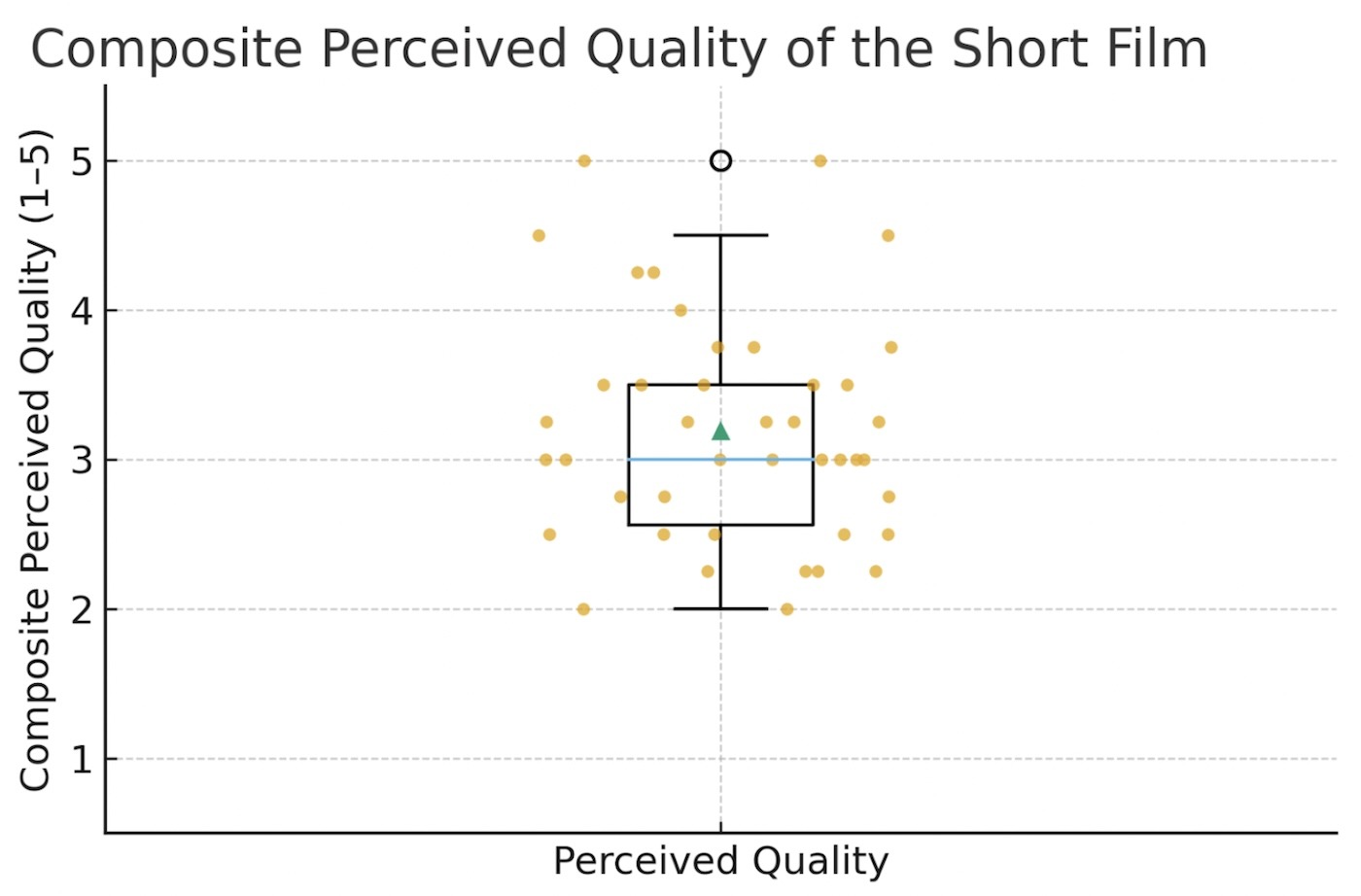
The composite score (Figure 9), averaging four items (Visual quality, Story clarity, Emotional appeal, Overall enjoyment), showed mid-range evaluations: Median = 3.0 (Interquartile Range IQR 2.56–3.50, n = 42, meaning most people gave ratings between 2 and 5 out of 5, with the middle rating being 3.0, and we got 42 responses). Individually, Visual quality and Overall enjoyment were higher (medians ≈ 3–4), while Story clarity and Emotional appeal were more modest (medians ~ 2–3).
While visual inspiration was drawn from Luxo Jr., participant ratings indicated only moderate storytelling clarity and low emotional engagement, suggesting that narrative effectiveness remains an area for improvement in AI-generated workflows.

Tool usability and adoption (paired comparisons).
Participants rated overall usability and accessibility of the two tools on five-point Likert scales (see Figure D2 in the Appendix D). The mean usability (M=4.1/5) and the accessibility ratings (M=4.3/5) indicated that both interfaces were perceived as intuitive and easy to learn. This reinforces the feasibility of low-barrier AI pipelines for non-specialists.
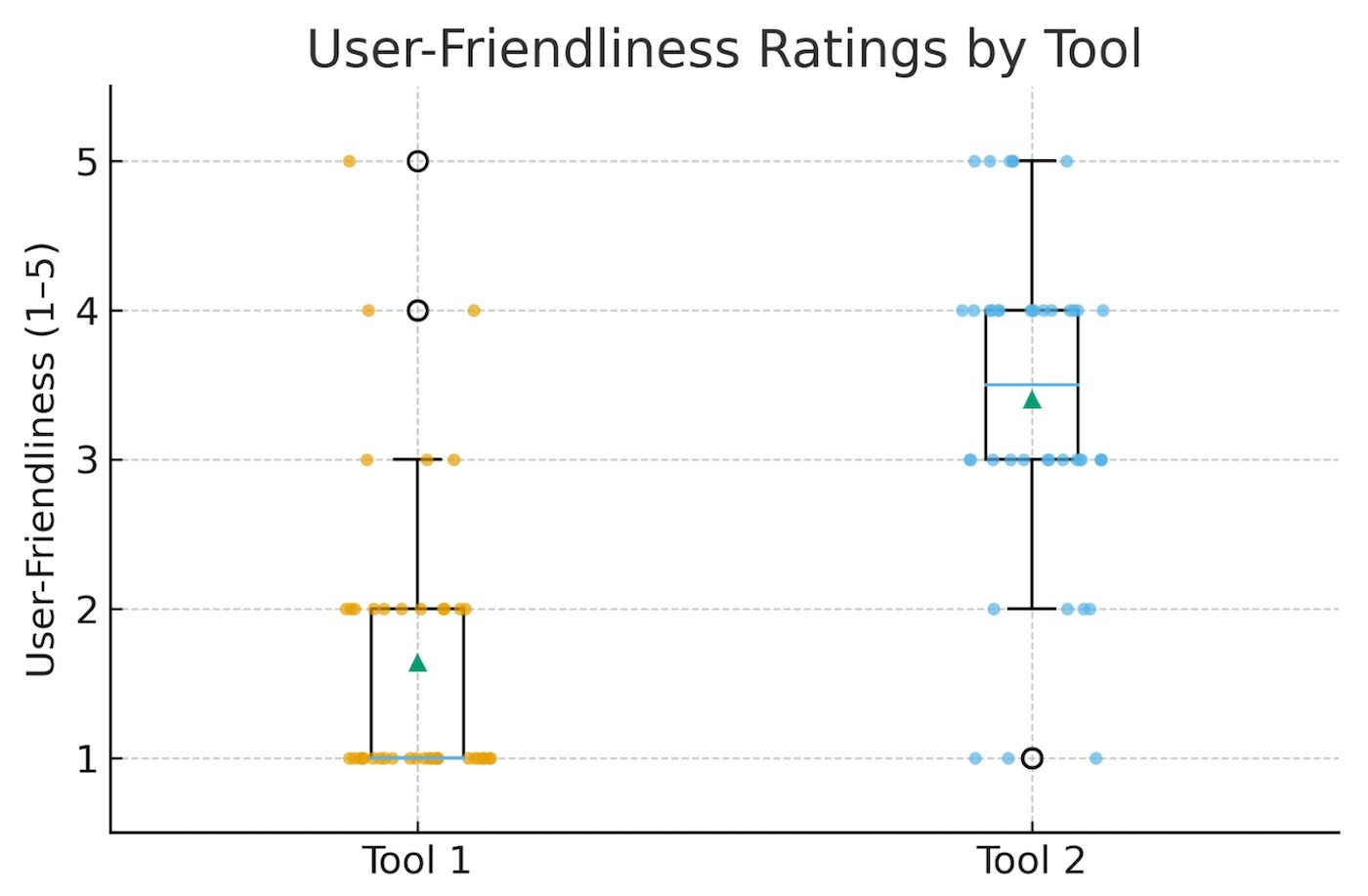
- In Figure 10, the Tool 2 was rated as more user-friendly than Tool 1 (Median Tool 1 = 1, Tool 2 = 3.5; Wilcoxon W = 14.0, p = 1.7×10⁻⁷, n = 42).
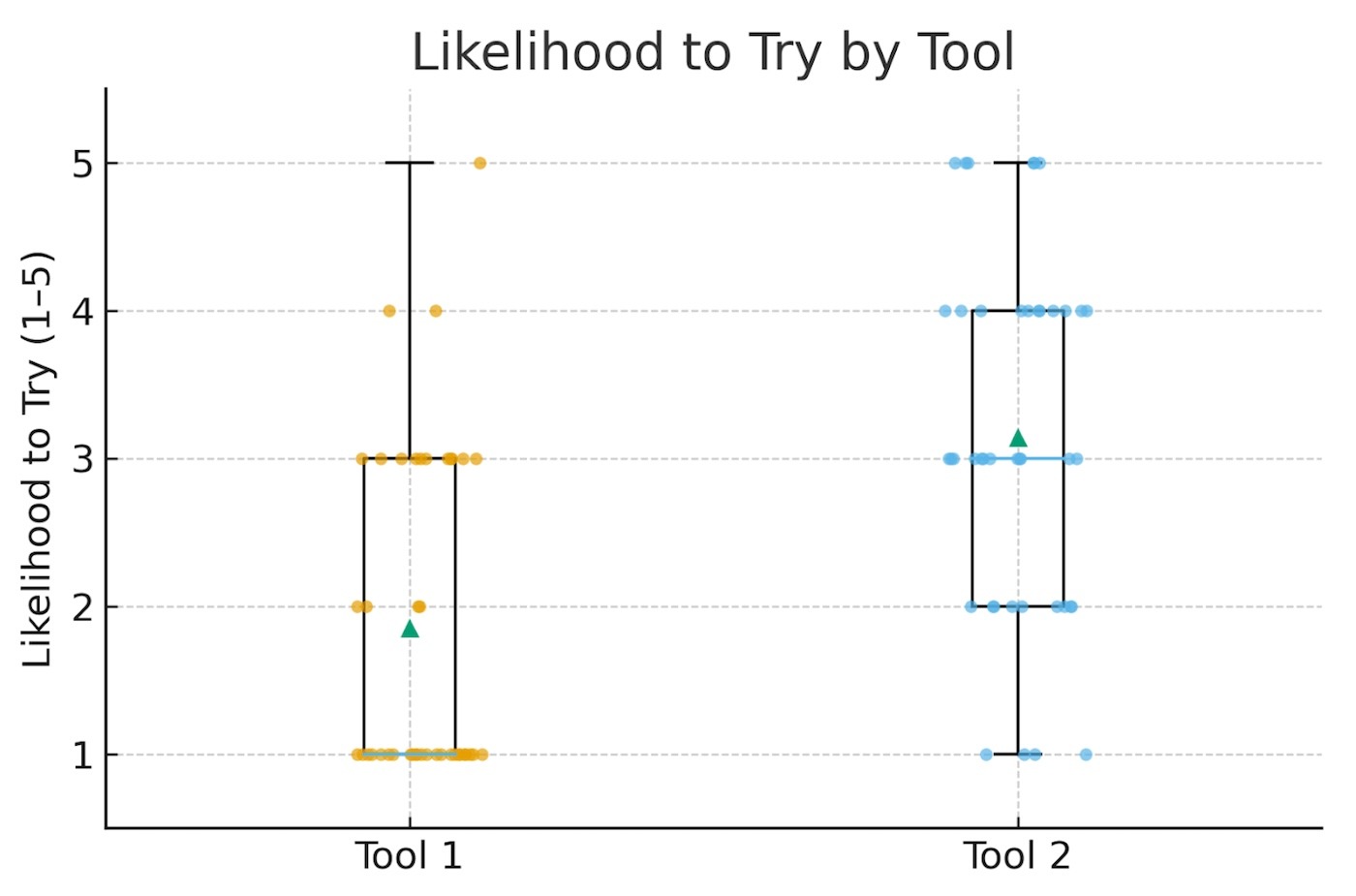
- With Figure 11, we can see that participants have more Likelihood to try: the Tool 2 again outperformed Tool 1 (Median Tool 1 = 1, Tool 2 = 3.0; Wilcoxon W = 66.5, p = 6.5×10⁻⁵, n = 42).
These paired effects are significant and consistent. This indicates that a modern, guided interface (Tool 2) meaningfully improves perceived usability and willingness to adopt.
Pipeline difficulty
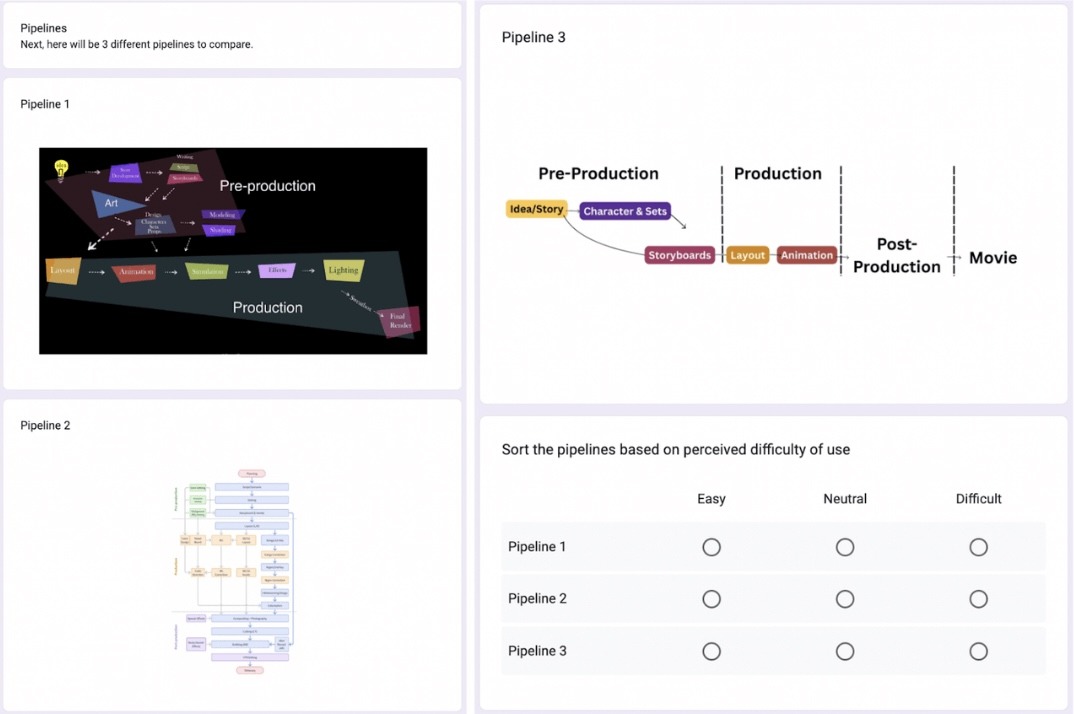
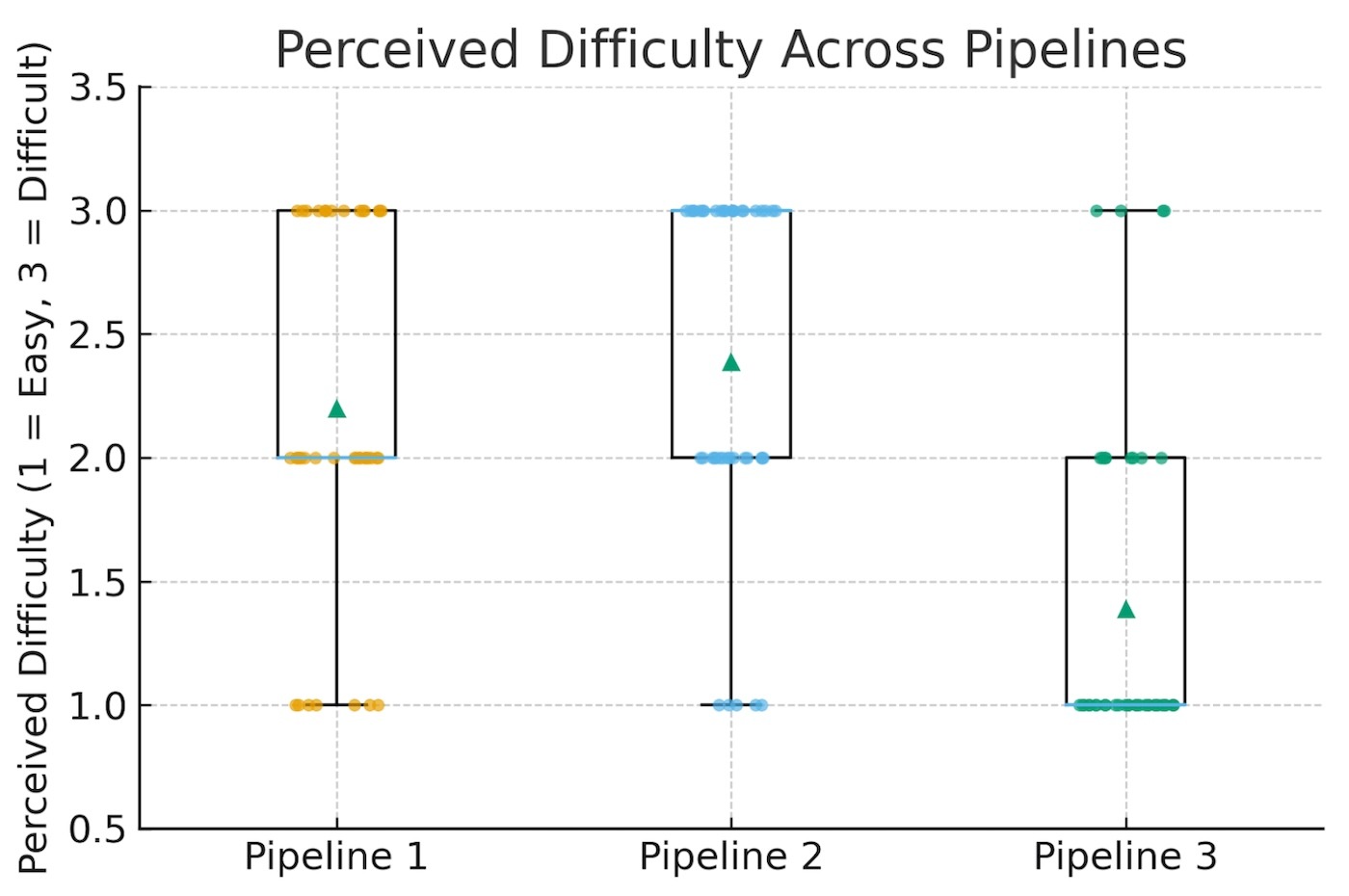
Participants sorted three workflows by perceived difficulty (1=Easy, 3=Difficult) (Figure 12). Medians indicated Pipeline 3 = 1 (easiest), Pipeline 1 = 2, and Pipeline 2 = 3 (hardest). To test whether these differences were statistically meaningful, I used a Friedman test. A Friedman test compares ratings across multiple workflows to determine if they differ reliably. The results showed a very strong difference between pipelines (χ²=22.40, p=1.37×10⁻⁵, n=40): participants perceived the simplified pipeline (Pipeline 3) as easier than the traditional options.
Exploratory associations
Confidence showed a small, non-significant positive correlation with likelihood to try Tool 1 (Spearman ρ = 0.27, p = 0.084, n = 41) and a small, non-significant negative association with likelihood to try Tool 2 (ρ = −0.23, p = 0.141, n = 41). With the sample size and ordinal scales, these trends should be interpreted cautiously.
Overall, participants reported low baseline confidence in traditional tools, but strongly favored the more usable, guided interface (Tool 2) on both ease of use and willingness to adopt. The participants perceived the AI pipeline as significantly easier than traditional workflows. This confirms my hypothesis that a simplified 3+2 pipeline can lower barriers in the domain of animation for non-specialists. Participants rated output quality mid-range (the median being approximately 3/5). This leaves room for iterative improvement in story clarity and emotional impact, even as usability gains lower the entry threshold.
Thus, results show clear trends. The participants rated the short film created with AI tools as moderately to highly effective in terms of quality and storytelling. They evaluated the tools as intuitive and engaging. And, finally, the simplified AI pipeline is significantly easier to use than traditional workflows. Together, these findings provide empirical support that a simplified AI-driven pipeline can substantially lower technical barriers for non-specialists while enabling the creation of coherent animated content with moderate perceived quality.
Qualitative Findings
I analyzed the open-ended responses using thematic analysis following Braun and Clarke’s six-phase approach. Then, I grouped responses into three themes that synthetize the participants’ experiences and their expectations toward AI animation pipelines: accessibility and empowerment, creative potential and storytelling, and skepticism and trust in AI output.
Theme 1 – Accessibility and Empowerment
Many participants answered that AI tools could “make animation finally possible” for people without professional training. Teachers noted that simplified pipelines could enable the creation of “short visuals for lessons”. At the same time, students expressed confidence in their ability to “turn ideas into small films quickly.” This reflects a strong alignment with the project’s goal of lowering technical barriers to entry.
Theme 2 – Creative Potential and Storytelling
Several participants showed enthusiasm about the fact that AI can help them get ideas faster. They described AI as “a creative companion that never gets tired.” They also liked using text prompts for ideation and visualization. But they also shared the importance of human input, especially for crafting the meaning of the story or for the emotional tone. Indeed, as one participant wrote: “AI helps with images, but the story still needs a human heart.” However, the study captured participant perceptions rather than detailed creative behaviors such as iterative prompt refinement, version comparison, or decision-making during production. These insights suggest that participants perceived AI as a supportive creative tool rather than a replacement for human storytelling.
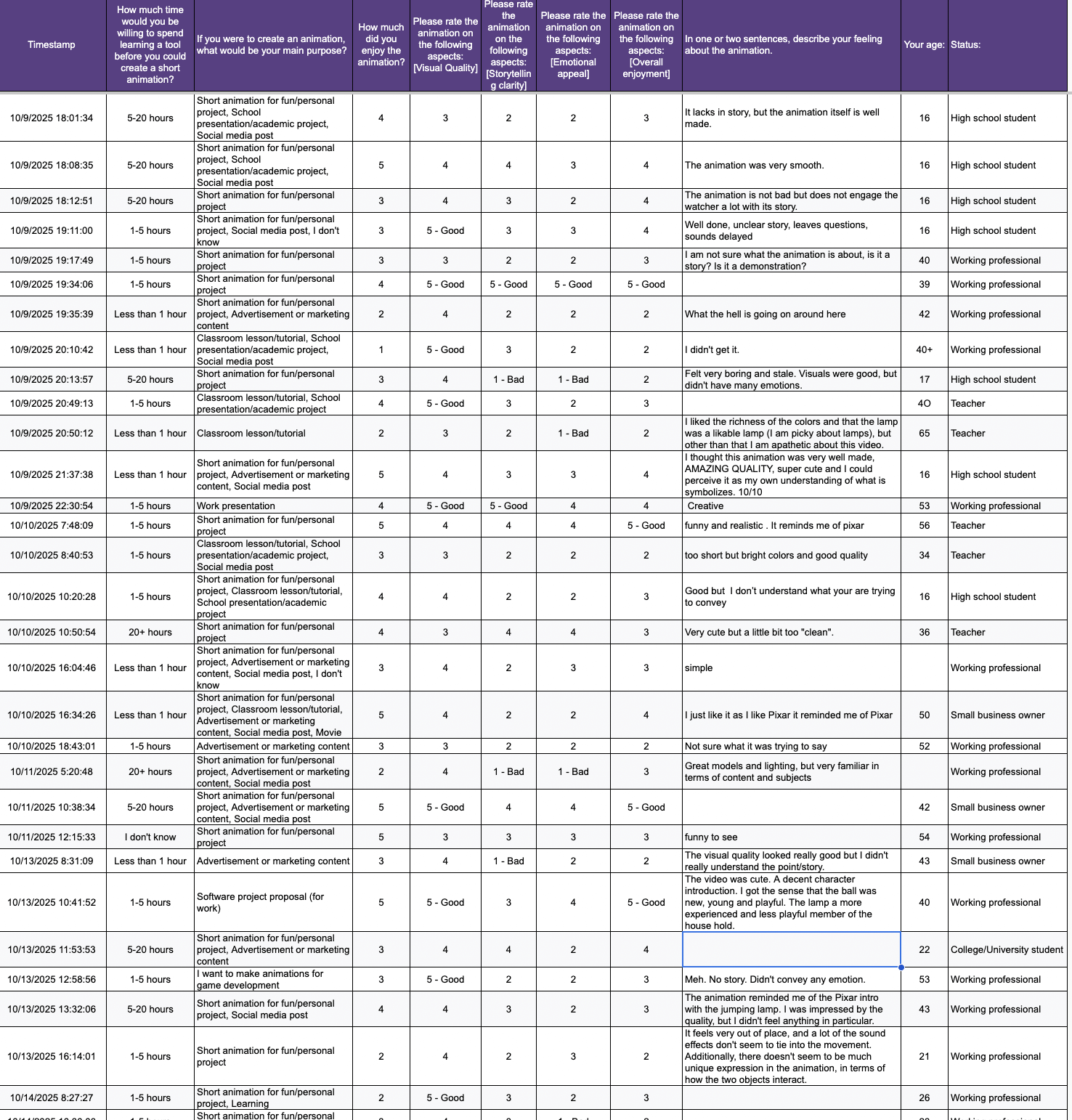
One participant stated: “The animation reminded me of the Pixar intro with the jumping lamp. I was impressed by the quality but I didn’t feel anything in particular.” (Figure 13). This response highlights visual similarity to Pixar’s Luxo Jr. while also reflecting limited emotional engagement, reinforcing the quantitative findings of moderate storytelling clarity and low emotional appeal.
Theme 3 – Skepticism and Trust in AI Output
Despite an overall optimism, some participants raised concerns about authenticity and quality. A few questioned whether “AI-generated characters feel emotionally alive” or if such workflows “risk looking generic if everyone uses the same model.” Other participants mentioned uncertainty about copyright and ownership. These concerns show the need for transparent tool use and continued human supervision throughout the creative process.
Interpretation
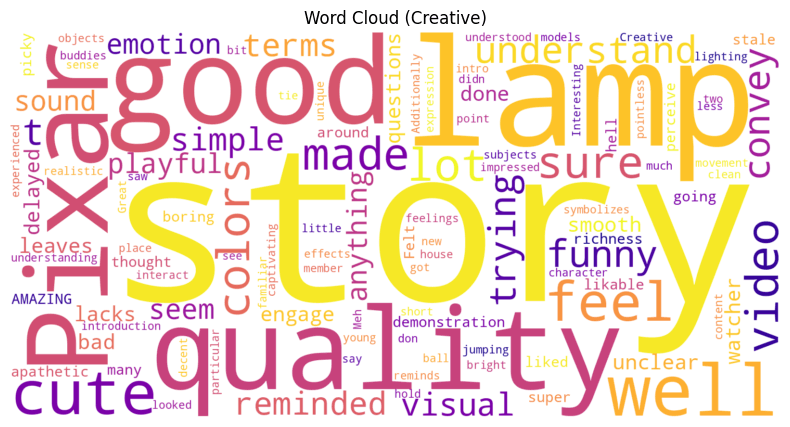
The lexical distribution seen in the word cloud, in Figure 14, suggests that participants responded positively to the short animation, emphasizing its creativity, simplicity, and playfulness. Many participants expressed surprise that an AI pipeline could have such a coherent and polished sequence within a brief runtime. Recurrent words like fun, smooth, and amazing show enthusiasm for the concept. Less frequent words, such as basic, short, or mechanical, indicate some limits in the process. Thus, this balance of praise and of constructive critique reinforces my hypothesis that pipelines with AI tools can help democratize animation production, but, at the same time, it indicates that it still requires human refinement to convey emotional depth and narrative sophistication.
Discussion
Interpretation of Findings
Across 43 participants, results indicate that non-specialists perceive a modern AI tool as substantially more usable and more adoptable than a traditional-looking tool. They rate the AI pipeline as significantly easier than conventional workflows. At the same time, they perceived the short film’s quality as mid-range. Indeed, the visuals and the overall enjoyment trended higher, but the story clarity and the emotional impact could apparently be improved. Thus, this supports that a simplified 3+2 AI pipeline lowers barriers to animation for new creators without requiring years of training.
Comparison with Related Work
These results align with prior research on democratizing creative technologies. The gains in usability and the reduction of the complexity help expand the participation and the use beyond expert users. Some researchers believe AI could help with creative ideation, though this has not been deeply studied. At the same time, the human role remains important for storytelling intent, framing, and quality control. My findings extend this conversation into CG animation, showing that a carefully integrated set of tools (LLM for ideation, image models for assets, storyboard assistants, and prompt-to-video animation) can approximate parts of professional pipelines in a form that non-specialists can actually use.
Implications for Education and Practice
For classrooms, library programs, and small businesses, a streamlined AI workflow offers a practical on-ramp to animation with hort assignments, low setup, minimal licensing cost, and fast feedback cycles. Educators can emphasize story structure, visual grammar, and critique. At the same time, they can offload technical overhead to AI. For small teams, the approach reduces production friction for explainer clips or micro-ads. Of course, this is provided that brand consistency, permissions, and ethics are addressed.
Limitations
There are several limitations. A main limitation is about the participant sample, and, more specifically, about the demographic and infrastructural context of the participant sample. Participants were recruited primarily from educational and community environments in San Francisco (California, USA). There was a French international high school and a public library settings. These provide relatively strong access to technology and learning resources. Thus, participants could lack formal animation training, but they did not represent populations with limited internet access, constrained hardware, or under-resourced educational environments. As a result, the findings reflect usability among non-specialists with access to modern digital tools rather than fully resource-constrained persons.
Additionally to that, I recruited participants primarily through my academic and community networks. This may potentially introduce selection bias. Persons knowing about my project or personally connected to me may have been more motivated to participate. Also, they may have been more inclined to provide supportive evaluations. So, the sample was not totally random, and the results should be interpreted with caution regarding generalizability and potential positivity bias.
Then, the study gathered responses from a diverse sample (N = 43). The number of participants who completed the full hands-on animation task was limited, which affected the generalizability of findings. Indeed, only one participant completed a full animation project. So it serves as a feasibility demonstration of end-to-end pipeline use rather than a representative performance sample. Second, the evaluation relied on perceived quality and self-reported effort rather than time-tracked or rubric-based production metrics. The study did not systematically document real-time human-AI interaction processes such as prompt iteration, creative branching, or revision strategies. Third, and perhaps most critically, the pace of technological change in AI video generation implies temporal instability into any evaluation.
During the few weeks separating data collection and analysis, significant advances occurred across the video-model landscape. For example, Kling AI released its “2.5 Turbo” update on September 19 2025, and claimed top ranking in artificial analysis benchmarks (email notice received 10 October 2025). Google Veo 3.1 launched on 10/14/2025, increased single-shot outputs to 30-60 seconds, and improved narrative control. Lastly, as I could read in the a16z newsletter titled “There is no God Tier video model” (received on 10/22/2025), the AI field that includes tools such as Veo 3, Sora 2, Wan, Grok, Seedance Pro, and Hedra, is entering an era of “specialized” rather than “universal” models, and this emphasizes product-level integration over model supremacy.
These rapid shifts confirm the challenge to establish stable baselines for comparative research. In other words, the very dynamism that makes generative AI attractive to creators also complicates longitudinal scientific study. Thus, as a result, my findings should be interpreted as a snapshot of capabilities circa October 2025, not as a static benchmark for the field.
Ethical and Intellectual Property Considerations
Simplified AI pipelines can lower barriers to animation creation. But they also raise important ethical and intellectual property concerns. Indeed, many generative video models are trained on large-scale datasets that may include copyrighted content. This creates ongoing debate about data provenance and fair use. Additionally to that, authorship and ownership of AI-generated animations remain legally ambiguous across jurisdictions. It is particularly ambiguous when outputs are produced through proprietary platforms such as Kling AI. Although this study focuses on usability and creative accessibility rather than legal frameworks, these unresolved issues represent critical challenges for the responsible adoption of AI-driven creative tools. Future educational and commercial deployment of such pipelines should therefore be accompanied by transparent data practices, clearer licensing terms, and ethical guidelines for non-specialist creators using them.
Future Work
Future research should build on my study by adopting a more dynamic evaluation model. It should reflect, indeed, the rapid pace of technological change in AI. New versions of AI tools, like the new versions of Kling AI and Veo, emerge monthly. So, the future studies should incorporate a rolling-update benchmarking framework, in which the same tasks are repeated periodically with updated models to assess progress and stability over time. This approach would help researchers see improvements in a better way in output quality, usability, and efficiency.
Beyond the methodological adaptation, there are different types of future work that can further exploration.
Firstly, fully interactive experiments, in which participants actively produce animations over multiple sessions, would provide richer behavioral data. The metrics could be timed tasks, number of iterations, and expert scoring of consistency, lighting, and narrative clarity.
Secondly, future works could examine the accessibility deeper. It could be especially in terms of cost, required hardware, and when there is offline or low-bandwidth compatibility for educational settings.
Thirdly, expanding the participant pool to include a broader range of educators, creative professionals, and small-business content creators could reveal patterns of collaboration and creativity across different expertise levels.
Then, future works should evaluate the proposed simplified pipeline in under-resourced educational and community contexts. They should include rural schools, low-income regions, and environments with limited technological infrastructure. Such evaluations would clarify whether simplified workflows with AI tools can meaningfully expand access to animation beyond digitally privileged populations, and ithey would dentify remaining barriers related to hardware, connectivity, and cost.
Finally, future work should explore the ethical and intellectual-property dimensions of creations done with AI implemented in such workflows. It should be particularly around authorship, data provenance, and fair use of training content.
Together, these future works would advance both the scientific understanding of human-AI collaboration and the practical usability of AI animation pipelines in education, communication, and creative entrepreneurship.
Practical Guidelines for Non-Specialist Creators
Based on the outcomes of the user study and of the additional real-world testing, this section brings practical recommendations for non-specialists (students, educators, and small business owners) who want to create short animations using AI tools. These guidelines synthesize the experiment steps, tool combinations. They also include the feedback from a small business owner who participated in this study and who successfully produced an animated short using my simplified 3+2 pipeline. With these, I intend to provide a replicable process that balances creativity, accessibility, and efficiency.
Author-Derived Workflow Insights from Pipeline Experimentation
The following guidelines and challenges are derived from my iterative experimentation during pipeline design rather than from participant survey responses. They are presented as practical observations to support reproducibility rather than empirical user findings.
| Pipeline Stage | Tool(s) | Purpose | Key Tips | Common Challenges |
| Ideation / Story | ChatGPT (or equivalent LLM) | Generate title, summary, and 4-shot script with cinematic cues | Keep prompts short and specific; include visual anchors (lighting, camera angle, tone). | Overly long prompts can confuse the model or break continuity. |
| Character & Set Design | Nano Banana / ChatGPT image generation | Create consistent character, prop, and background designs | Use clear ratios (head-to-body), texture, and light details; reuse identical wording for style consistency. | Inconsistent visual tone between characters and environments. |
| Storyboard (optional) | Shai Creative | Visualize continuity between shots | Label each shot with shot size, camera level, and movement. Pacing is important. | Jump cuts or missing reference frames between panels. |
| Layout / Animation | Kling AI | Animate each scene with “start frame” and “end frame” for smooth transitions | Reuse last frame of one shot as the first frame of the next; shorter prompts yield better results. | Timing drift or camera mismatch between shots. |
| Post- Production | Canva / iMovie | Edit, trim, and export final clip with transitions and music | Use crossfades and gentle soundtracks to smooth cuts. | Forgetting to trim AI “ramp-in” seconds may cause jitter. |
Participant Insights (Anonymized Excerpts)
“I followed the steps exactly. It was surprisingly easy once the shots were separated, and it felt empowering to see something coherent after less than an hour.”
– Small Business Owner, October 2025
“Kling AI was impressive for motion continuity. I didn’t expect such fluid light behavior from a text-based prompt.”
“I can see real marketing use here. Quick product explainers or social media videos without hiring a full studio.”
The participant’s output was uploaded to her company’s YouTube channel. It quickly generated positive engagement (see Figure D3 in Appendix D).
Validation Note
This real-user reflection complements the formal user-study data. It also show the potential beyond academic experimentation. In some way, it reinforces that, while generative tools can accelerate production, human storytelling and iterative prompting remain essential for narrative quality. So, the findings and guidelines presented above, confirm that the simplified 3+2 pipeline I proposed is replicable, time-efficient, and adaptable for non-specialists.
Conclusion
My research demonstrates that it set out to explore how a simplified AI animation pipeline, modeled after Pixar’s streamlined workflow, can substantially lower the technical and creative barriers that have traditionally limited animation production to professionals. With a mixed-methods approach that combines experimentation and user feedback, I learned that non-specialists (students, teachers, and small business owners) value ease of use, creative empowerment, and rapid feedback loops more than perfection. What matters most to them is the ability to tell a story visually without years of training. These findings primarily reflect perceived accessibility and usability, with limited empirical evidence from full production workflows.
The key insight that emerges from my work is that accessibility and quality are no longer mutually exclusive. With minimal training, participants were able to create visually coherent and narratively engaging results. Thus, this suggests that AI can serve as a creative partner rather than a replacement for human storytelling. However, I also discovered that the AI landscape is evolving faster than any fixed research design can fully capture. New model versions are released within weeks of experimentation. This alters both the technical and creative possibilities of animation. This is also a central paradox for researchers, that the very tools that democratize creativity also resist static evaluation.
In education, teachers who introduce AI animation tools in the classroom, especially when there is a simplified workflow to use them, can foster interdisciplinary learning that combines storytelling, art, and computational thinking. Students, on their side, can focus on ideas, stories, prompts, and teamwork instead of trying to understand the use of different softwares. In business, small teams or for entrepreneurs with limited budgets can transform their video marketing more easily with the use of simplified AI workflows.
Overall, I believe that the process of co-creation with AI with simplified pipelines, especially for animation, can bring more empowerment, inclusivity, and creativity.
Acknowledgement
I would like to express my sincere gratitude to my college counselor, Ms. Natalie Bitton, whose encouragement to pursue my passion for storytelling through STEM, business, and the humanities, made this research possible. I extend my deep appreciation to the Lumiere Education team, especially my mentor Chenliang Zhou, for their invaluable advice, feedback, and support throughout the research process. Special thanks go to the teachers and staff of the Lycée Français de San Francisco for their generosity and assistance in facilitating the research approval process. I also wish to thank the wider animation community, and in particular Mr. Jean-Claude Kalache, for sharing their time, expertise, and inspiration. Finally, heartfelt thanks go to my parents for their constant love and support.
A Generative AI-Driven Pipeline for Non-Specialists: Toward Democratizing Computer-Generated Animation
Appendix A – Pixar Pipeline
About CG Animation
The history of animation is vast. Only for Cel-Animation, which involves the drawing of characters and props on transparent sheets (celluloid), it spans from “handcrafted cel-age animation” from “1920-2010”, to “computer-assisted cel-age animation” from “1980-present”, and to “the emerging AIGC Cel Era (2020s onward)”. The conventional Cel-Animation Pipeline is complex, with numerous steps involved.
To contextualize the proposed AI-driven workflow, it is necessary to understand the structure of traditional animation pipelines. As shown in Figure 3, conventional pipelines used in professional studios have more than ten distinct stages. They span from pre-production to production and post-production. Each step requires specialized software, technical expertise, and coordinated team workflows. This makes the process inaccessible to non-specialists.
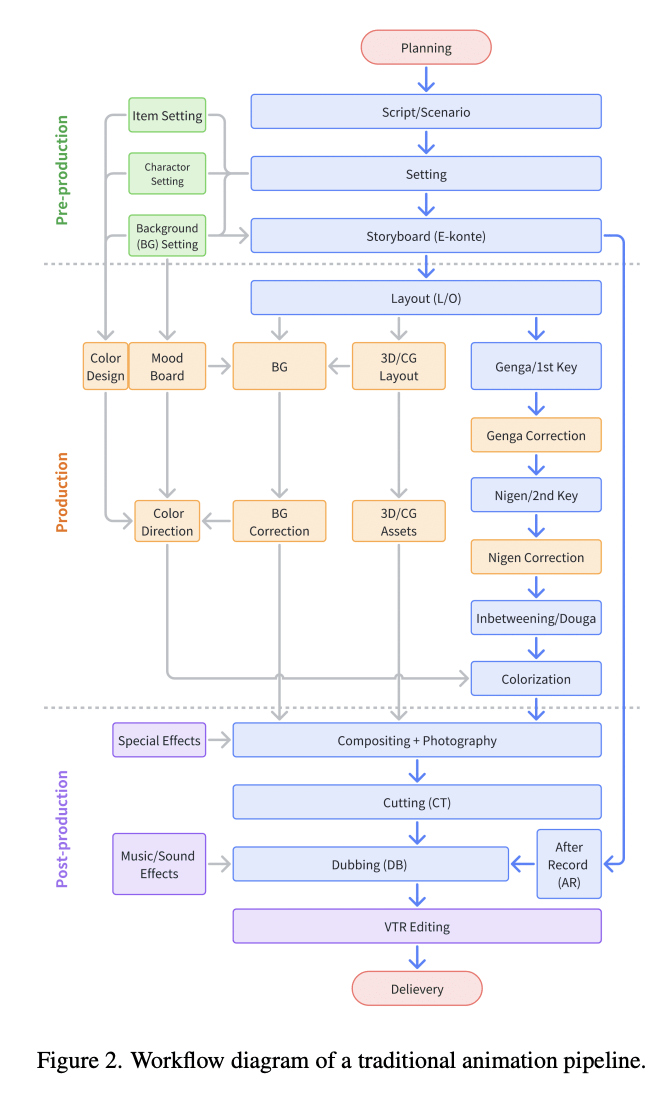
This is why my research focuses only on CG Animation (CG standing for Computer Graphics, i.e., the creation of animation with computers), which began in the 1990s, especially with Pixar’s Toy Story in 1995. For that same reason, Pixar Animation Studios became a worldwide reference, and my research focuses on a simplified, Generative AI-driven pipeline for non-specialists, modeled after Pixar’s streamlined animation workflow.
Major studios such as Pixar rely on highly structured production pipelines that divide creative and technical work across many specialized stages. As shown in Figure 4, Pixar’s Universal Scene Description (USD) framework integrates pre-production and production processes. It covers story development, modeling, shading, layout, animation, effects, and final rendering, into a unified, data-driven ecosystem. This industrial model ensures consistency and scalability but also highlights the depth of expertise required. And thus, it underscores the accessibility gap that my research aims to address through a simplified AI-assisted workflow.
Pixar’s Pre-Production Stages
Idea Development
To better understand professional processes, I interviewed Jean-Claude Kalache, Director of Photography at Pixar, in December 202433, as part of a session organized with the Lycée Français de San Francisco Animation Club (Figure 5). During this exchange, Mr. Kalache shared behind-the-scenes perspectives on how visual storytelling and cinematography decisions emerge collaboratively at Pixar.
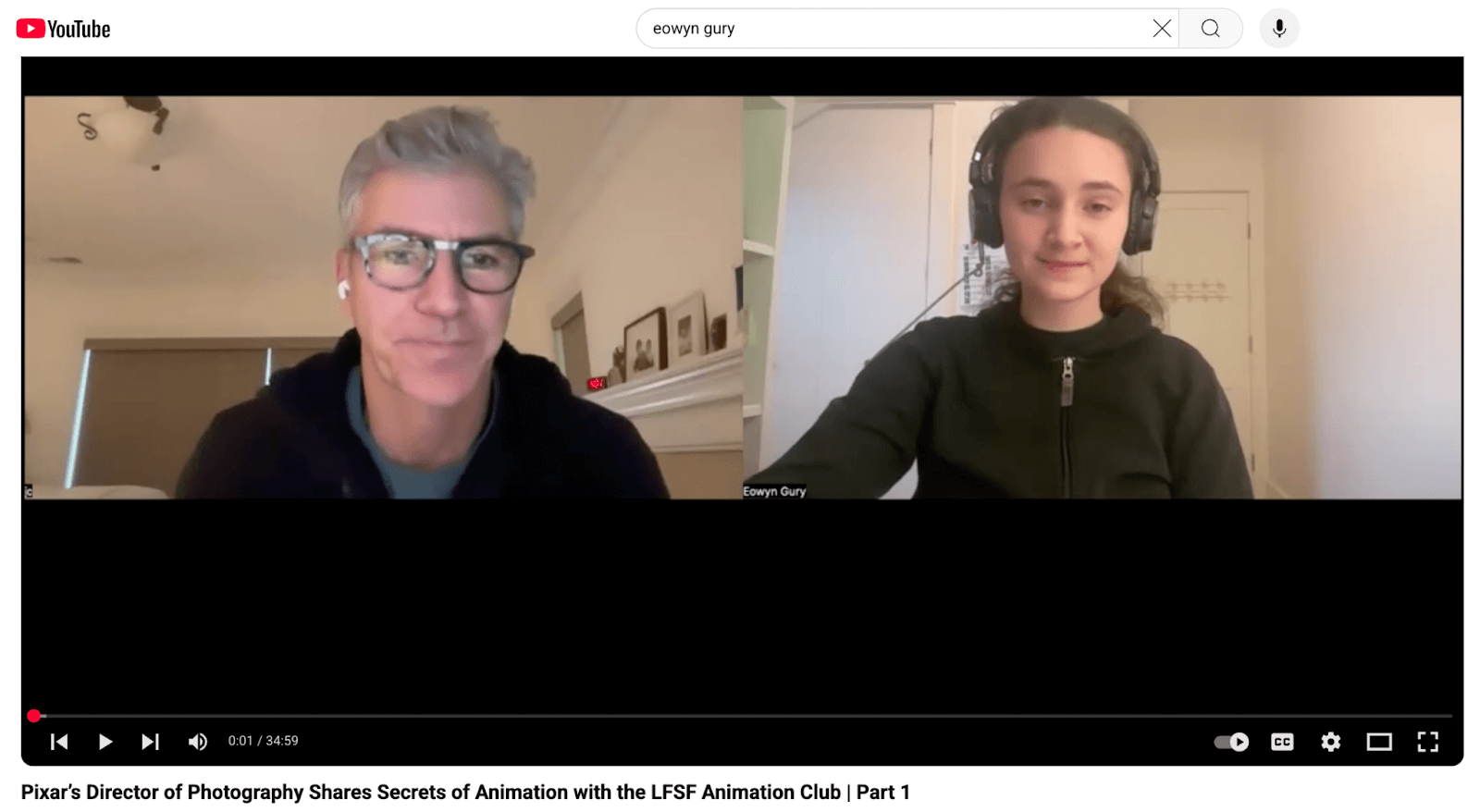
Screenshot from a recorded conversation between Jean-Claude Kalache (Pixar Animation Studios) and Eowyn Gury, conducted in December 2024 with the Lycée Français de San Francisco Animation Club. The discussion addressed Pixar’s creative process, idea generation, and the role of cinematography and lighting in storytelling.
Source: YouTube “Pixar’s Director of Photography Shares Secrets of Animation with the LFSF Animation Club | Part 1”https://youtu.be/TYvMW95wi34?si=iVOtx0HFIDItMhDx
First, the director of Monsters, Inc., Pete Docter, and other directors went out to lunch. There was a napkin on the table, and Pete Docter started drawing a robot. The other directors said that the robot would not be a good fit for the Monsters’ movie. Pete Docter, though, during that same lunch, made up the name Wall-E. The movie Monsters, Inc. was made without the robot. Nevertheless, another director, Andrew Stanton, came in and said he wanted to make a film about a robot, a love story about this robot falling in love with cleaning the planet. This is an example of how a story came out: at a restaurant, in a conversation, and with a drawing on a napkin.
Secondly, Andrew Stanton had a child, then one year old, when he realized, as a father, that he had become overly protective. He channeled that experience into a movie called “Finding Nemo”.
And lastly, as Pixar’s teams finished Toy Story 2, the director John Lasseter went on a trip on Route 66 in the USA. As he was driving, he realized the importance of slowing down in life; you cannot keep running all the time. The movie Cars was born from that experience.
So, these three examples are related to high-level employees at Pixar (directors), but Pixar seems to actually empower all its employees’ creativity through a peer-driven culture and efficient communication across teams. This company also embraces novelty and takes risks by accepting uncertainty and being original.
Pixar’s Story Development & Script Creations
Story development at Pixar remains largely undocumented, beyond interviews and informal insights from former studio artists. Among the most cited contributions are Emma Coats’s “22 Rules of Storytelling,” which distills narrative wisdom drawn from her experience on Brave and other Pixar productions. These guidelines, which are actually not strict rules, encapsulate Pixar’s focus on emotional causality and clarity in story arcs (Figure 6).
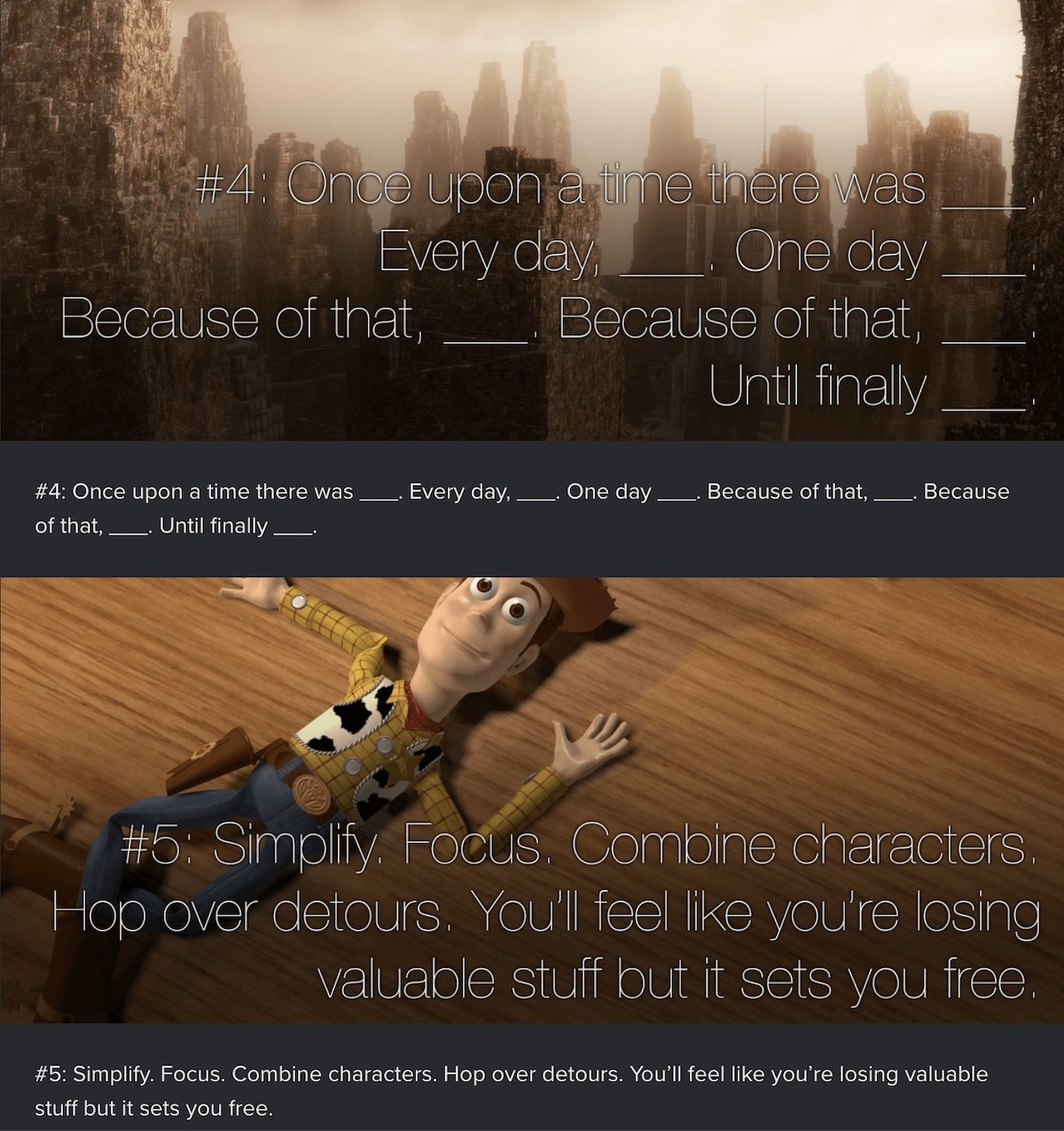
There is also an input from Craig Good, an artist who worked on Toy Story, Finding Nemo, WALL-E, and Brave, and who wrote on Quora in 2014 that story development is done in-house. The scripts are either created by the director himself, as with Andrew Stanton, or by outside writers. The process of writing a good story may take three or four years.
Art Direction
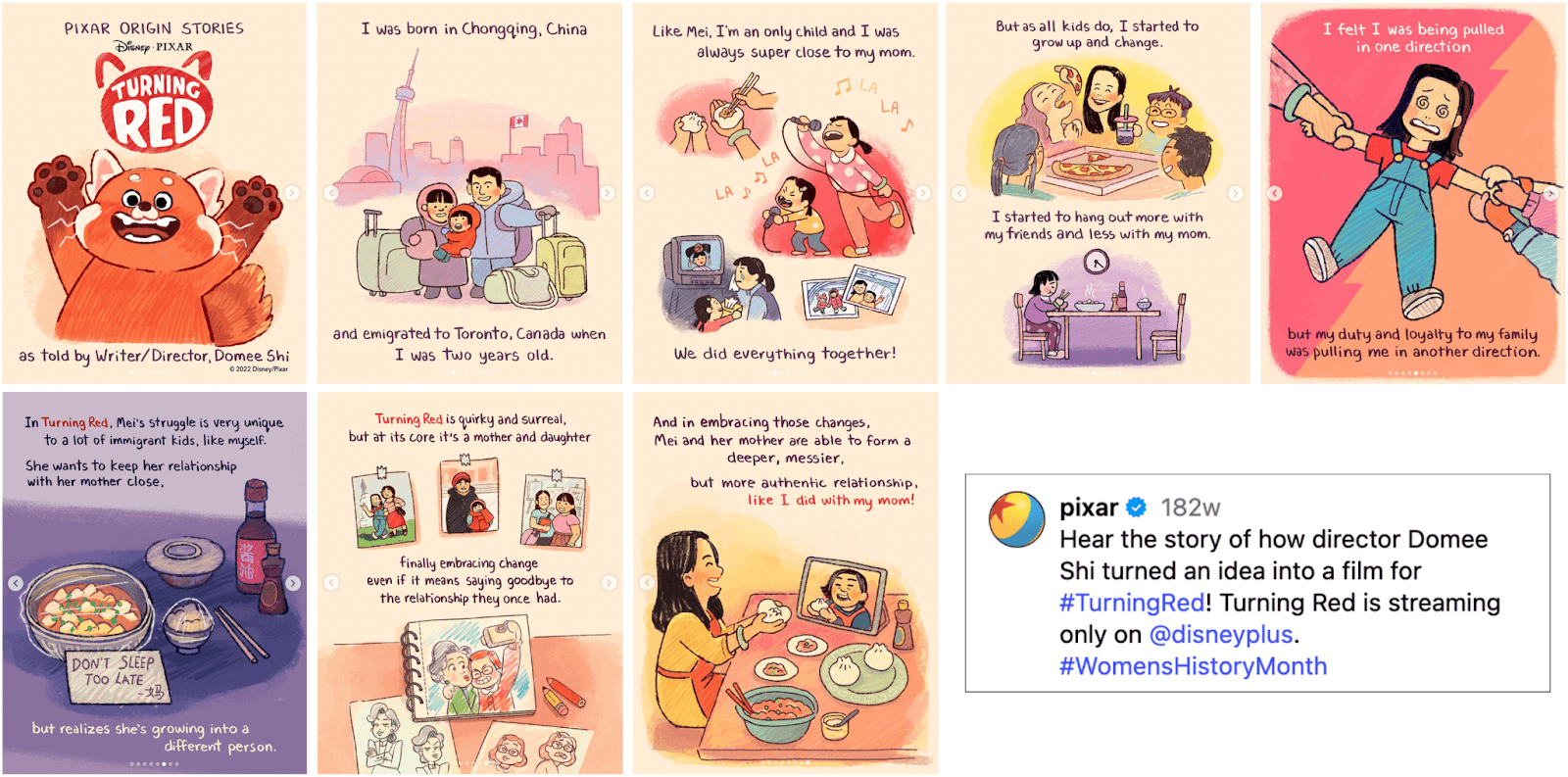
Pixar’s approach to art direction blends storytelling and visual emotion. Directors often collaborate closely with art directors to define the color, composition, and mood that carry a film’s emotional arc. As illustrated in Figure 7, the development of Turning Red began with personal storytelling sketches by director Domee Shi, visually interpreted by artist Paprika Cui under art director Jackie Chang. This early artwork phase shapes the film’s tone before storyboarding and character refinement begin7.
https://www.jaxcha.com/#/art-director-projects/
https://www.instagram.com/p/CbSsyQzBHEA/?img_index=1
Storyboarding
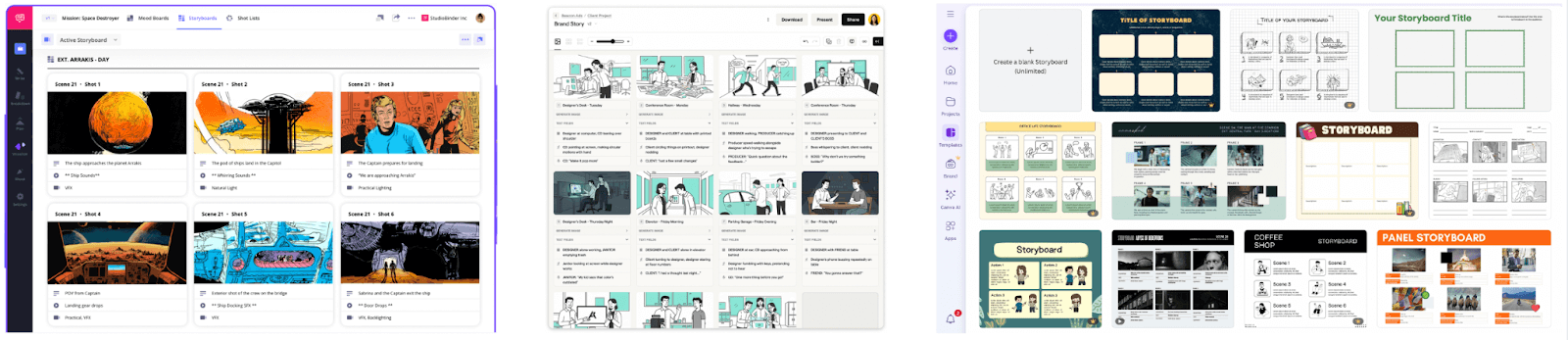
In the CG era, digital tools such as StudioBinder, Boords, and Canva have transformed storyboarding into a more accessible and collaborative process. They offer drag-and-drop interfaces, pre-built templates, and online sharing features (Figure 8). These tools democratize pre-visualization, allowing educators, students, small teams, and independent creators to experiment with cinematic framing without specialized software.
https://www.studiobinder.com/storyboard-creator/
https://boords.com/
https://www.canva.com/s/templates?query=storyboard
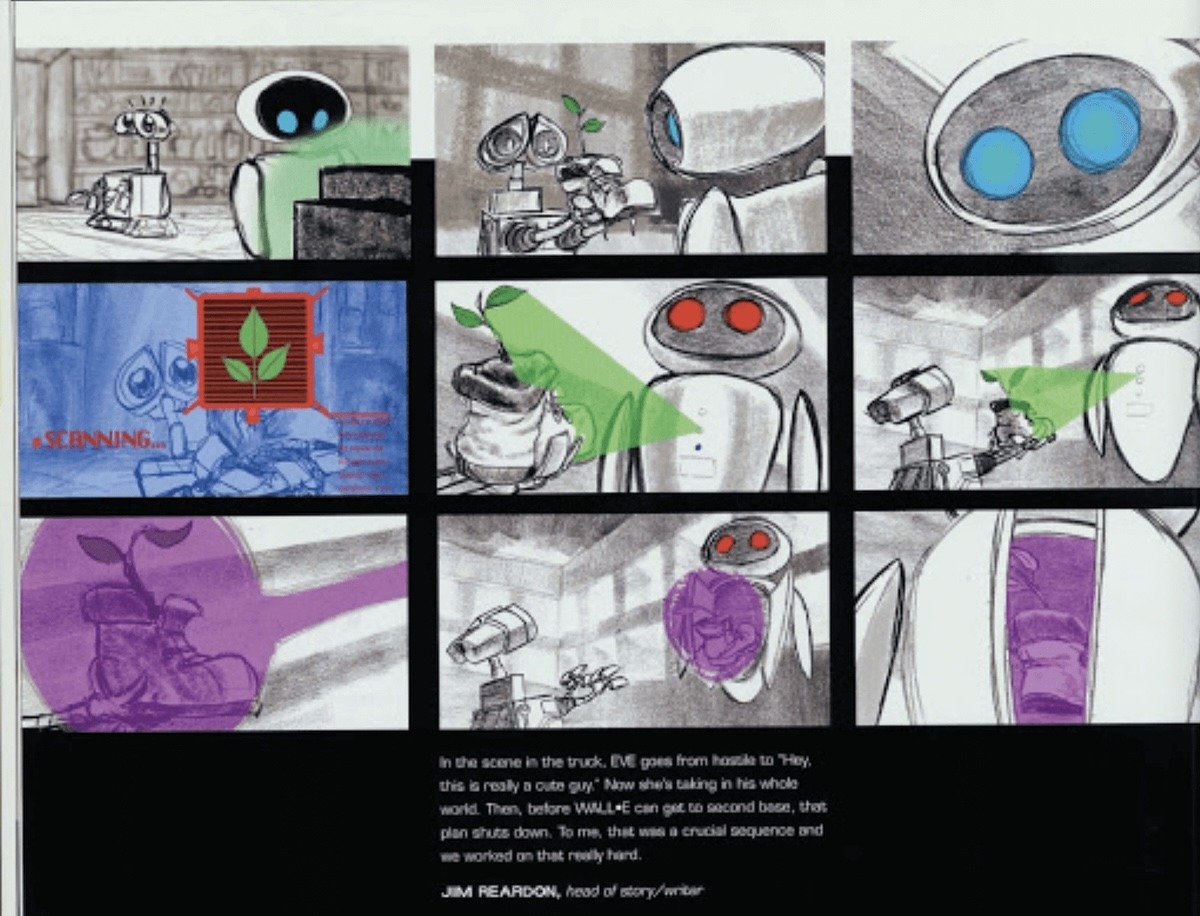
Despite these technological advances, studios such as Pixar continue to rely on hand-drawn storyboards that preserve the immediacy of gesture and emotion. In Figure 9, early sketches for WALL-E by Jim Reardon show that traditional storyboards can bring expressive clarity before digital refinement.
https://boords.com/blog/7-of-pixars-best-storyboard-examples-and-the-stories-behind-them
Pixar’s storyboarding process operates at an extraordinary scale. Major productions often generate between 50,000 and 75,000 individual storyboard panels, and for visually complex films such as WALL-E, the number can exceed 125,000 as sequences evolve into full story reels. These story reels, created by assembling storyboards frame-by-frame into digital animatics, allow directors to visualize rhythm and emotion before any 3D production begins (Figure 10).
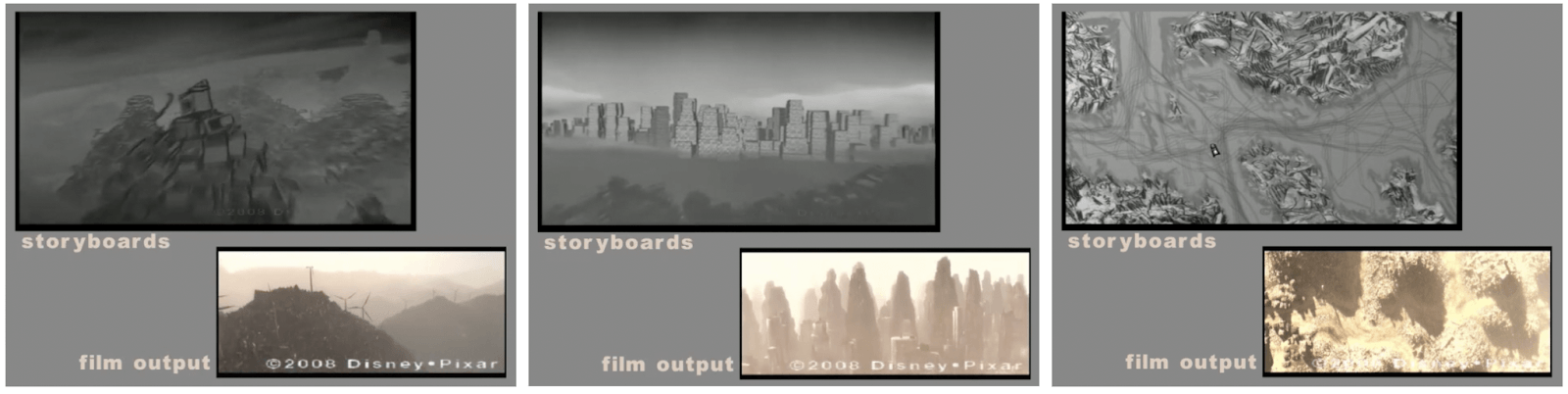
Design of characters and sets/props, including Modeling and Shading
The style of the Pixar characters is very distinct, with a small head-to-body ratio of Pixar’s characters, making the modeling of the character “bolder, more extreme, more exaggerated and more innovative.”, and with an attention to the richness and saturation of the colors.
Pixar’s characters also tend to have personality traits, called personality defects, that must be different from the beginning and reinforced with accessories and props. For example, one Up’s character has a total of 8 props30.
Pixar primarily uses its in-house software, but it seems that Pixar’s artists may or may not use Autodesk Maya, a powerful software that can empower their creativity. This lets them create unique worlds, complex characters, and impressive effects”, or Zbrush, another powerful CG tool that let them digitally sculpt, model, and paint to create highly detailed 3D models. 34 As illustrated in Figure 11, Pixar’s Universal Scene Description (USD) workflow enables assets, such as a modeled clock created in Maya, to transfer seamlessly into Presto. This ensures consistency across modeling, shading, and animation stages.
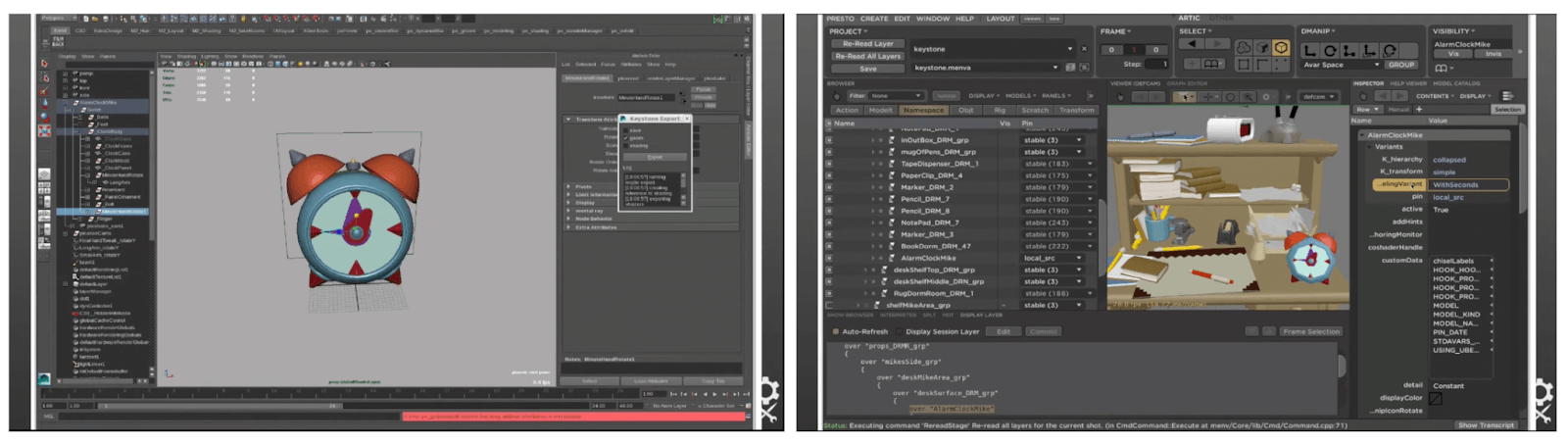
While, again, we do not want to copy in any way Pixar’s style for creating the characters, and this is actually impossible for non-specialists to do as the level of details and technology-related work done, including with RenderMan35,31, these details, regarding the character’s head-to-body ratio, colors, personality traits, as well as the number of props, are interesting to take into consideration for the inputs of the character’s creation step into our novel simplified animation pipeline with AI Generative tools.
Beyond Pixar, other major studios have adopted the USD (Universal Scene Description) framework to standardize asset interchange between modeling, shading, and rendering environments. For instance, Walt Disney Animation Studios’ Moana Island Scene dataset demonstrates how USD structures link elements, references, and visualizations within tools such as RenderMan. This open framework informs the design logic of the proposed AI-driven workflow, which similarly emphasizes modularity and compatibility (Figure 12).
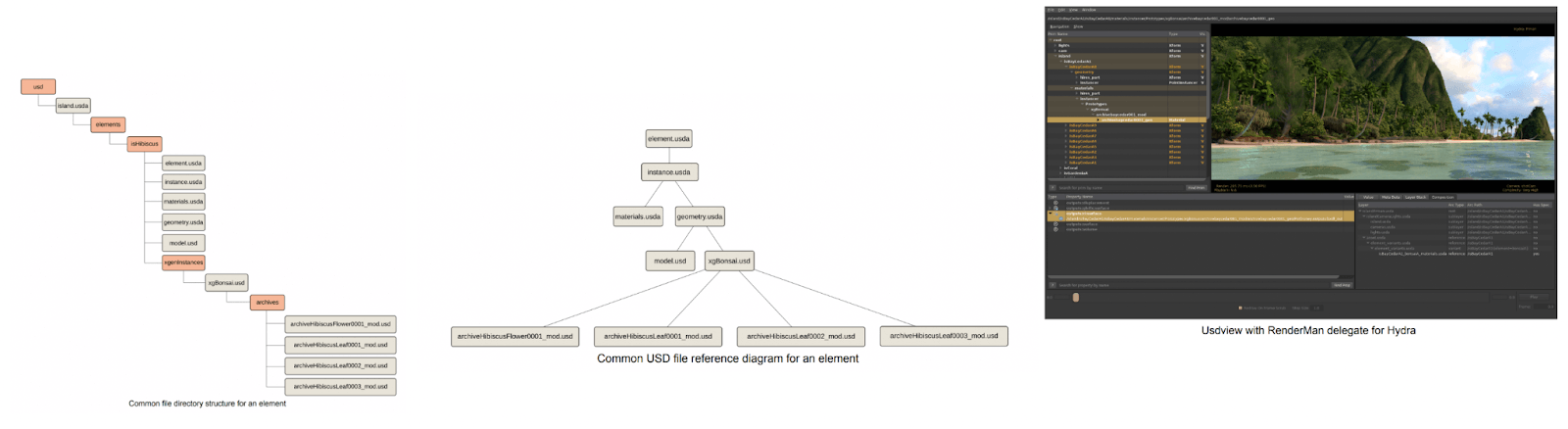
Source: Walt Disney Animation Studios (2018). Moana Island Scene (v1.1) USD READ ME. https://datasets.disneyanimation.com/moanaislandscene/README-USD.pdf https://disneyanimation.com/resources/moana-island-scene/
Pixar’s Production Stages
Five production stages follow these pre-production stages. These steps are refined through iterative review sessions (sometimes called the “sweatbox”), where sequences are continually revised to achieve the desired quality.
Layout
Layout is the process in which artists use storyboards, place the camera in 3D space, and think about how to get the shots on the board. An example provided by Pixar’s Layout Artist Sunguk Chun is the “use of a close-up for an emotional moment, and a full shot to convey a comical situation”.36
Another layout artist, Colin Levi, listed the different steps added to the storyboards during the Layout stage37:
- The type of lens frames that would make the shot better
- The kind of camera move that would express the right feeling and emotion
- How the shots combine
- How the angle would showcase the right attitude
- How would the staging of the characters in the frame tell the story better
His Inside Out layout reel vividly illustrates how these technical and creative elements interact to produce clarity in visual storytelling (Figure 13).
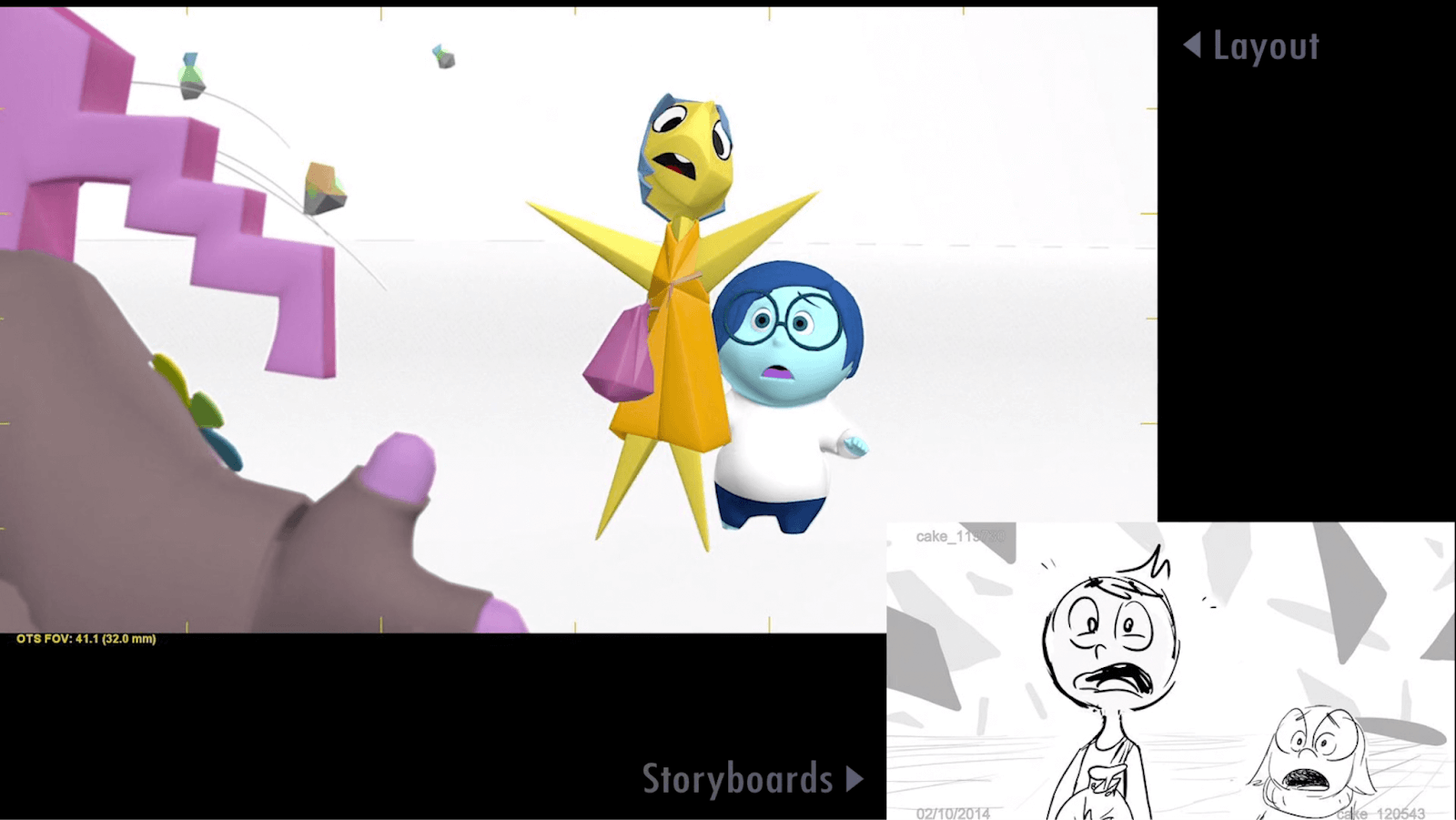
Frame from Colin Levi’s Inside Out Layout Reel that shows the transition from storyboard panels to 3D camera staging. The example demonstrates Pixar’s approach to shot composition, camera angles, and emotional emphasis during the layout phase. Cinematographic intent begins to merge with animation blocking. Source: Pixar Animation Studios via Colin Levi, Inside Out Layout Reel (Vimeo) https://vimeo.com/197653883/cf8cf35d65?fl=pl&fe=vl
This indicates that, for the simplified pipeline with generative AI tools, a cinematographer’s vocabulary list of camera movements and lighting would be helpful for non-specialists.
Animation
The fundamental principles of animation were first articulated by Disney animators Ollie Johnston and Frank Thomas in The Illusion of Life: Disney Animation (1981). These twelve principles, such as squash and stretch, anticipation, and staging, form the basis of expressive and believable motion in character animation. They continue to guide both traditional and computer-generated animation, serving as conceptual anchors for new technologies, including AI-assisted systems (Figure 14).
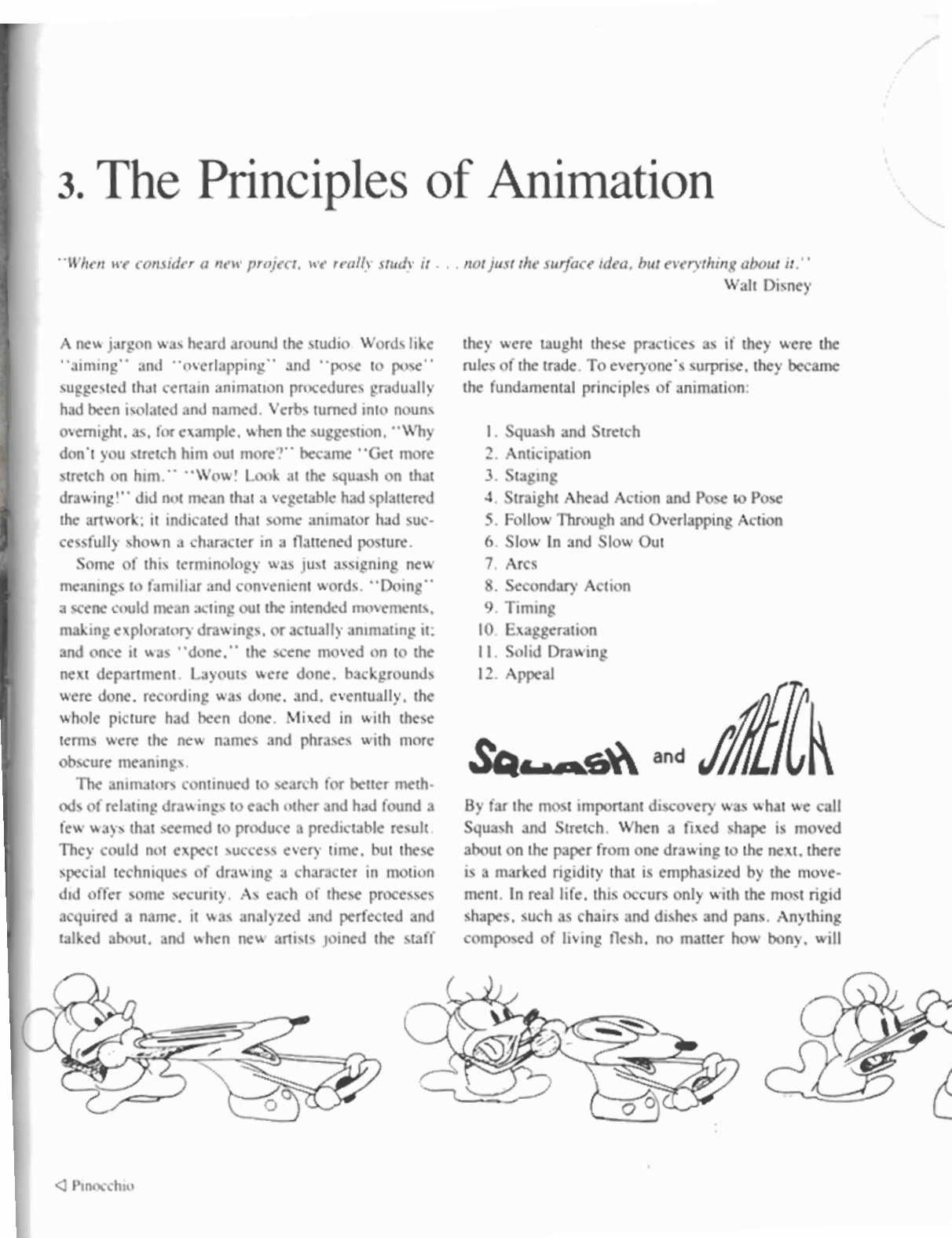
These principles are:
- Squash and stretch, making a character funnier38
- Anticipation, making an animation convincing and expressive17
- Staging, a method that emphasizes scene element arrangement, character placement, and camera perspective18
- Straight ahead action, with scenes animated frame by frame from beginning to end, and pose to pose, necessitating in-betweens.
- Follow-through and overlapping action, techniques that help to render movement more realistically,
- Slow in and slow out, making the movements of characters or objects more realistic
- Arc, for adding more realism as well, because natural action tends to follow an arched trajectory.
- Secondary action, adding moving details, such as clothes or hair, to a character, for instance
- Timing, critical for establishing a character’s mood, emotion, and reaction, and defining the number of in-betweens
- Exaggeration, for making a sad character sadder, for instance15.
- Solid drawing was an essential skill for artists in the era of cell animation.
- And appeal, making the characters real and interesting to the audience, conveying knowledge, ethics, values, and culture28,39
Technology is what helps make Pixar so unique in terms of innovation and creativity. Pixar’s proprietary animation software, Presto, is an example of the integration of artistry and technology in contemporary animation. Initially developed for Brave (2012), Presto allows animators to interact with characters and environments in real time, moving limbs, adjusting facial expressions, and framing shots with cinematic precision. This combination of flexibility and creative control demonstrates how technology can preserve the spirit of classical animation principles and enhance the production efficiency at the same time (Figure 15).
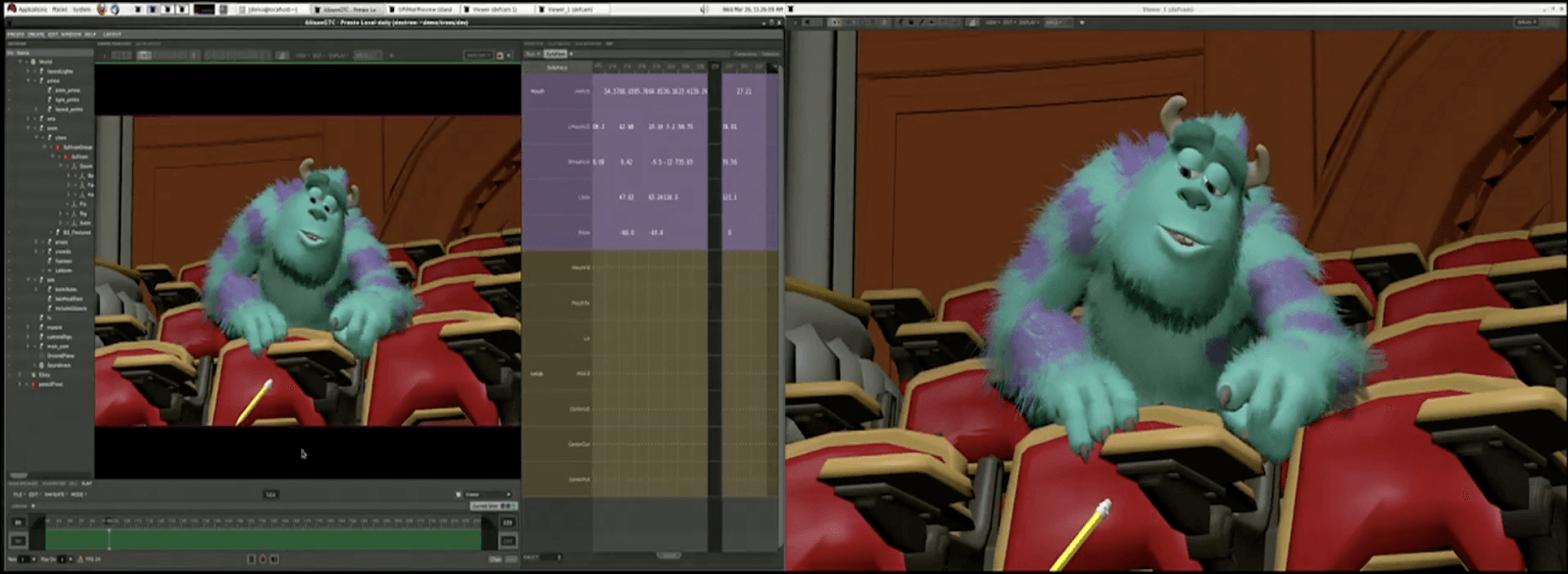
Frame from a public presentation showing Pixar’s Presto interface, that features Sulley from Monsters, Inc.. Presto enables animators to manipulate character poses, lighting, and camera angles interactively within the same environment. This reflects Pixar’s seamless integration of art and computation. This human-centered design philosophy inspires the AI-driven simplification proposed in my research, as I aim to make a similar level of creative freedom accessible to non-specialists. Source: NVIDIA GTC Conference (2023). Retrieved from https://vimeo.com/90687696
Some of these principles, such as anticipation and straight-ahead action, are now included in the generative AI tool dedicated to animation, thanks to recent advancements. Some other principles, such as staging, secondary action, and timing, will remain highly relevant to the inputs required for simplified generative AI pipelines.
Simulation
Pixar’s simulation systems is another example of the technical sophistication of computer-generated animation40. For example, the Brave hair simulation required physics-based modeling to reproduce the natural motion of Merida’s curls, handled through complex rigging (Figure 16). Such high-precision simulations illustrate why traditional CG production remains out of reach for most independent creators and educators.
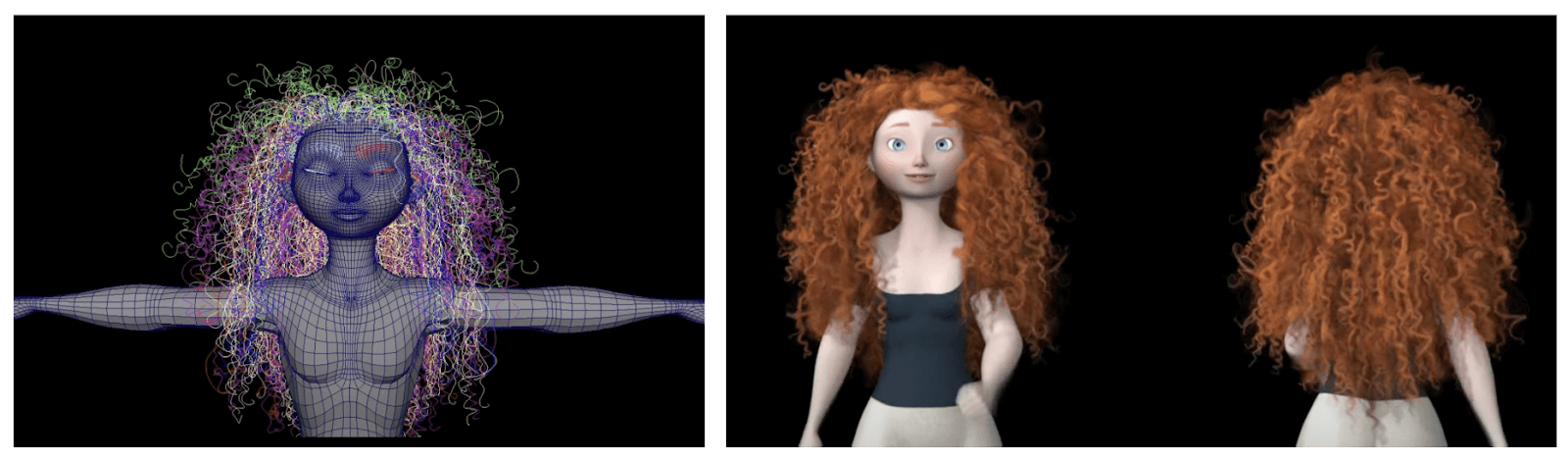
Beyond animation physics, Pixar uses RenderMan for photorealistic 3D rendering. It enables effects such as realistic hair, fur, and feathers.
These tools combine artistry and engineering to produce lifelike textures and lighting unseen in simpler workflows (Figure 17). While critical to studio-level quality, such resources are impractical for small teams, and this reinforces the need for accessible, AI-assisted alternatives.

https://renderman.pixar.com/product
Non-specialists, such as students, teachers, and small business owners, can not afford this type of research and development. Generative AI tools may incorporate such details through ongoing model optimization. Thus, this step is not part of the simplified animation pipeline with AI Generative tools.
Effects
Pixar’s special effects, known as Visual Effects (VFX), are created using a combination of powerful commercial software and in-house-developed proprietary tools. Pixar effects artists create dust, smoke, fire, explosions, and water by breaking them down into millions of tiny particles and controlling them using computer programming. The way they approach an element, such as water, varies depending on how it interacts with the characters.
With Houdini, Pixar artists create dynamic and realistic scenes. This software complements their in-house tools and other commercial software such as Maya. For instance, in Toy Story 4, Houdini was used to simulate a complex rainstorm sequence that required multiple layers of environmental interaction (Figure 18).
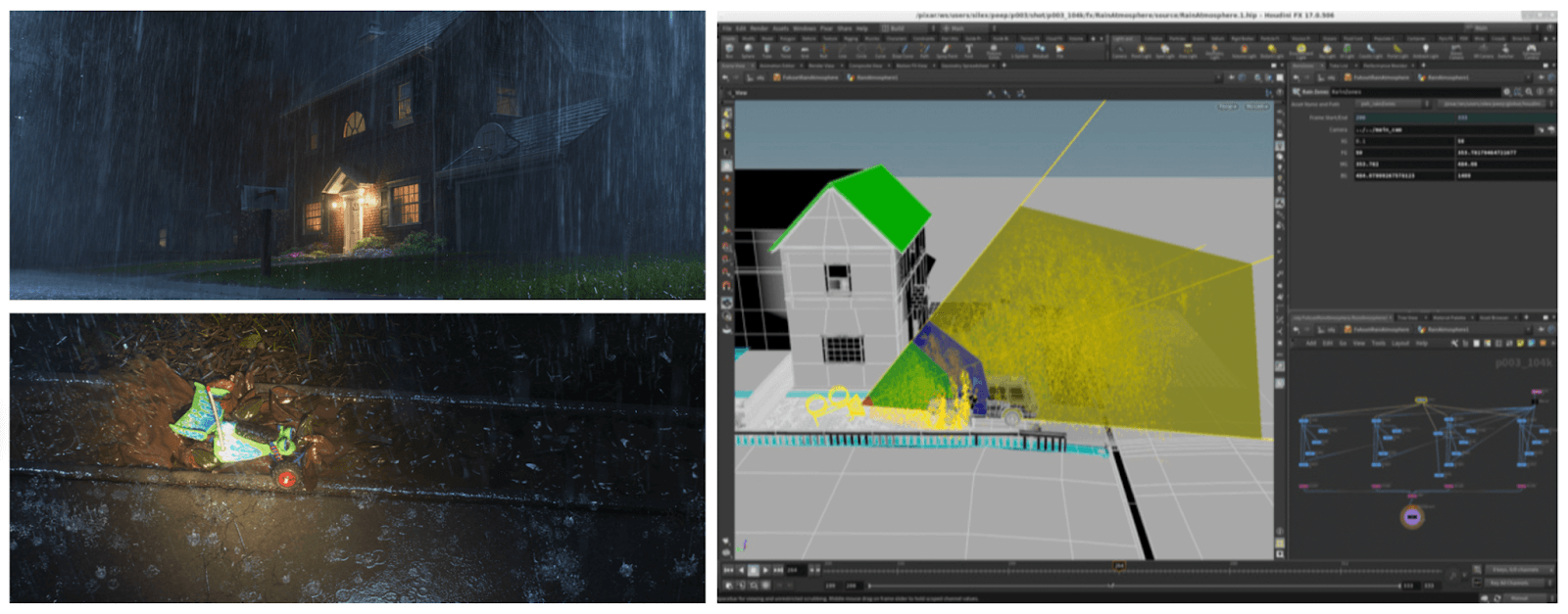
https://www.sidefx.com/community/toy-story-4/
Such effects show the immense skill and infrastructure that are required in professional production environments. These resources are not accessible to most students, educators, or small creative teams. In contrast, in the simplified pipeline, emerging generative AI tools can automatically integrate stylized effects into layout and animation stages. This reduces both cost and complexity..
Lighting
Lighting is one of the most critical yet resource-intensive stages in animation. Without virtual lights, animated films would be as dark as live-action movies would be without actual lights. Pixar’s Lighting Artists use light to support the story’s emotion and make the movie look and feel believable.
Katana, a software product from Foundry, serves as a lighting and look development tool. It integrates with Pixar’s RenderMan and the Universal Scene Description (USD) framework to enable artists to craft complex visual scenes. This includes interactive lighting, shading, and scene assembly. For instance, during the production of Coco, lighting teams faced the challenge of rendering millions of dynamic light sources in a single shot (Figure 19).
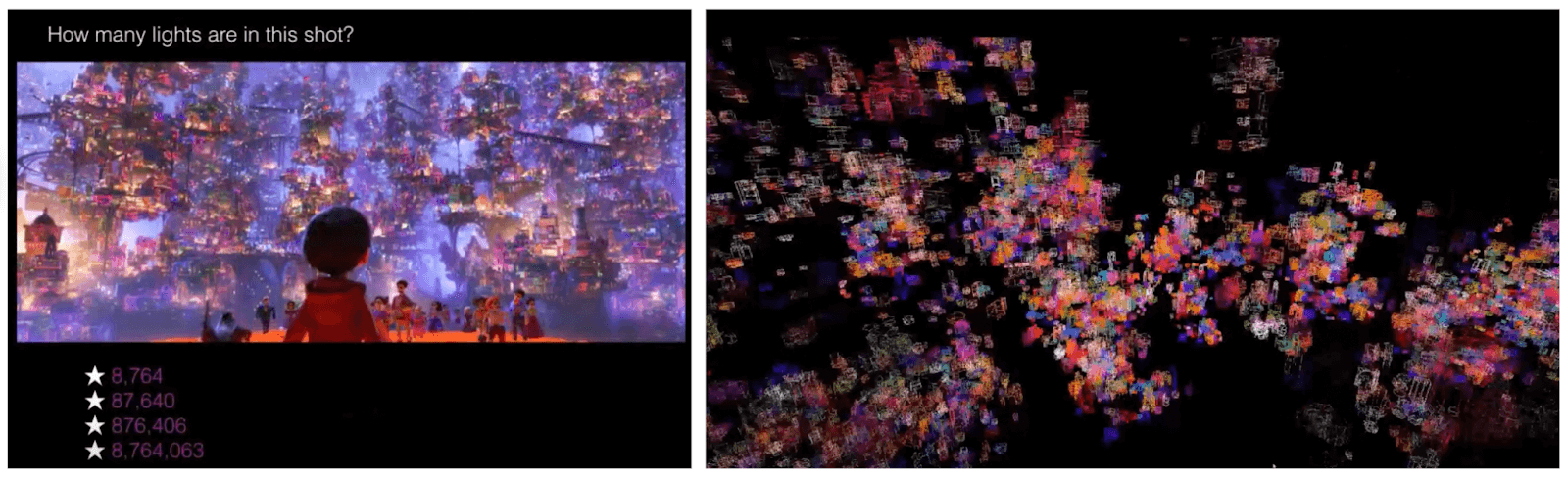
https://www.youtube.com/watch?v=pc5rLRHO6YU&t=333s
Such complexity shows why simplified AI pipelines could transform accessibility. Emerging AI systems can now approximate global illumination, depth, and atmosphere with minimal manual setup. This makes lighting feasible for educators, students, and independent creators.
In the simplified pipeline for non-specialists, effects will be integrated into the layout and animation stages using novel generative AI tools.
Appendix B – Ethics and Permissions
I followed ethical principles of voluntary participation, informed consent, and anonymity. All the participants were informed that their responses in the survey would remain confidential, used only for academic purposes, and could be withdrawn at any time. No personal identifiers were collected. My research project received institutional acknowledgment through the Lycée Français de San Francisco and the Lumiere Research Program, and the corresponding authorization forms were signed by a school administrator and a supervising teacher prior to survey distribution.
I created the short film Desk Buddies entirely with self-generated or royalty-free assets. No copyrighted Pixar or third-party material was used beyond fair-use educational reference. I affirm that I created all the generative content ethically using publicly accessible AI tools (ChatGPT, Nano Banana, Kling AI, and Canva). I did so in compliance with their respective usage policies.
Appendix C – Prompt Templates and Generated Assets for Pipeline Replication
This appendix has prompt templates, generated assets, and strategies used to implement the simplified “3+2” animation pipeline. These materials can help with the replication of the workflow.
Narrative Generation and Storyboard Structuring (Idea/Story Stage)
The narrative foundation of the animation was generated using a large language model to transform a short story concept into structured storyboard-ready outputs. Prompts specified narrative tone, animation duration, character list, cinematic style, and a numbered shot format compatible with downstream generative tools.
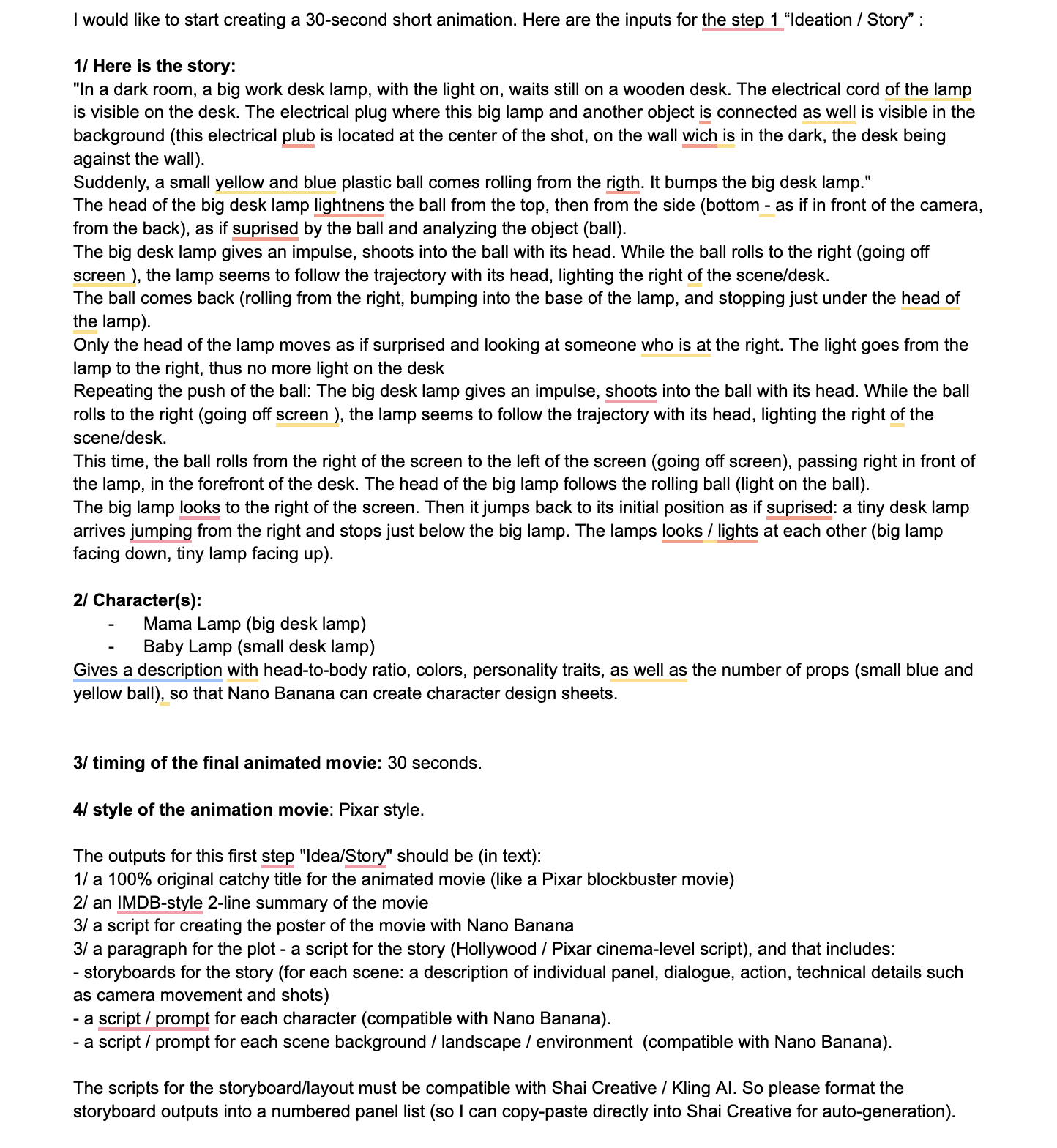
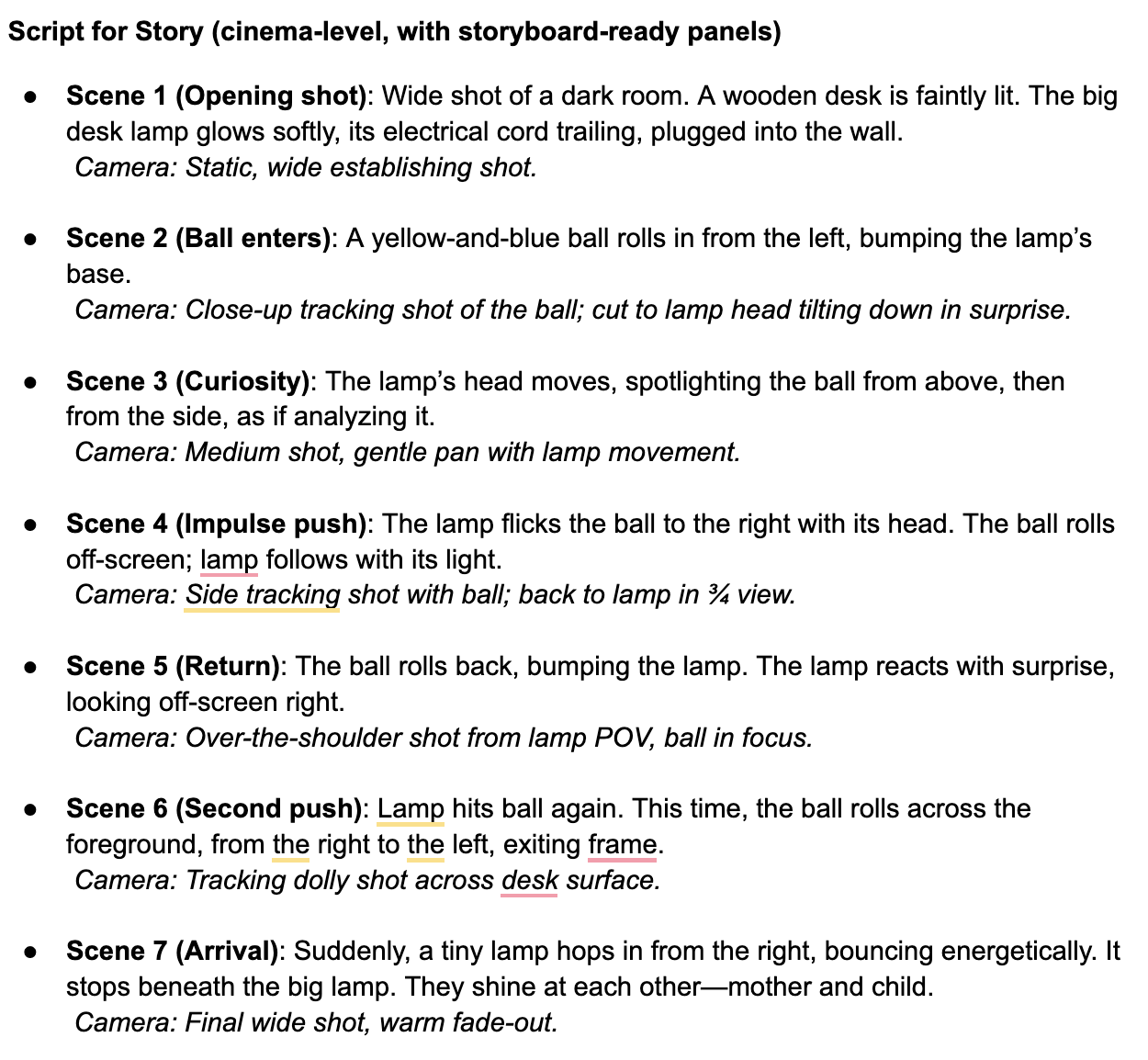
Asset Generation of Characters and Set (Character & Sets Stage)
I created the visual assets with structured text-to-image prompts. I detailed the proportions, the materials, the colors, and the personality traits to ensure consistent character appearance across the shots.
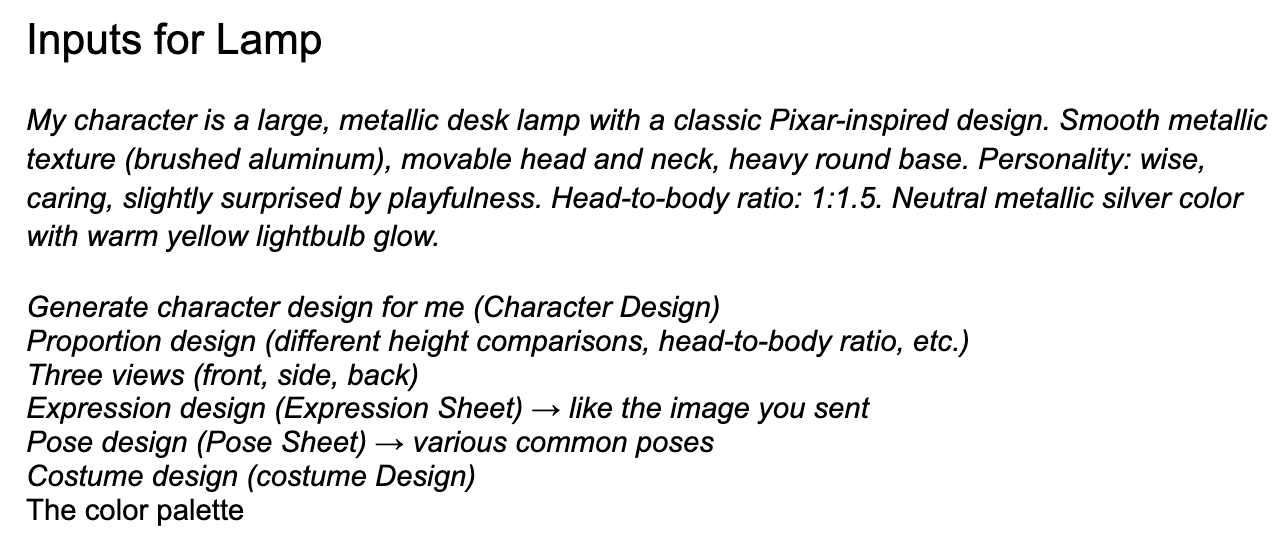
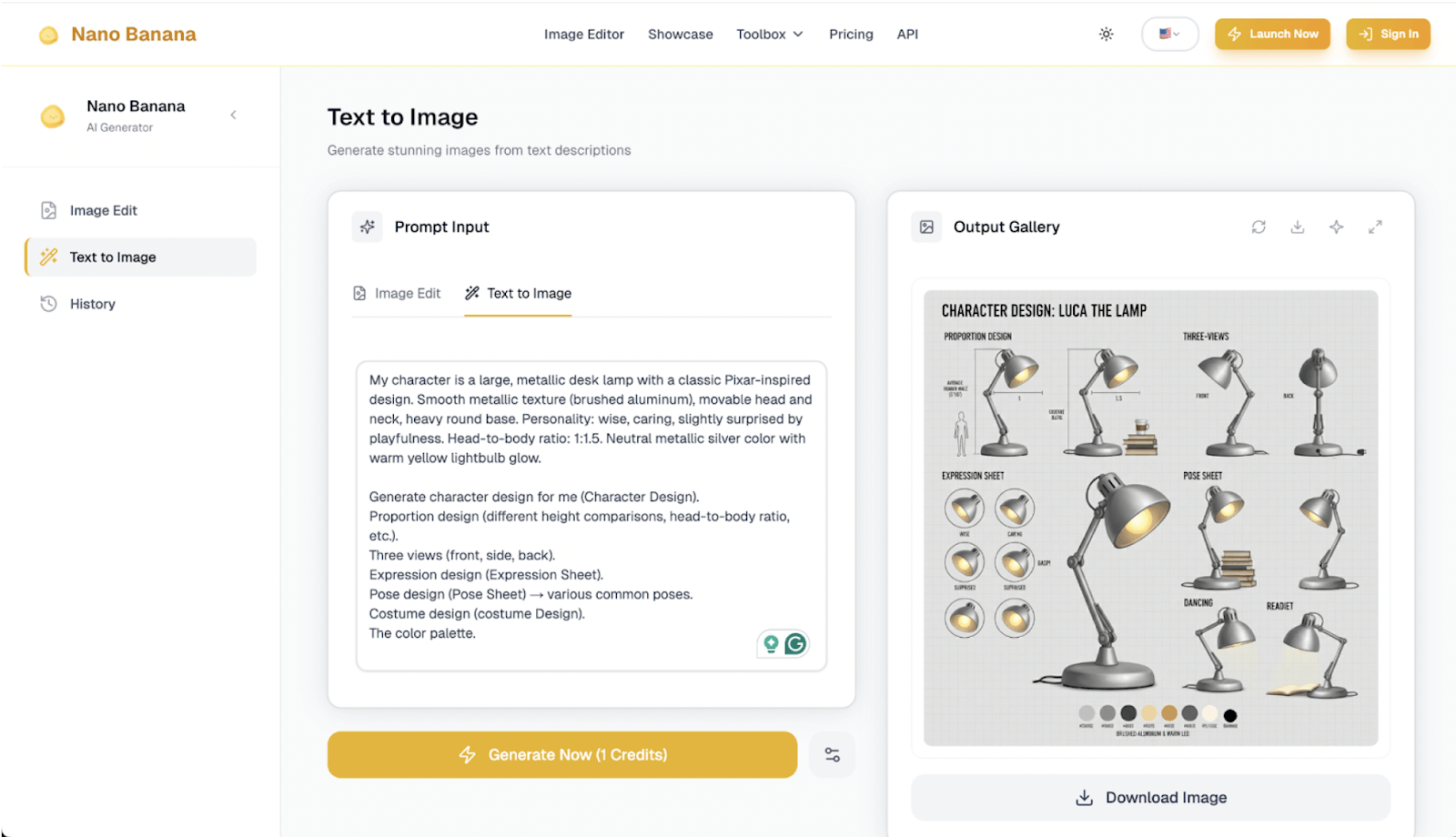
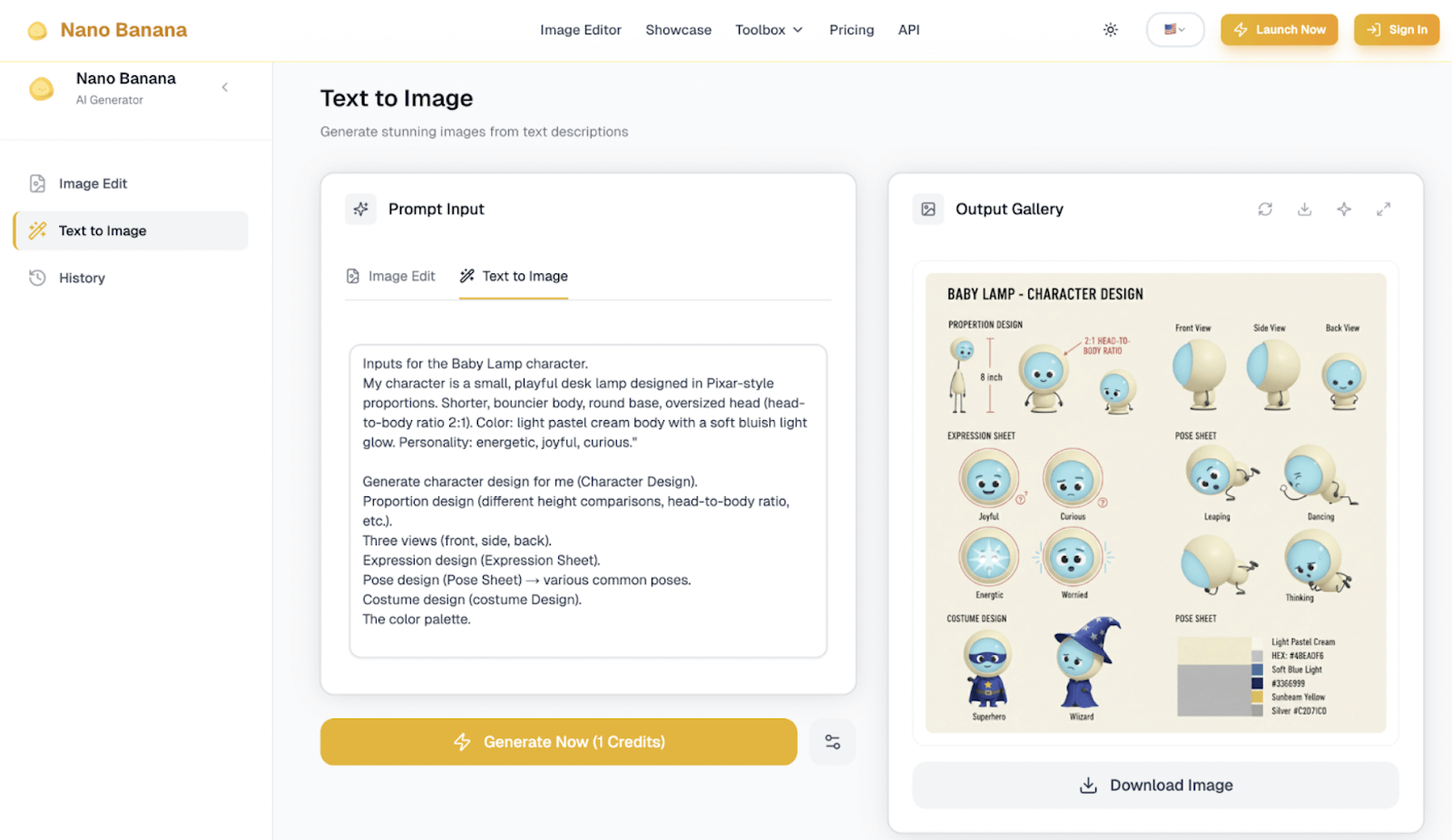
Although Nano Banana generated nice character sheets, I maintained consistency across later generations primarily through text descriptions and images generated with ChatGPT rather than direct reuse of these reference images.
Also, note that although initial designs explored a two-character setup inspired by Pixar’s Luxo Jr., the final experimental animation intentionally focused on a single lamp interacting with a toy ball to avoid direct narrative replication and to maintain ethical originality while preserving comparable motion dynamics.
Regarding the environmental backgrounds, they were generated using persistent scene descriptors to maintain lighting style and spatial continuity.
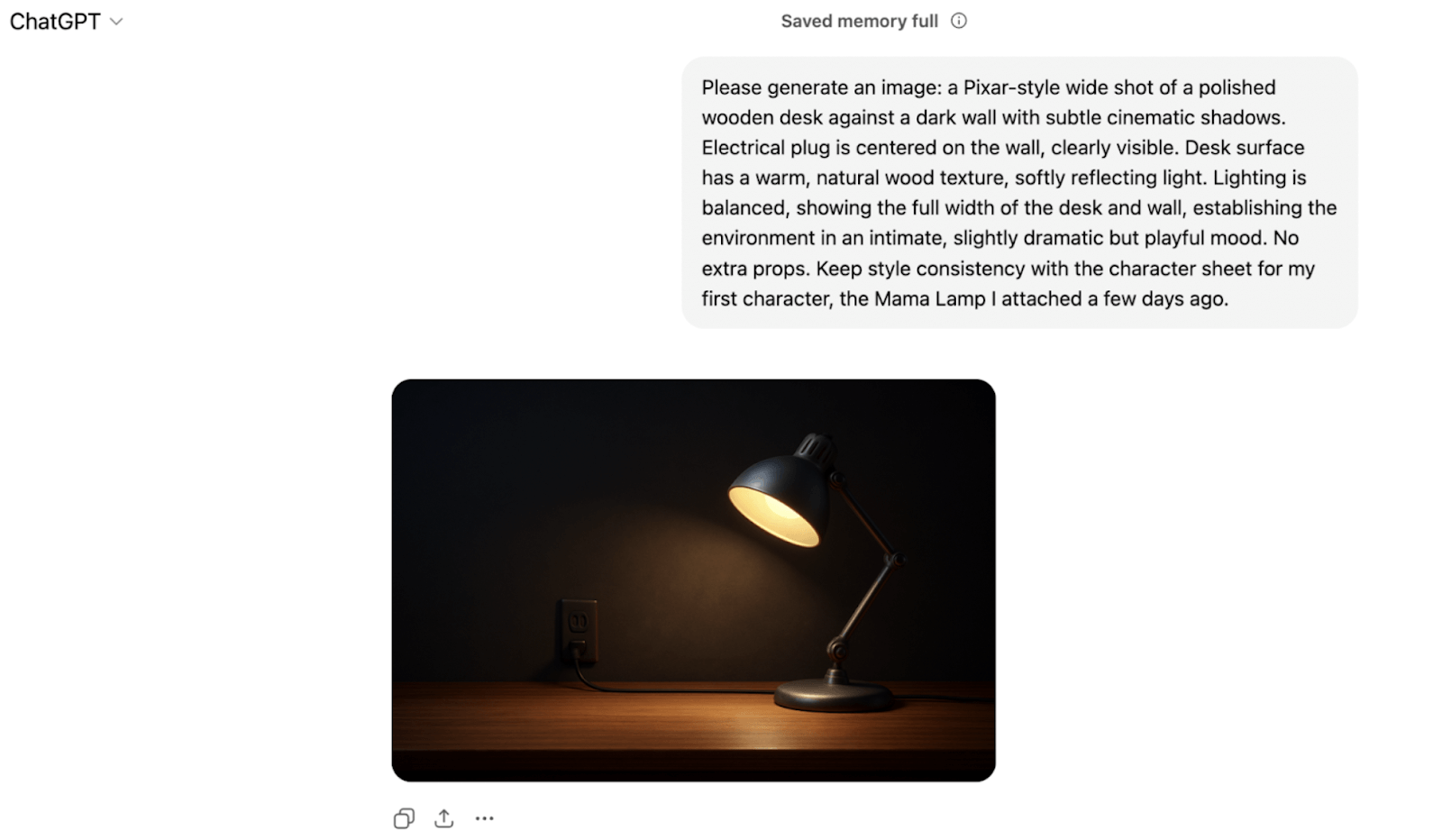
Storyboarding and Layout Tool Exploration (Shai Creative)
I initially used Shai Creative as a visual storyboard and layout generation tool because this tool translates narratives into pre-visualized scenes. While the platform helps get rapid visualization of scripted shots, there were inconsistencies in character appearance across panels. As a result, for this small-scale experiment, I used ChatGPT’s structured text-based prompts directly for shot-level animation in Kling AI. This provided control for continuity and motion.
However, for larger animation projects, iterative visual planning and multi-scene coordination are impossible to miss. Thus, in the final experimental workflow, visual storyboarding tools such as Shai Creative remain valuable.
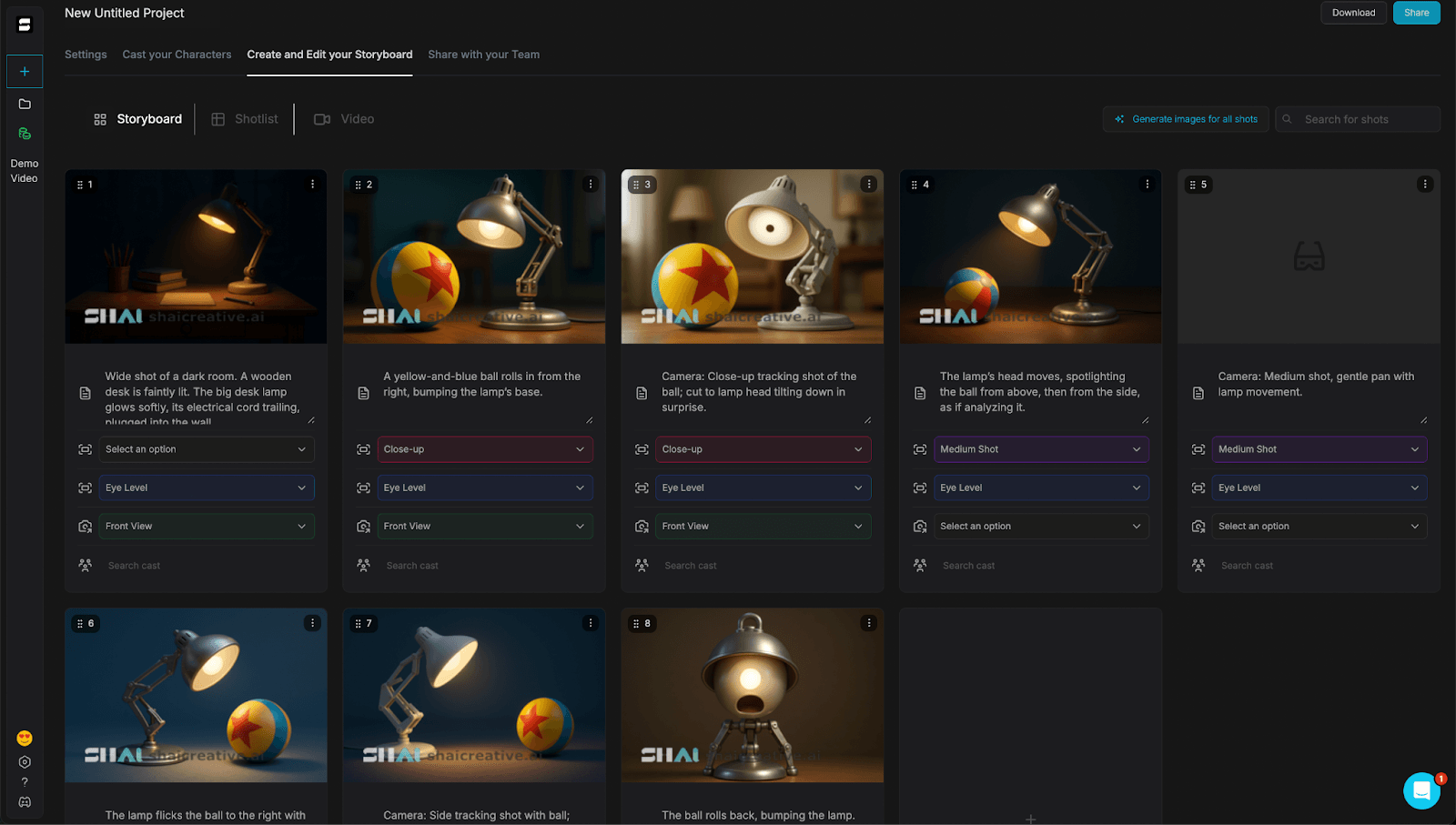
Shot-Level Animation Prompt Templates (Video Generation Stage)
To improve motion continuity and reduce visual drift, I decomposed long narrative sequences into individual shot-level prompts. Each prompt had descriptions for characters and environments, and introduced, at the same time, minimal camera cues.
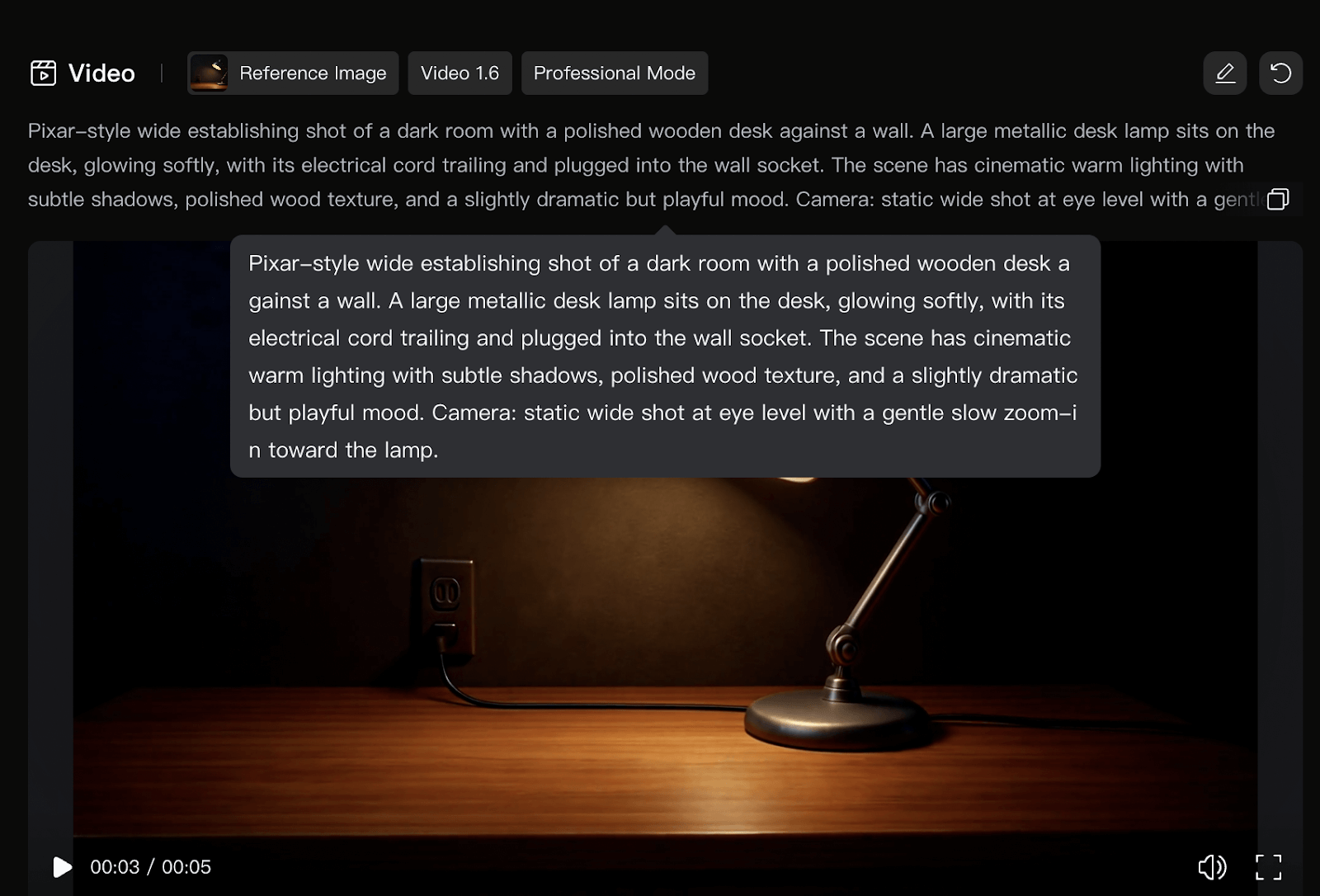
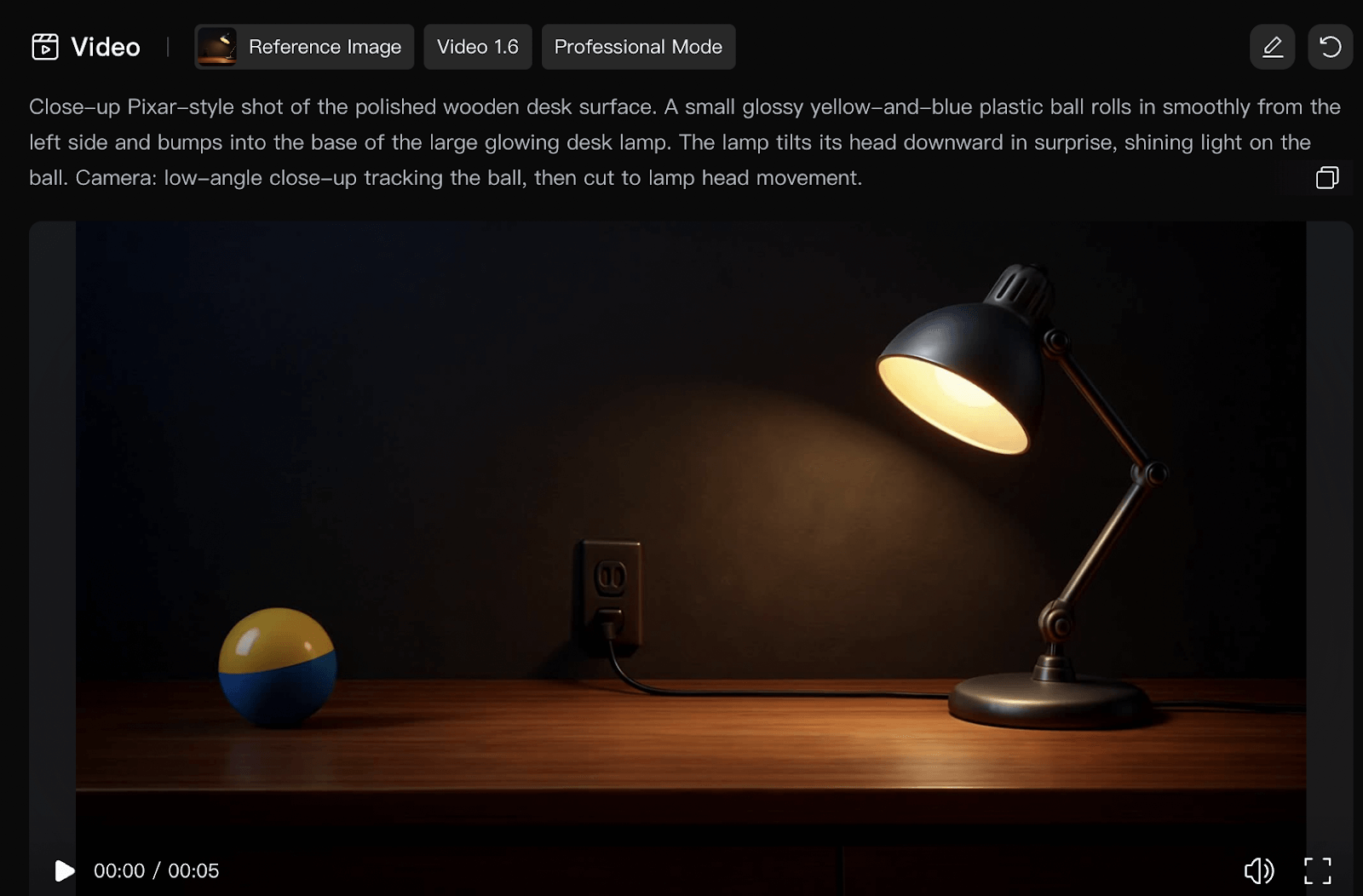
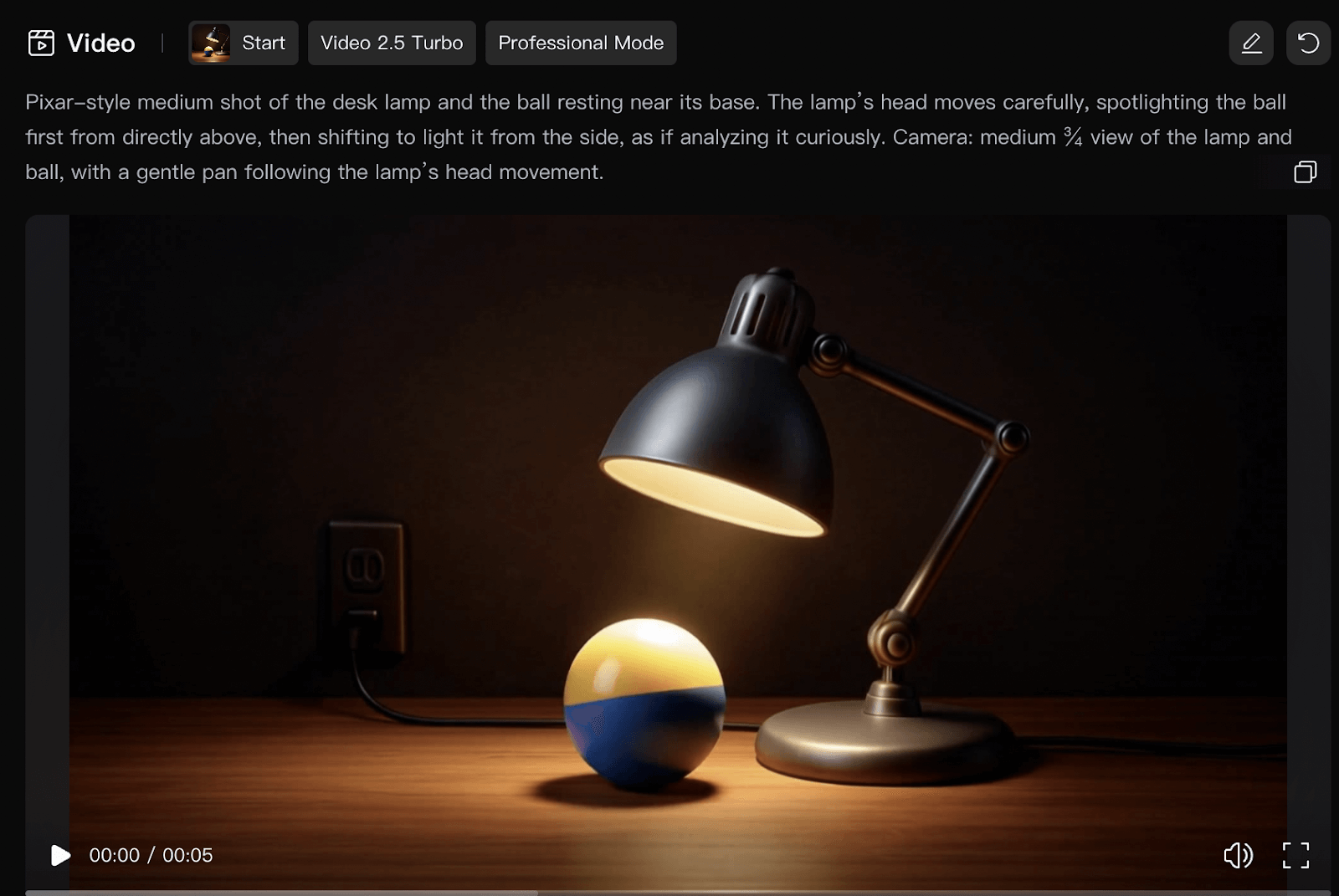
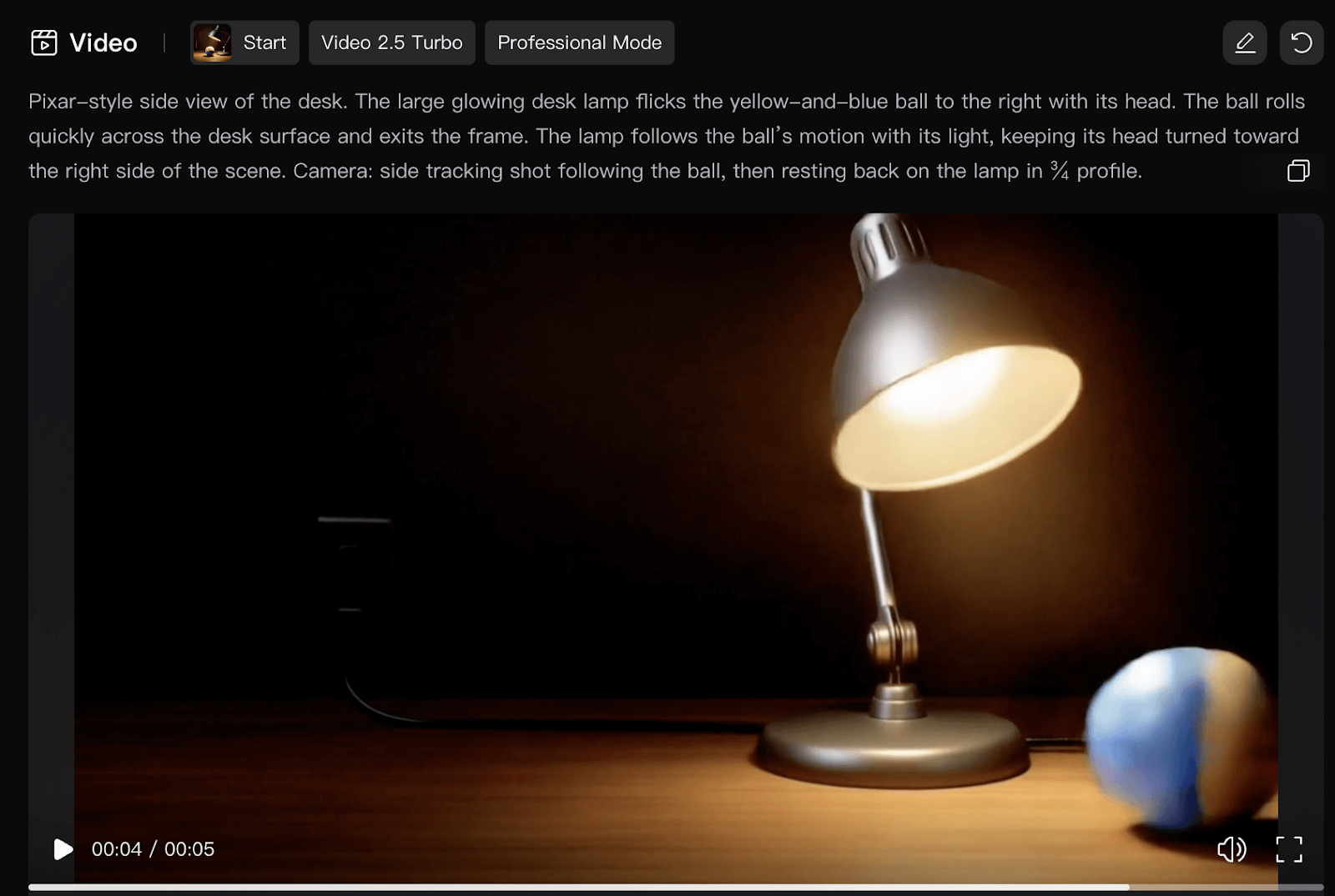
Strategy for Visual Consistency and the Stitching of the Shots
I made sure that there was continuity across generated shots with:
- The reuse of character and environment reference visuals,
- The fixed anchor descriptions that I repeated across prompts, and
- The sequential start-frame/end-frame chaining during video generation.
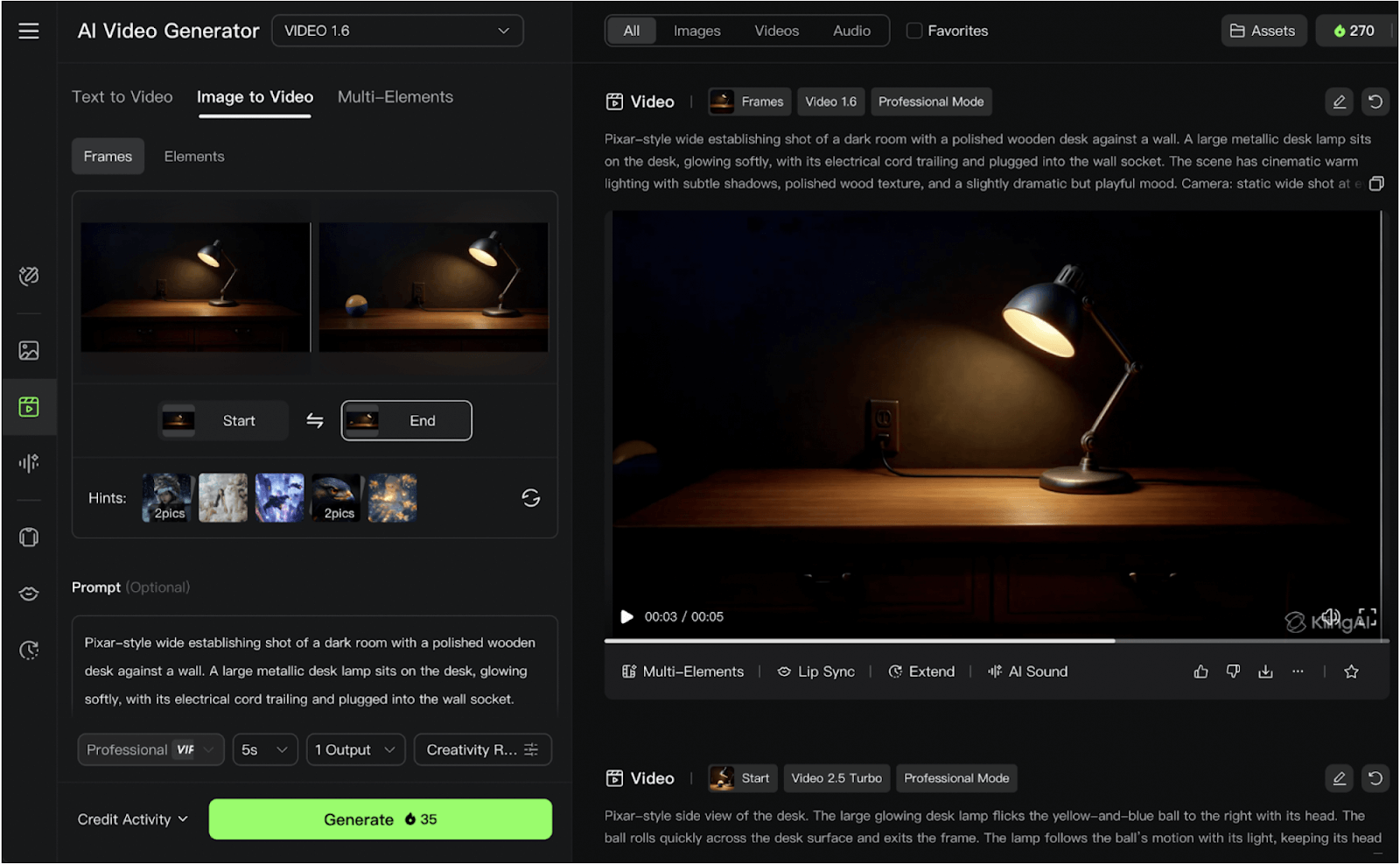
Example of the Final Animated Output
The individual shot clips were stitched using short cross-fade transitions to reduce minor inconsistencies and produce the final short animation Desk Buddies.
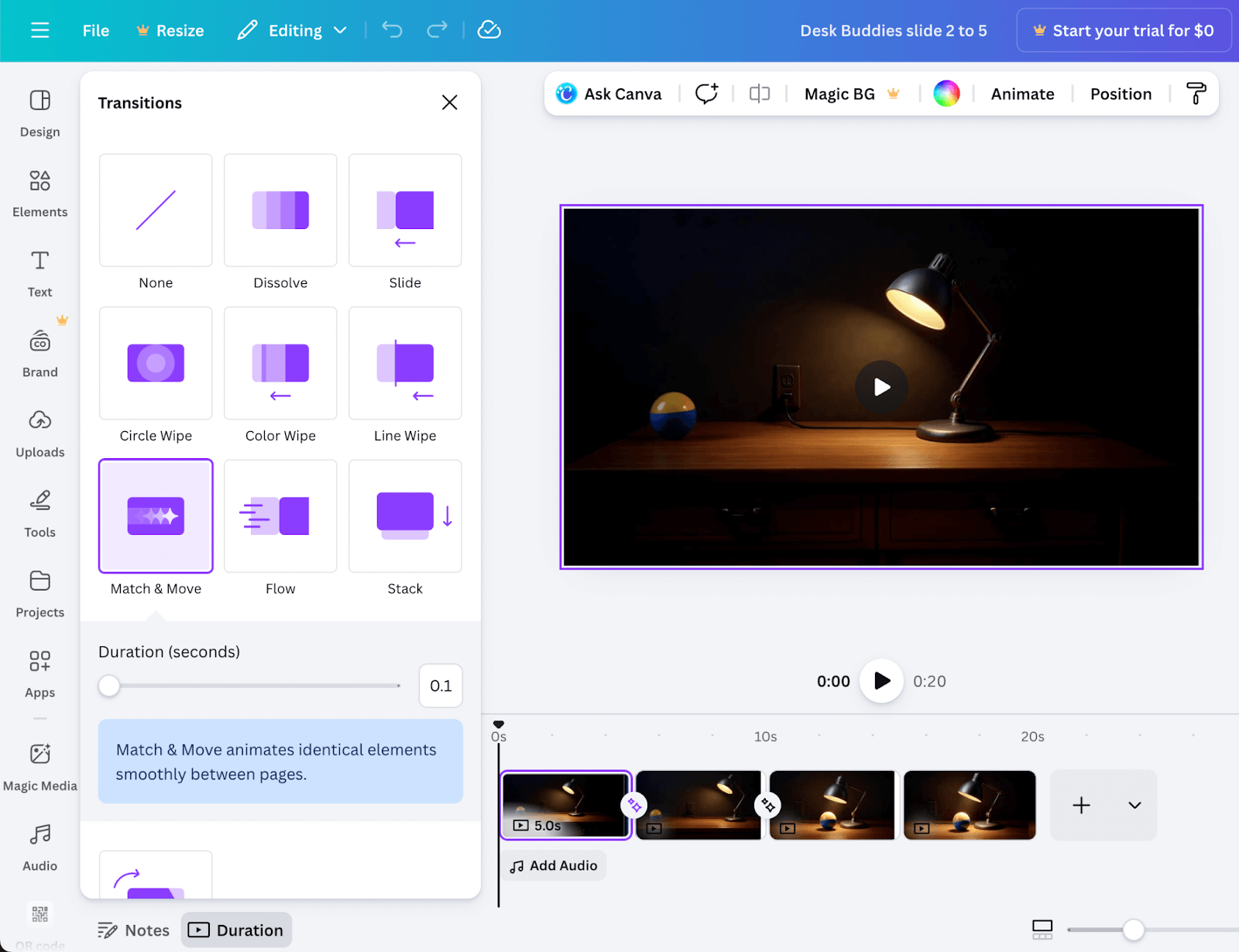
Appendix D – Supplementary Materials
This appendix is about the supporting materials that I used during the design and the evaluation of the simplified 3+2 animation pipeline.
- Figure D1 presents a comparative analysis of available AI and traditional tools tested in each pipeline stage, This guides the selection of those best suited for non-specialists.
- Figure D2 shows the complete Google Form survey interface that I distributed to participants for evaluating usability and accessibility.
- Figure D3 shows better engagement metrics on YouTube for a short video that a small business owner produced using the simplified 3+2 animation pipeline.
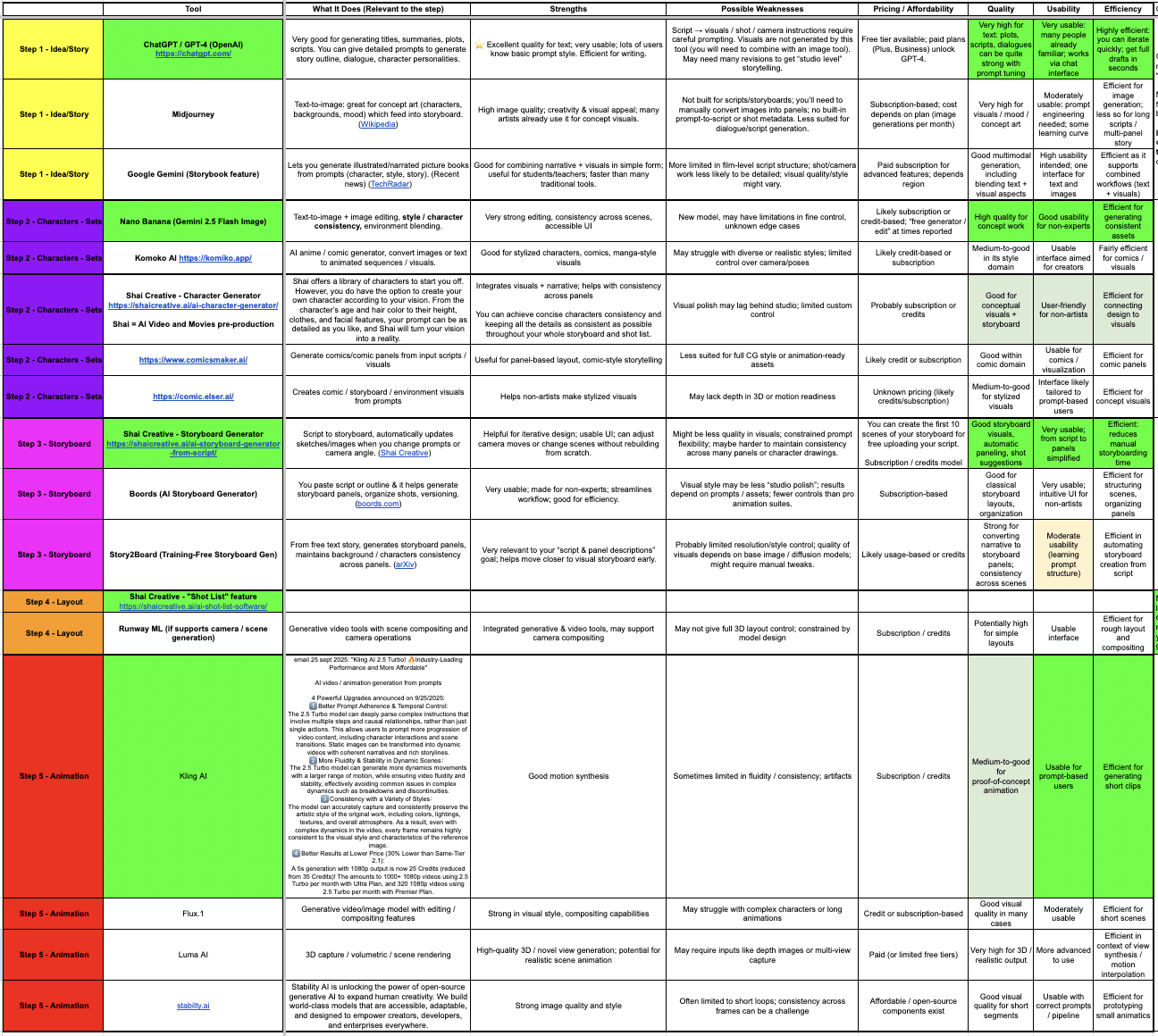
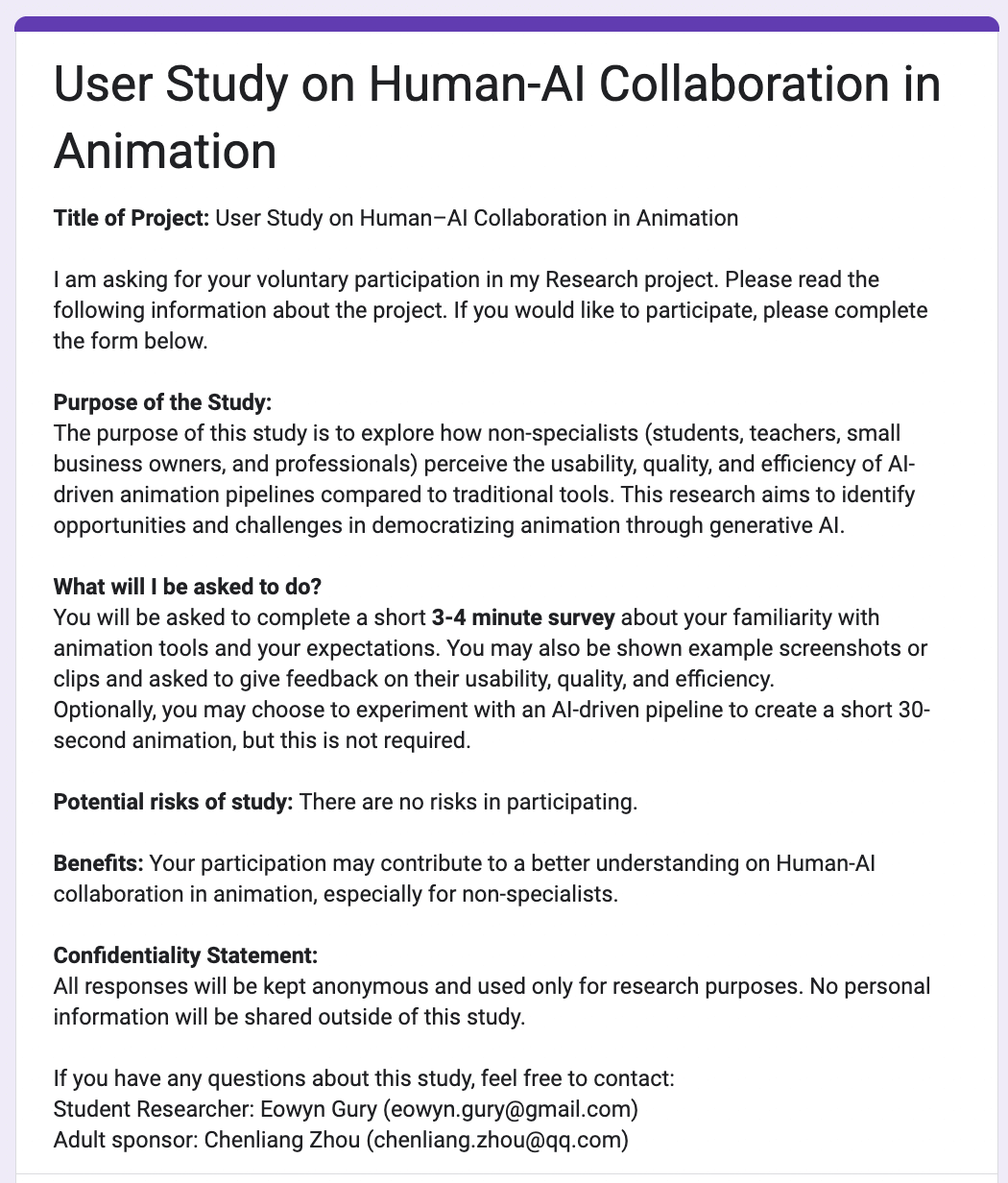
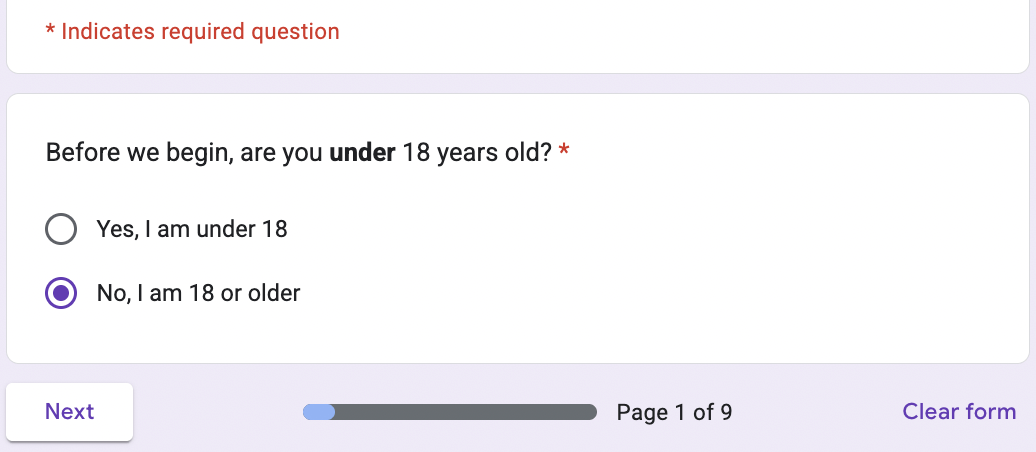
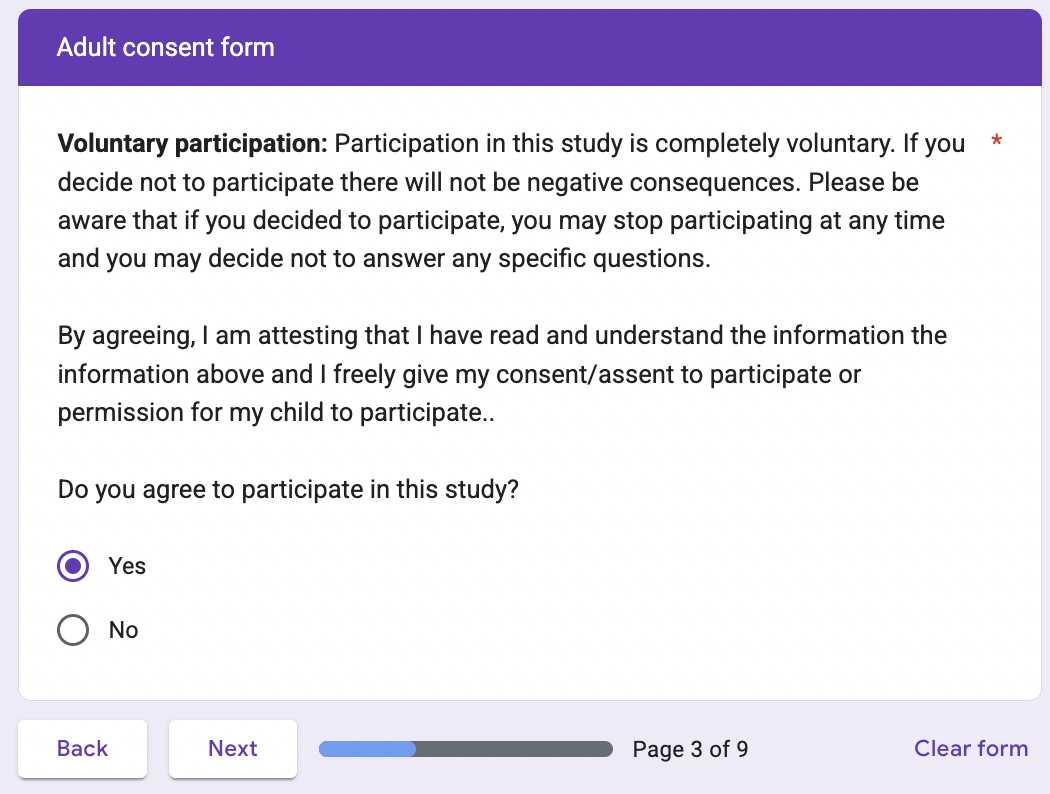
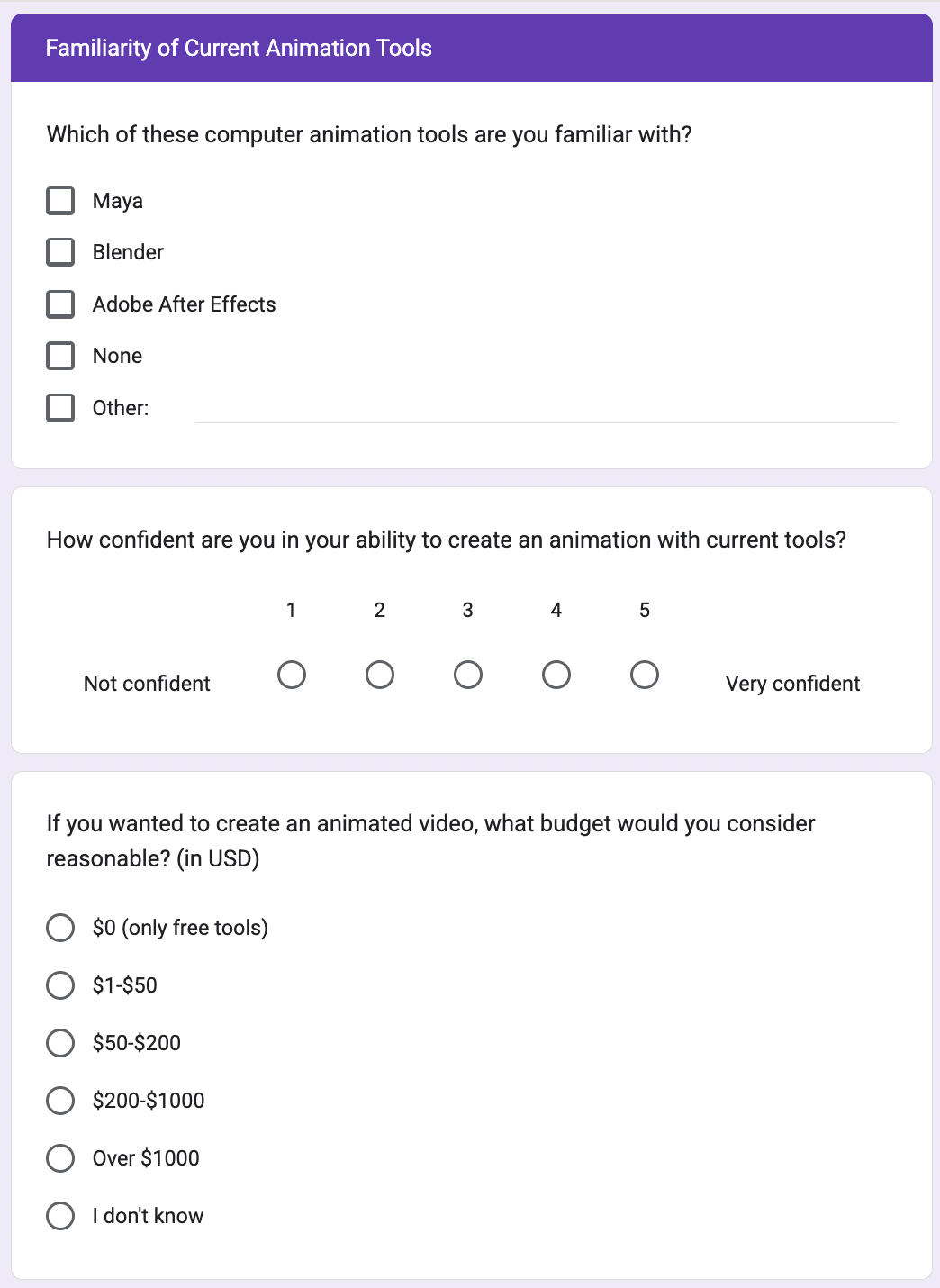
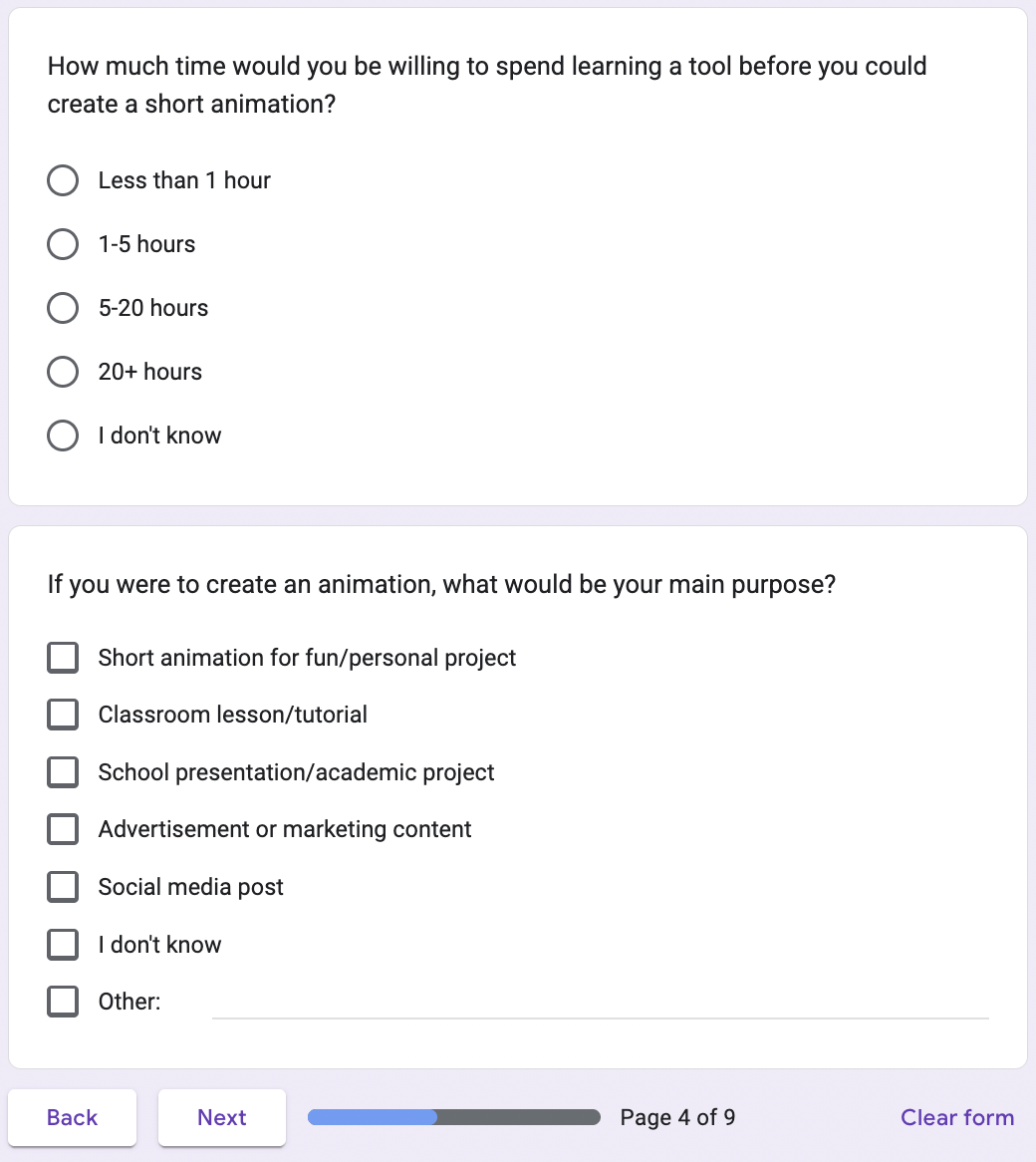
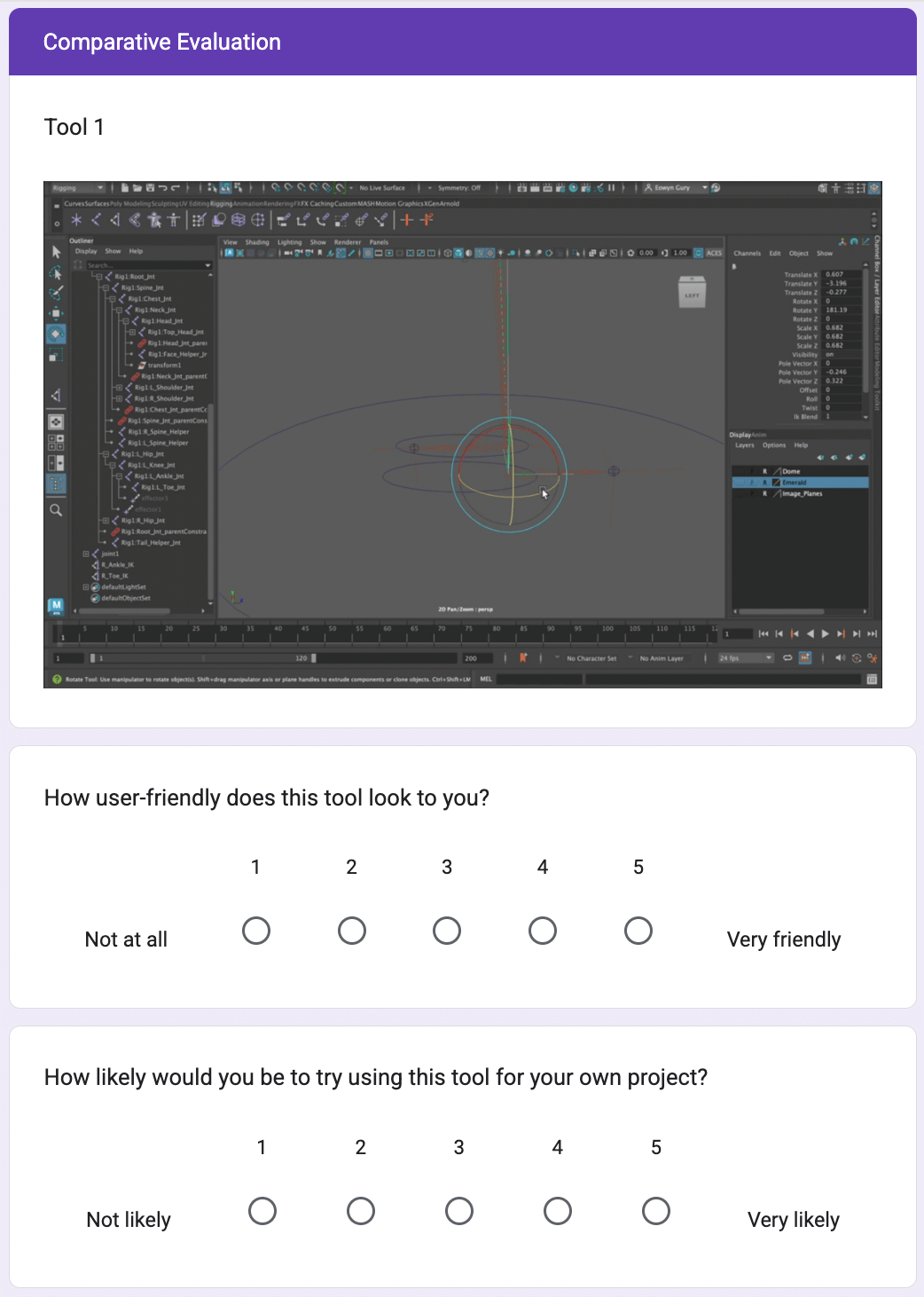
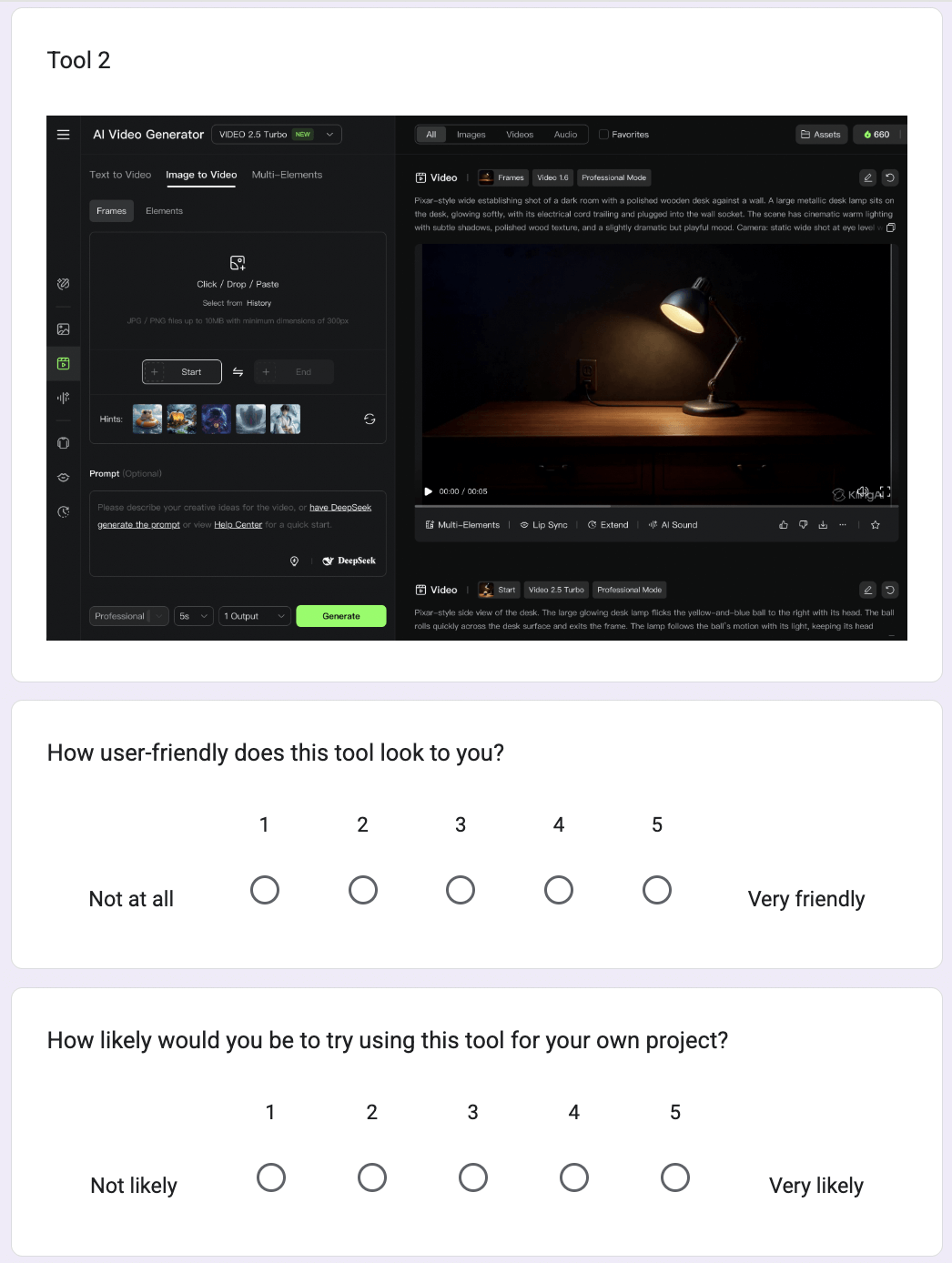
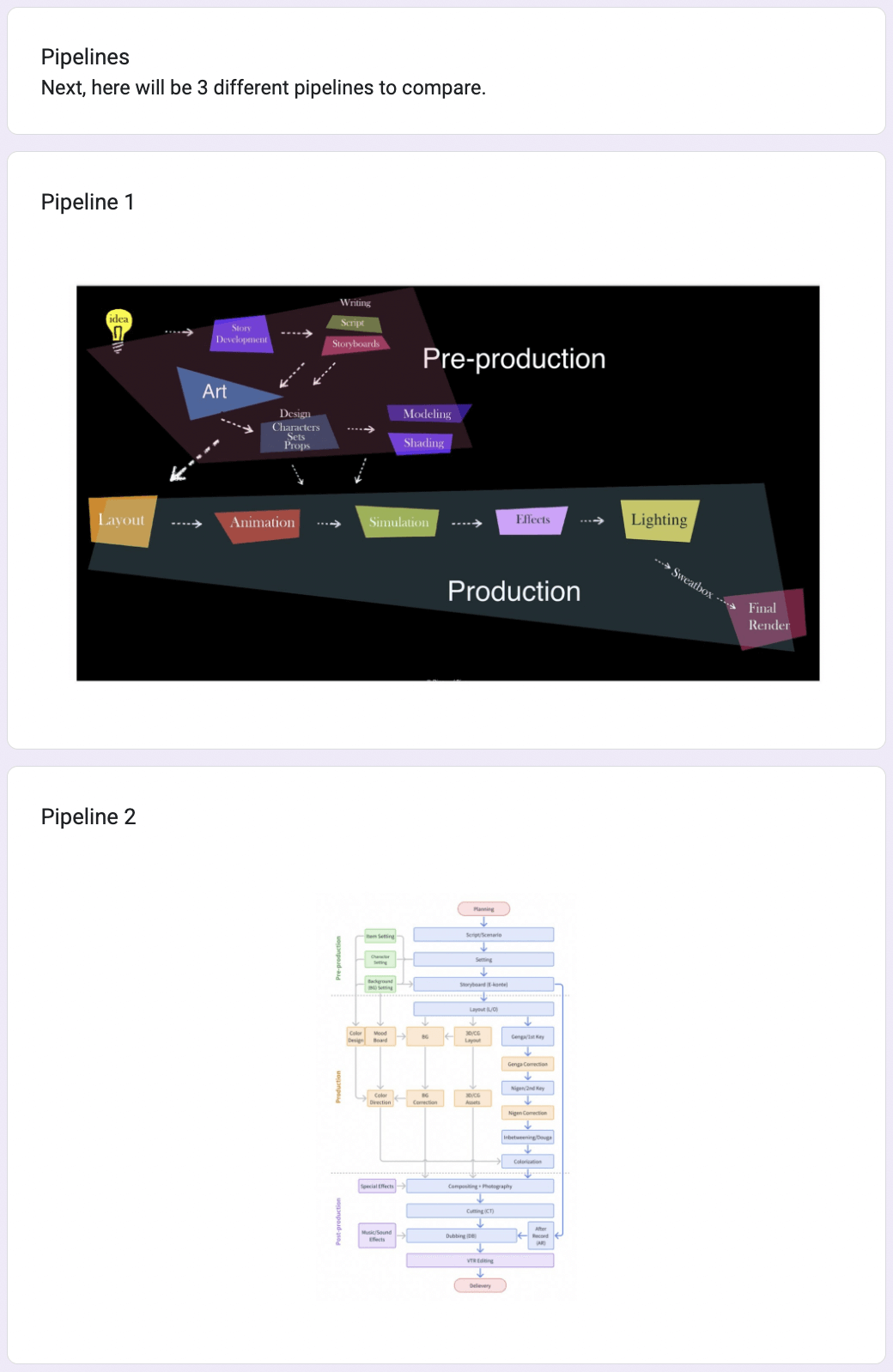
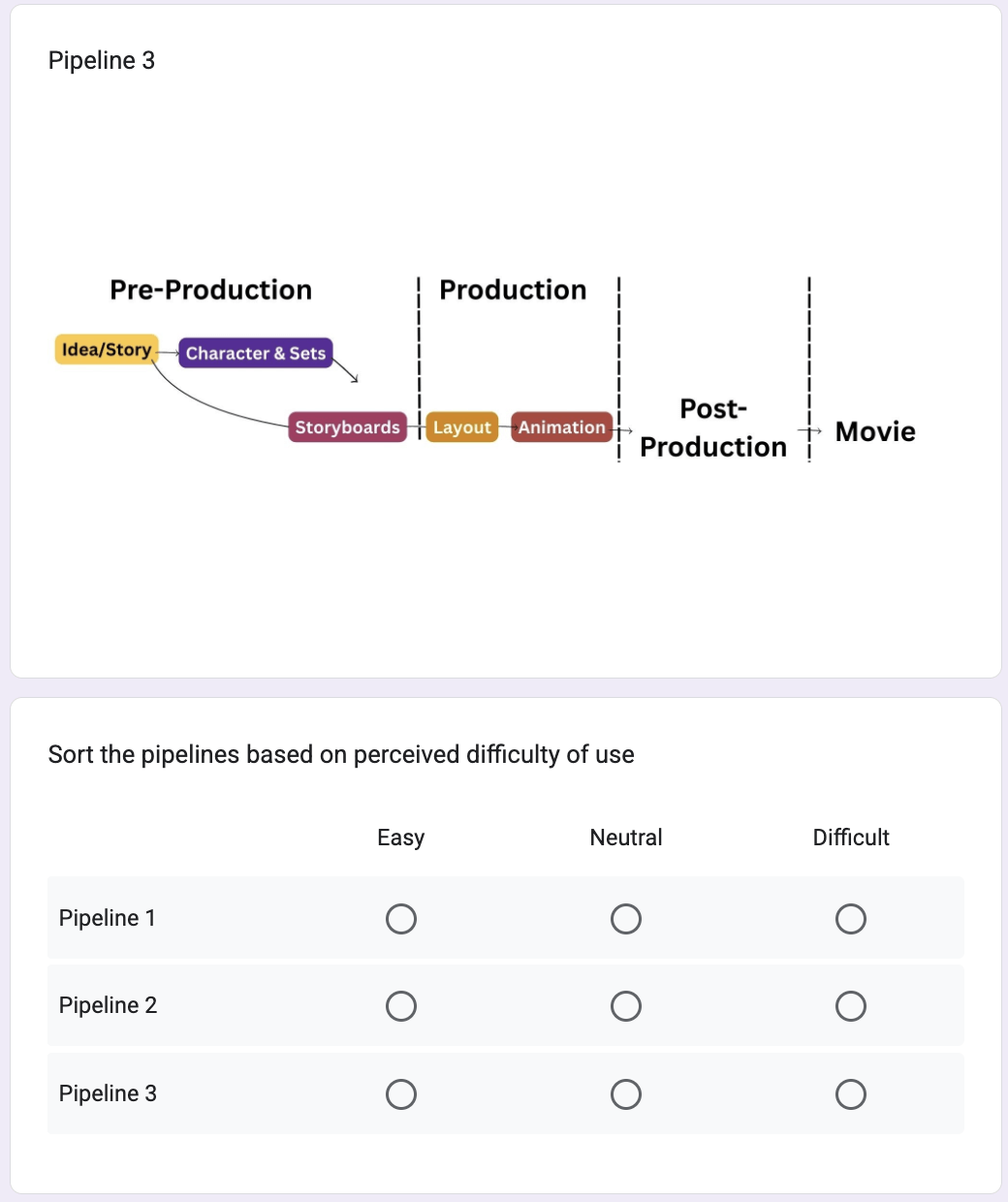
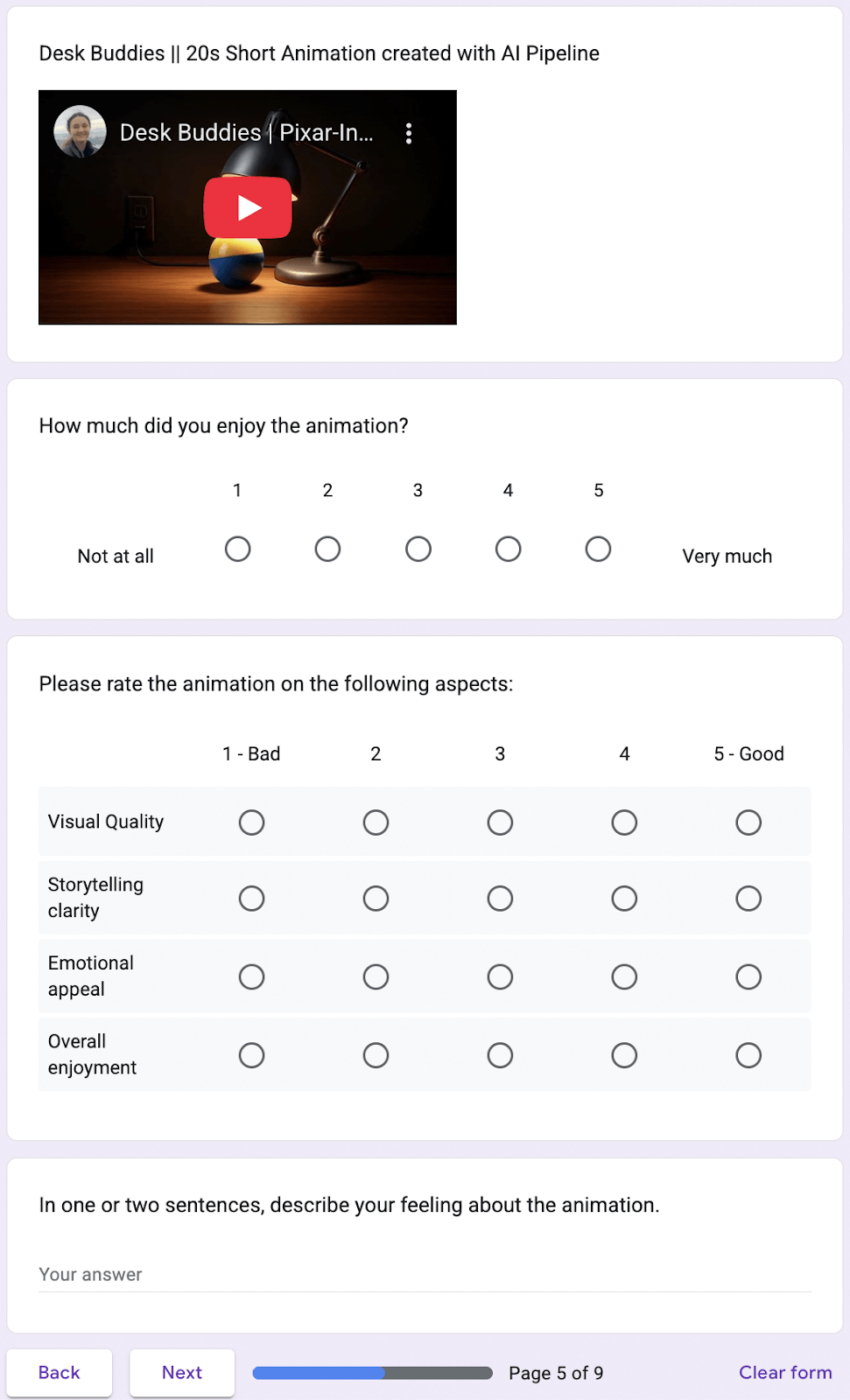
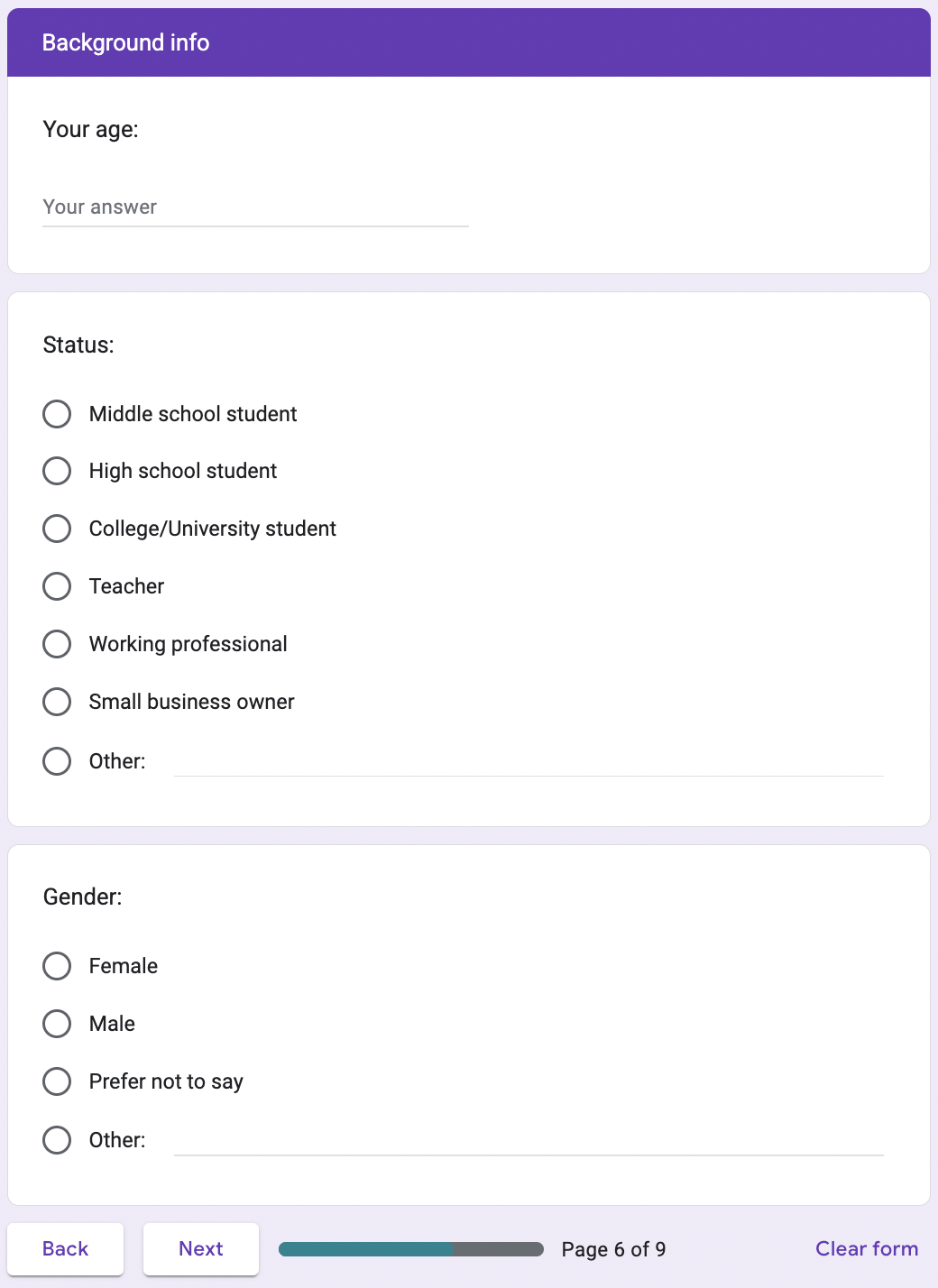
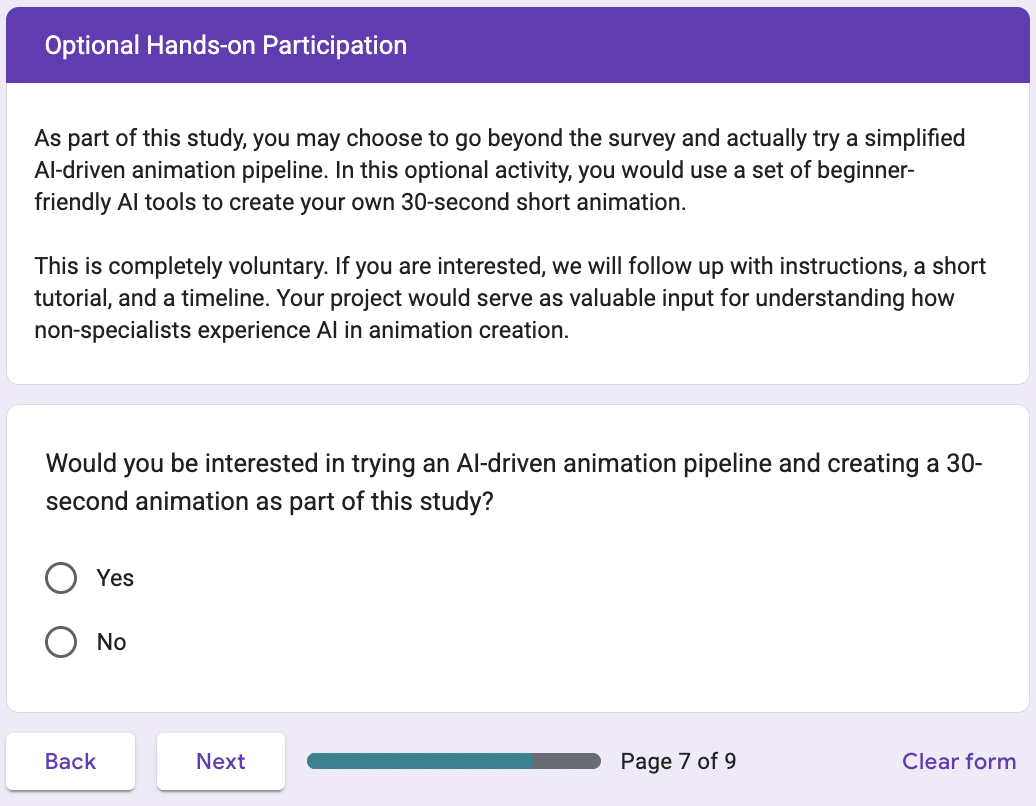
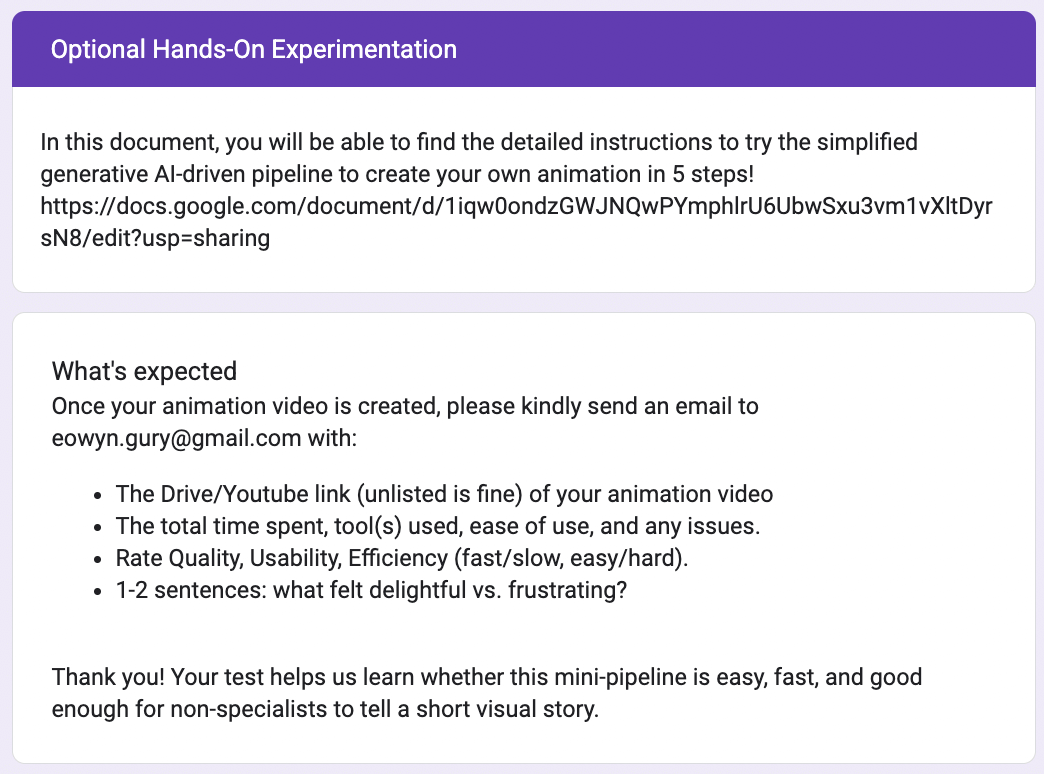
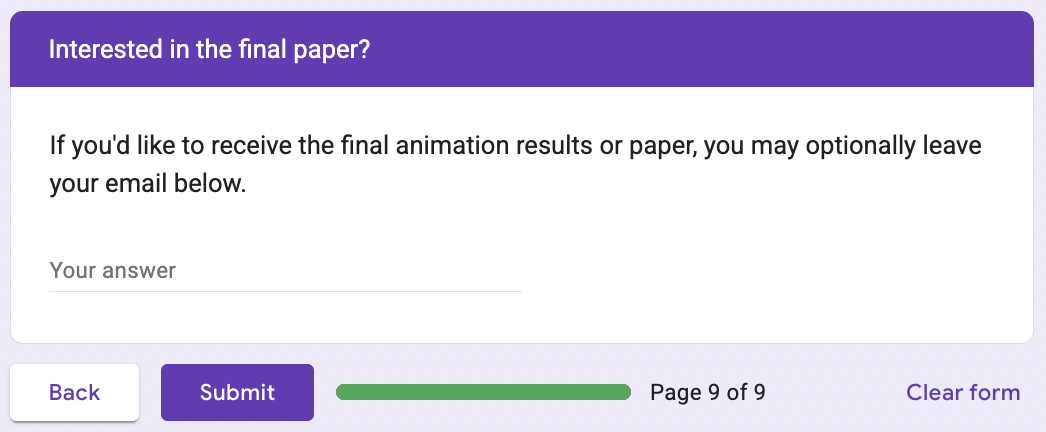
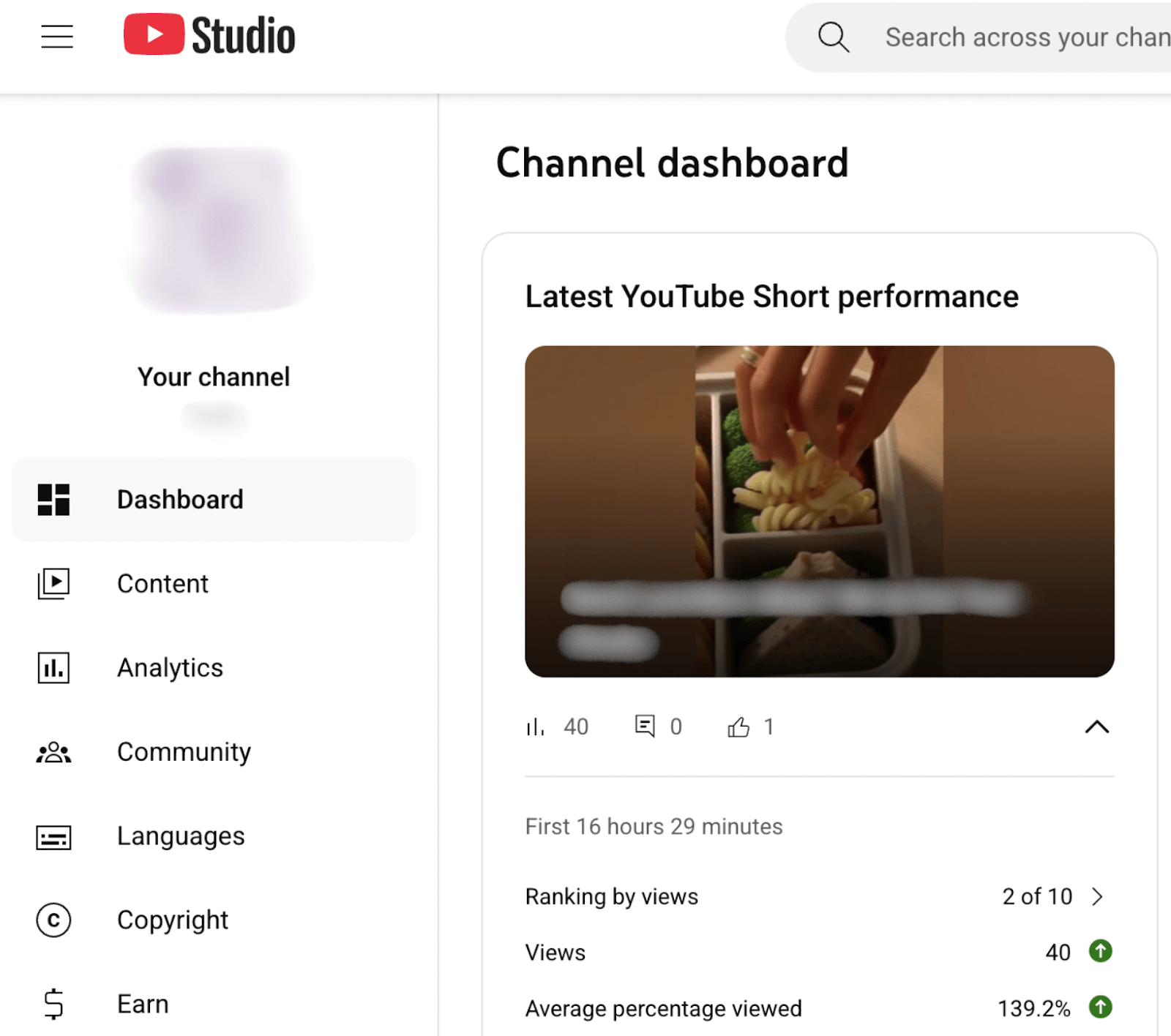
References
- Cook, Malcolm, et al. “Useful Animation: Iconography, Infrastructure and Impact.” Animation, vol. 18, no. 3, 1 Nov. 2023, pp. 196–226, https://doi.org/10.1177/17468477231207613. [↩]
- Rogers, Yvonne. “A Comparison of How Animation Has Been Used to Support Formal, Informal, and Playful Learning.” ResearchGate, unknown, 2008, www.researchgate.net/publication/42800129_A_comparison_of_how_animation_has_been_used_to_support_formal_informal_and_playful_learning. Accessed 21 Oct. 2025. [↩]
- Shurkin, Joel. “Science and Culture: Cartoons to Better Communicate Science.” Proceedings of the National Academy of Sciences, vol. 112, no. 38, 22 Sept. 2015, pp. 11741–11742, https://doi.org/10.1073/pnas.1515144112. [↩]
- Aoki, Miho, et al. 3D Animation Education in the US and Japan. 12 Dec. 2011, pp. 1–2, https://doi.org/10.1145/2077378.2077421. Accessed 21 Oct. 2025. [↩]
- Sharma, Geeta. “A Study on the Usage of Animation as a Pedagogical Tool in Teaching Pre-Primary & Primary Schools in Mumbai.” Journal of Marketing & Social Research, vol. 2, 27 May 2025, pp. 438–449, jmsr-online.com/article/a-study-on-the-usage-of-animation-as-a-pedagogical-tool-in-teaching-pre-primary-primary-schools-in-mumbai-185/, https://doi.org/10.61336/jmsr/25-03-55. Accessed 21 Oct. 2025. [↩]
- Khodair, Raed, et al. “Article Number: E2025170 Ed Process Int J Www.” Ed Process Int J |, vol. 15, 2025, pp. 2564–8020, edupij.com/files/1/articles/article_541/EDUPIJ_541_article_6805a134667e3.pdf, https://doi.org/10.22521/edupij.2025.15.170. [↩]
- Dlodlo, N., and M. Dhurup. “Barriers to E-Marketing Adoption among Small and Medium Enterprises (SMEs) in the Vaal Triangle.” Acta Commercii, vol. 10, no. 1, 7 Dec. 2010, https://doi.org/10.4102/ac.v10i1.126. [↩] [↩]
- Casteleiro-Pitrez, Joana. “Generative Artificial Intelligence Image Tools among Future Designers: A Usability, User Experience, and Emotional Analysis.” Digital, vol. 4, no. 2, 17 Apr. 2024, pp. 316–332, https://doi.org/10.3390/digital4020016. [↩]
- “A Study of the British Animation Industry’s Approach to Equality, Diversity, and Inclusion 2000-2020 – ProQuest.” Proquest.com, 2020, www.proquest.com/openview/65851810d5c78709b1c0cd8d76cd7096/1?pq-origsite=gscholar&cbl=2026366&diss=y. [↩]
- Cansu Akverdi, and Gökçe Elif Baykal. Generative AI Tools in Design Fields: Opportunities and Challenges in the Ideation Process. Vol. 18, 30 Sept. 2024, pp. 1–5, https://doi.org/10.1145/3677045.3685445. [↩]
- Tang, Yuying, et al. “Exploring the Impact of AI-Generated Image Tools on Professional and Non-Professional Users in the Art and Design Fields.” Virtual Community of Pathological Anatomy (University of Castilla La Mancha), 11 Nov. 2024, pp. 451–458, https://doi.org/10.1145/3678884.3681890. [↩]
- “DEVELOPMENT of MUSICAL CREATIVITY with the GARAGEBAND APPLICATION: INSTRUCTIONAL PACKAGE for FIFTH-GRADE STUDENTS at ASSUMPTION CONVENT SILOM SCHOOL.” Swu.ac.th, 2023, ir-ithesis.swu.ac.th/dspace/handle/123456789/2910, http://ir-ithesis.swu.ac.th/dspace/handle/123456789/2910. [↩]
- Obodai, Nii. SESSION REPORT SESSION REPORT Power in Whose Palm? SESSION REPORT. Feb. 2013. [↩]
- Sankey, M.D. 2014. ‘From rags to riches: Democratisation of the photographic art’. In V.GarnonsWilliams (Ed) Photography and Fictions: locating dynamics of practice. Queensland Centre for Photography (QCP), Brisbane, Australia. pp. 79-84. ISBN: 9780992322533 [↩]
- Li, Xinyu. “The Evolving Roles of Modern Designers: Through the Lens of Design Behavioral Patterns within Work Environments Enhanced by Generative AI.” Proceedings of DRS, 16 June 2024, dl.designresearchsociety.org/drs-conference-papers/drs2024/researchpapers/150/, https://doi.org/10.21606/drs.2024.600. [↩] [↩]
- Cai, Shengqu, et al. Generative Rendering: Controllable 4D-Guided Video Generation with 2D Diffusion Models, https://primecai.github.io/generative_rendering/assets/pdf/low_res.pdf. [↩]
- Cheng, Zhuoyi, et al. “An Exploratory Study on How AI Awareness Impacts Human-AI Design Collaboration.” Proceedings of the 30th International Conference on Intelligent User Interfaces, 24 Mar. 2025, pp. 157–172, https://doi.org/10.1145/3708359.3712162. [↩] [↩]
- Tang, Yunlong, et al. “Generative AI for Cel-Animation: A Survey.” ArXiv.org, 2025, arxiv.org/abs/2501.06250. [↩] [↩]
- Prokhorov, Artem. “The Hero’s Journey and Three Types of Metaphor in Pixar Animation.” Metaphor and Symbol, vol. 36, no. 4, 29 Apr. 2021, pp. 1–12, https://doi.org/10.1080/10926488.2021.1919490. [↩]
- Shuting, p>Yang. “Research on the Paradigm of Pixar Animation Modeling.” Frontiers in Art Research, vol. 2, no. 1, 20 May 2020, francis-press.com/papers/1755, https://doi.org/10.25236/FAR.2020.020113. [↩]
- Vogel, Nathan, et al. Maya 2 Character Animation. Alpel Publishing, 1999. [↩]
- Hammer, Mackenzie, and Nicoletta Adamo. “Audience Perception of Exaggerated Motions on Realistic Animated Animal Characters.” Lecture Notes of the Institute for Computer Sciences, Social Informatics and Telecommunications Engineering, 2020, pp. 88–102, https://doi.org/10.1007/978-3-030-53294-9_7. [↩]
- Jong Hyuk Kim, et al. “Anticipation Effect Generation for Character Animation.” Springer EBooks, 1 Jan. 2006, pp. 639–646, https://doi.org/10.1007/11784203_61. [↩]
- Juniardi Nur Fadila, et al. “Enhancing Historical Narrative through Application of Staging Techniques in 3D Animation “How Islam Spread around the World.”” Jurnal Sistem Informasi Dan Komputer, vol. 13, no. 1, 12 Feb. 2024, pp. 7–12, https://doi.org/10.32736/sisfokom.v13i1.1812. [↩]
- Kwon, Ji-yong, and In-Kwon Lee. “The Squash-And-Stretch Stylization for Character Motions.” IEEE Transactions on Visualization and Computer Graphics, vol. 18, no. 3, Mar. 2012, pp. 488–500, https://doi.org/10.1109/tvcg.2011.48. [↩]
- Patankar, Sanjeevani. “From Silhouette to Soul: Investigating the Design Elements That Shape Character Appeal in Animation – ProQuest.” Proquest.com, May 2025, www.proquest.com/openview/aa89575e9bca85137baedff29ff11302/1. Accessed 21 Oct. 2025. [↩]
- Patankar, Sanjeevani, and Nicoletta Adamo. “The Effect of Three Design Elements on the Perception of an Animated Character’s Appeal.” Lecture Notes in Computer Science, 1 Jan. 2025, pp. 340–349, https://doi.org/10.1007/978-3-031-93835-1_21. [↩]
- Whitaker, Harold, and John Halas. Timing for Animation. Routledge EBooks, Informa, 17 Jan. 2013. [↩] [↩]
- White, David, et al. “Slow in and Slow out Cartoon Animation Filter.” ACM SIGGRAPH 2006 Research Posters on – SIGGRAPH ’06, 2006, p. 3, https://doi.org/10.1145/1179622.1179626. Accessed 21 Oct. 2025. [↩]
- Willett, Nora S., et al. “Secondary Motion for Performed 2D Animation.” Proceedings of the 30th Annual ACM Symposium on User Interface Software and Technology, 20 Oct. 2017, https://doi.org/10.1145/3126594.3126641. [↩] [↩]
- Kesson, Malcolm. Pixar’s RenderMan. 10 Dec. 2008, pp. 1–138, https://doi.org/10.1145/1508044.1508096. Accessed 21 Oct. 2025. [↩] [↩]
- Raghavachary, Saty. “A Brief Introduction to RenderMan.” ACM SIGGRAPH 2006 Courses on – SIGGRAPH ’06, 2006, https://doi.org/10.1145/1185657.1185817. [↩]
- Sankey, M.D. 2014. ‘From rags to riches: Democratisation of the photographic art’. In V.GarnonsWilliams (Ed) Photography and Fictions: locating dynamics of practice. Queensland Centre for Photography (QCP), Brisbane, Australia. pp. 79-84. ISBN: 9780992322533 [↩]
- Kwon, Ji-yong, and In-Kwon Lee. “The Squash-And-Stretch Stylization for Character Motions.” IEEE Transactions on Visualization and Computer Graphics, vol. 18, no. 3, Mar. 2012, pp. 488–500, https://doi.org/10.1109/tvcg.2011.48. [↩]
- Prokhorov, Artem. “The Hero’s Journey and Three Types of Metaphor in Pixar Animation.” Metaphor and Symbol, vol. 36, no. 4, 29 Apr. 2021, pp. 1–12, https://doi.org/10.1080/10926488.2021.1919490. [↩]
- Patankar, Sanjeevani. “From Silhouette to Soul: Investigating the Design Elements That Shape Character Appeal in Animation – ProQuest.” Proquest.com, May 2025, www.proquest.com/openview/aa89575e9bca85137baedff29ff11302/1. Accessed 21 Oct. 2025. [↩]
- Jong Hyuk Kim, et al. “Anticipation Effect Generation for Character Animation.” Springer EBooks, 1 Jan. 2006, pp. 639–646, https://doi.org/10.1007/11784203_61. [↩]
- Hammer, Mackenzie, and Nicoletta Adamo. “Audience Perception of Exaggerated Motions on Realistic Animated Animal Characters.” Lecture Notes of the Institute for Computer Sciences, Social Informatics and Telecommunications Engineering, 2020, pp. 88–102, https://doi.org/10.1007/978-3-030-53294-9_7. [↩]
- White, David, et al. “Slow in and Slow out Cartoon Animation Filter.” ACM SIGGRAPH 2006 Research Posters on – SIGGRAPH ’06, 2006, p. 3, https://doi.org/10.1145/1179622.1179626. Accessed 21 Oct. 2025. [↩]
- Shuting, p>Yang. “Research on the Paradigm of Pixar Animation Modeling.” Frontiers in Art Research, vol. 2, no. 1, 20 May 2020, francis-press.com/papers/1755, https://doi.org/10.25236/FAR.2020.020113. [↩]